

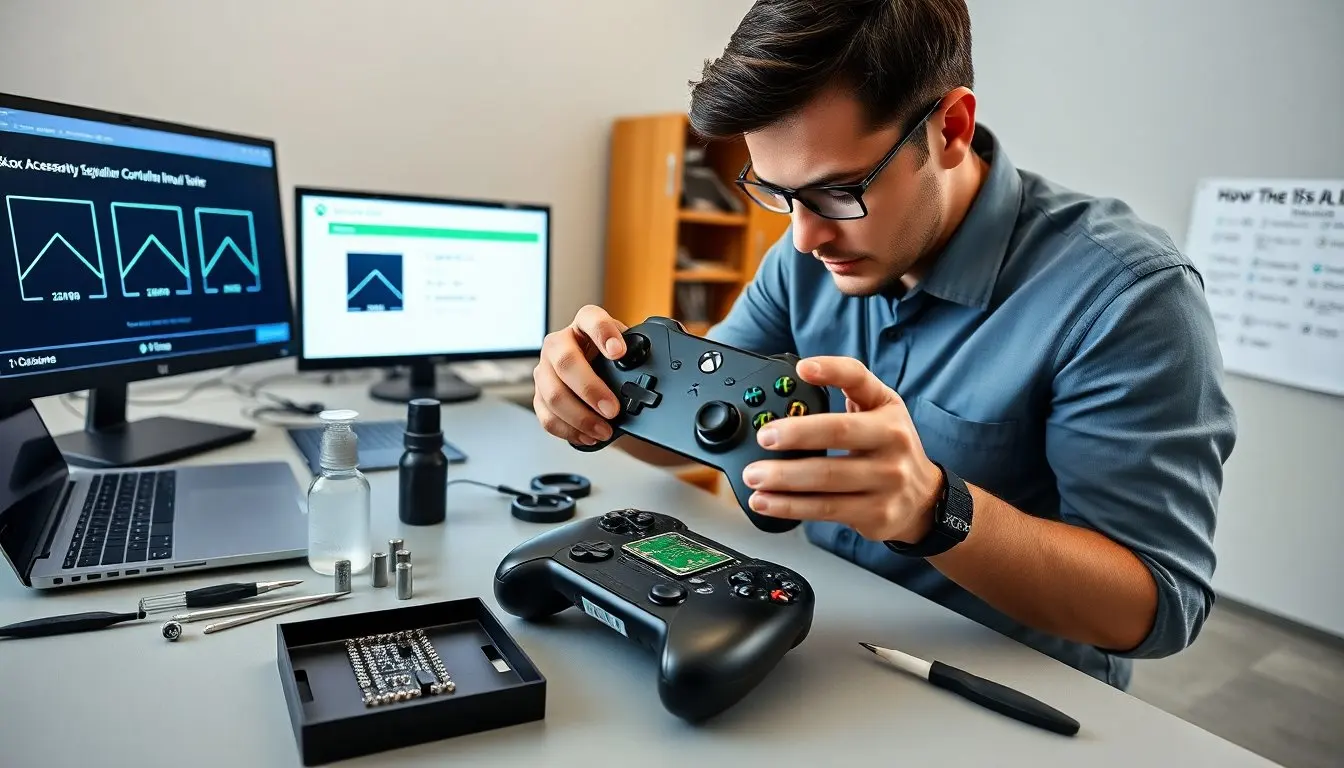
how to fix stick drift xbox one starts with clear diagnosis and simple tests. They check the controller with a game and the Xbox Accessories app. They confirm drift when the game moves or the app shows axis input with the stick at rest. They rule out dead zones, firmware quirks, and console-level settings before touching hardware.
Key Takeaways
- Diagnose Xbox One stick drift by testing the controller using the Xbox Accessories app and ruling out software causes like dead zones and firmware issues.
- Perform quick fixes such as updating firmware, adjusting game dead zones, re-pairing Bluetooth connections, and power cycling the console to resolve software-related stick drift.
- For hardware fixes, safely disassemble your controller with proper tools to clean and reseat the thumbstick module using isopropyl alcohol to remove dirt causing drift.
- Use the isopropyl alcohol tap method to clean dirty potentiometers when stick drift is evident without physical damage, ensuring adequate drying time before retesting.
- Consider replacement or professional repair if your controller shows heavy wear, damaged PCB, persistent drift, or if repairs exceed reasonable costs, checking warranty options first.
- Choose replacement controllers or repair services based on quality, warranty, and customer reviews to ensure reliable stick performance and longevity.
Diagnose Stick Drift: Confirm The Problem And Rule Out Software Causes
They start by testing the controller on the console and a PC. They open a free controller tester or the Xbox Accessories app to watch stick input. They observe the stick at rest and note any non-zero axis values. They reboot the console and reconnect the controller to remove wireless glitches. They try a different controller and a different port or console to separate controller issues from console problems. They update controller firmware using the Xbox Accessories app. They check game dead zone settings and increase dead zone to see if it removes drift. They record whether drift appears only in one axis or both. They note intermittent drift vs. constant drift. These steps confirm whether the issue is physical or software.
If the controller shows steady input with the stick centered after updates and settings changes, the problem is likely hardware. If the tester shows no drift but a game does, they inspect game settings and input mapping. If drift appears across devices, the controller needs repair or replacement.
Quick Software Fixes To Try First
They update the Xbox system and controller firmware. They connect the controller via USB and run the Xbox Accessories app to install updates. They adjust the dead zone in game settings or use the Accessories app to set custom profiles. They clear Bluetooth pairings and re-pair the controller to fix wireless input errors. They power-cycle the console and remove temporary cache by unplugging power for 30 seconds. They test the controller on a PC with a controller testing utility to confirm whether the drift persists. These steps often fix perceived drift that comes from software or wireless noise. If drift remains after these steps, they move to hardware fixes.
Safe DIY Hardware Fixes (Step‑By‑Step)
They gather tools: Torx T8 and T6 drivers, a plastic pry tool, anti-static wrist strap, tweezers, and 90%+ isopropyl alcohol. They work on a clean, well-lit surface. They disconnect power and remove batteries or the battery pack. They open the controller by removing screws from the back. They release clips slowly with the pry tool. They lift the back shell and set screws aside in a small tray. They avoid pulling ribbon cables abruptly and unclip any flexible connectors gently. They expose the thumbstick modules. They inspect solder joints, debris, and signs of wear. They follow the cleaning and reseating steps below. They reassemble the controller and test before screwing fully tight. They test with the Accessories app to verify axis centering. They stop and seek help if they see damaged traces, burnt components, or cracked plastic.
Clean And Reseat The Thumbstick Module
They remove the thumbstick cap by pulling upward with steady force. They remove the retaining nut or clip if present. They lift the module gently from the PCB. They blow out dust with compressed air and inspect for grit under the potentiometer. They brush contacts with a soft anti-static brush. They use a cotton swab dampened with 90%+ isopropyl alcohol to clean around the potentiometer and shaft. They allow parts to dry fully for several minutes. They reinsert the module, ensuring the pins align with the PCB. They press the module into place and replace the cap. They test the stick movement and the Accessories app for centered axes. They repeat cleaning if slight drift persists.
Isopropyl Alcohol Tap Method & When To Use It
They use the alcohol tap method when drift comes from dirty potentiometers and not physical damage. They power the controller off and remove batteries. They apply a small drop of 90%+ isopropyl alcohol at the base of the stick shaft. They move the stick in circles and then tap the stick toward the base to push alcohol into the contact area. They repeat taps and movements for 10–20 seconds. They allow the controller to dry for at least 10 minutes. They reinsert batteries and test. They avoid using too much alcohol or lower-purity solutions that leave residue. They stop if the controller shows erratic behavior after cleaning and proceed to full disassembly or replacement.
When To Replace Or Seek Professional Repair
They choose replacement when the potentiometer shows heavy wear, the PCB has cracked traces, or the cost of parts and labor exceeds a reasonable amount. They also replace when drift returns after multiple cleanings or when the stick feels loose or gritty. They evaluate warranty status first: Microsoft or retailer warranty can cover failures for a limited time. They consider trade-in or upgrade offers if repair costs approach the price of a new controller.
They choose professional repair when soldering or PCB-level work is needed and they lack tools or experience. They seek a service that offers a parts warranty and visible reviews. They prefer shops that use OEM or high-quality third-party modules and that provide before-and-after testing.
How To Choose A Replacement Controller Or Repair Service
They compare new OEM controllers, refurbished OEM units, and reputable third-party controllers. They weigh price, warranty length, and build quality. They check buyer reviews for input reliability and stick longevity. They prefer controllers with reported long-lasting thumbsticks or replaceable modules. They ask repair shops about parts origin and testing procedures. They request a clear repair estimate and a parts warranty. They keep receipts and ask about return policies. They choose the option that offers the best balance of cost, reliability, and turnaround time.


