
Blog

  • How To Get Shaders In Minecraft: Easy Steps To Stunning Graphics In 2026

    How To Get Shaders In Minecraft: Easy Steps To Stunning Graphics In 2026

    how to get shaders in minecraft is a common question for players who want better visuals. This guide shows clear steps and checks. It lists compatibility, installation for Java, and options for Bedrock. The guide uses simple language. It gives practical steps so players can install shaders and test them quickly.

    Key Takeaways

    • Shaders in Minecraft transform game visuals by enhancing light, shadow, and reflections for a more immersive experience.
    • Java Edition players install shaders by adding OptiFine or a compatible mod, then placing a shader pack in the shader folder via Video Settings.
    • Before installing shaders, always check compatibility with your Minecraft edition, version, GPU, and required mods to ensure optimal performance.
    • Bedrock Edition supports shaders differently, relying on resource packs and limited third-party tools, with ray tracing available on compatible Windows 10 devices.
    • Testing shaders in a backup world is crucial to balance graphics improvements with performance, and users should adjust settings if frame rates drop.

    What Are Shaders And Why Use Them?

    Shaders change how Minecraft renders light, shadow, water, and sky. They change colors, add reflections, and smooth lighting. Players use shaders to make the game look more realistic or more cinematic. Shaders do not change game rules. They only change graphics. They often improve immersion for builders, explorers, and content creators. They can also drop frame rates on older systems. Players should test a shader pack before they commit to it.

    Check Compatibility: Edition, Version, And System Requirements

    Players must check edition before they install anything. Java Edition supports most shader solutions. Bedrock Edition has limited shader support and uses different methods. Players must match the shader pack to the Minecraft version. Many shader packs list supported versions on their download page. Players should check GPU driver versions and memory. Modern GPUs and updated drivers give the best results. Players should allow at least 2 GB of free RAM for Java plus the system needs. If a shader needs a specific mod or loader, players must install that loader first. They should also back up worlds before they test new shaders.

    Install Shaders On Java Edition — Step-By-Step

    Players install shaders on Java Edition by adding a shader-compatible mod and copying a shader pack to the shader folder. The usual mod is OptiFine or a shader-capable mod loader. Players will download the correct OptiFine release for their Minecraft version. They will run the OptiFine installer to create an OptiFine profile in the Minecraft launcher. Then players will download a shader pack archive, such as SEUS, Sildur’s, or BSL, that matches their version. They will open the Minecraft launcher with the OptiFine profile selected and then open Options > Video Settings > Shaders. Players will click the Shaders Folder button. They will drop the downloaded shader pack ZIP into that folder. Back in the game, they will select the shader pack name. They will adjust settings in Video Settings to balance visuals and performance. If a shader causes crashes, players will revert to the default profile or remove the pack from the Shaders folder.

    Example: Installing OptiFine And A Shader Pack

    Players will download OptiFine from the official site for the target Minecraft version. They will run the installer and confirm it creates an OptiFine profile. Next, they will download a shader pack ZIP file. They will launch Minecraft with the OptiFine profile. They will go to Options > Video Settings > Shaders. They will click Shaders Folder and place the shader ZIP inside. They will return to Minecraft and pick the new shader from the list. They will click Done and wait for the shader to load. They will test a new world or a backup world to check performance. If frames drop too low, they will lower render distance, turn off fancy leaves, or select a lighter shader pack. Players who use mod loaders like Fabric or Forge will ensure they install the matching OptiFine or Iris and Sodium combination for shader support.

    Installing Shaders On Bedrock Edition (Windows 10, Mobile, Console) — Options And Limitations

    Bedrock Edition uses a different method for shaders. Players on Windows 10 can use resource packs or effects that change shadows and lighting. Some third-party apps add post-processing on Windows, but these tools may not work on mobile or console. Console players have the least flexibility. They must rely on official marketplace packs or platform updates. On mobile, some shader-like packs exist as behavior or resource packs. Players will import those via the game’s import feature or via third-party launchers where allowed. Players should read the pack description to confirm device compatibility. They should also avoid unofficial stores that ask for payment outside the platform. For advanced visuals on Bedrock, Windows 10 players can use GPU features like DirectX Raytracing if their hardware and the game version support it. Players must enable ray tracing in the world settings and use ray-tracing-ready resource packs. If ray tracing is not available, players will use lighter resource packs that simulate shader effects without heavy performance cost.
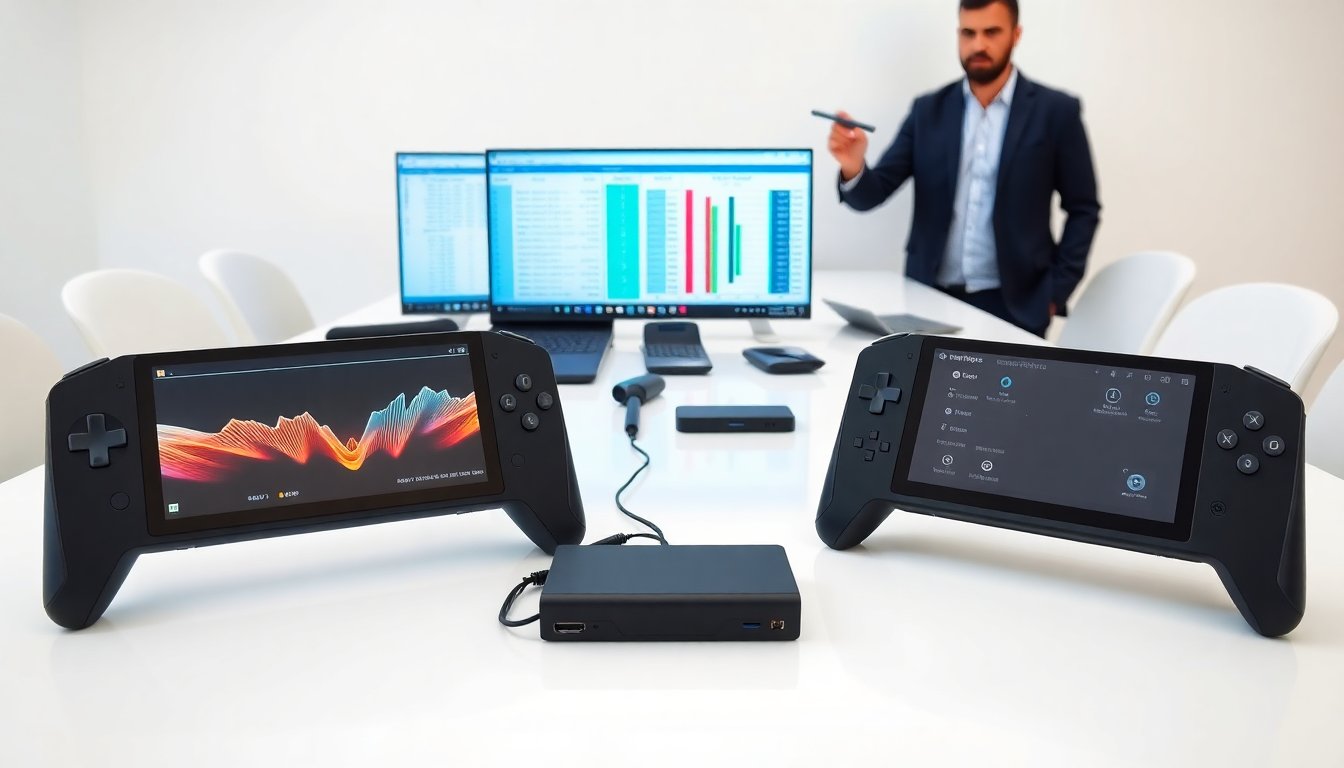

  • ROG Ally Vs Steam Deck: Which Handheld Wins In 2026? A Practical Comparison

    ROG Ally Vs Steam Deck: Which Handheld Wins In 2026? A Practical Comparison

    The ROG Ally vs Steam Deck debate shapes many buying choices in 2026. The reader wants clear facts and direct comparisons. This article shows how each handheld performs, what each one runs, and how each feels in hand. The reader will get concrete differences and use cases to decide which device fits their needs.

    Key Takeaways

    • The ROG Ally offers superior raw performance with a Ryzen Z1 CPU and higher GPU clocks, running games smoother at 1080p compared to the Steam Deck’s AMD 2021 APU optimized for 800p or upscaled resolutions.
    • ROG Ally runs Windows natively, enabling broader game compatibility and access to multiple game stores, while Steam Deck uses SteamOS with seamless Steam library integration and Proton for many Windows games.
    • Design differences matter: the Ally is compact and portable with a premium build and faster 1080p+ display options, whereas the Steam Deck is larger, emphasizing comfort for long gaming sessions with larger controls.
    • Battery life favors the Steam Deck due to efficiency, running cooler with longer playtime, while the ROG Ally trades battery for higher performance and requires active cooling under heavy loads.
    • ROG Ally supports advanced expandability with USB4/Thunderbolt-like ports suitable for external GPUs, whereas the Steam Deck offers solid dock support but with limits on high-demand external workloads.
    • The user experience contrasts between the Ally’s PC-like Windows desktop interface and the Deck’s controller-focused SteamOS, catering to different preferences and gaming habits.

    Performance, CPU/GPU, And Expandability

    The ROG Ally vs Steam Deck comparison starts with raw performance. The ROG Ally uses an AMD Ryzen Z1 series CPU. The Steam Deck uses an AMD APU from the 2021 line. The Ally’s CPU runs at higher clock speeds. The Ally’s GPU offers more compute units and higher sustained clocks in many games. The Steam Deck runs many titles well at its native resolution. The Ally runs many titles at higher settings and smoother frame rates.

    The ROG Ally vs Steam Deck difference shows up in demanding AAA games. The Ally can hit higher settings at 1080p or framebuffer scales that approach 1080p. The Deck works best at 800p or upscaled modes. The Ally’s performance needs active cooling and more power. The Deck trades top performance for efficiency and battery life.

    The ROG Ally vs Steam Deck story continues with memory and storage. The Ally ships with faster LPDDR5 and higher-capacity SSD options. The Deck uses LPDDR5 in newer models, but some older Decks have LPDDR4. Both devices use M.2 or proprietary SSD slots depending on model. The Ally often offers faster SSD read/write speeds by default.

    The ROG Ally vs Steam Deck expandability differs. The Ally includes Thunderbolt-like USB4 or high-bandwidth USB-C on some models. The Deck uses USB-C with DisplayPort over USB-C on newer models. The Ally gives more headroom for external GPUs and docks in practice. The Deck supports docks and external monitors well but shows limits with very high-demand external workloads.

    Software, Game Compatibility, And User Experience

    The ROG Ally vs Steam Deck software situation affects game access. The Steam Deck runs SteamOS by default and integrates the Steam library deeply. The Deck runs Proton layers that let many Windows games run without modification. Developers certify some titles for Deck, which simplifies buying.

    The ROG Ally vs Steam Deck contrast shows when the user wants Windows. The Ally ships with Windows by default. The Ally runs native Windows games, game stores, and DRM without compatibility layers. The Ally also runs Steam and Epic and other clients. The Deck can install Windows, but the user must manage drivers and battery tuning.

    The ROG Ally vs Steam Deck update models differ in interface and UX. The Deck’s SteamOS UI offers couch-style browsing with controller-first menus. The Ally’s Windows setup uses desktop UI and a companion overlay for controller use. The Ally’s UI feels closer to a PC, while the Deck feels more like a console.

    The ROG Ally vs Steam Deck ecosystem matters for mods and tools. The Deck benefits from a large community that shares Proton tweaks and profiles. The Ally benefits from the Windows ecosystem and existing PC tools. The Deck gives a simpler, curated buying experience. The Ally gives broader compatibility out of the box.

    Design, Controls, And Display Quality

    The ROG Ally vs Steam Deck designs reflect different priorities. The Ally uses a compact, light chassis with a textured back. The Deck uses a larger, heavier chassis that aims for comfort during long sessions. The Ally favors portability and sleek lines. The Deck favors grip and long-session comfort.

    The ROG Ally vs Steam Deck control layouts differ. The Deck uses larger thumbsticks, a D-pad, and trackpads for mouse-like input. The Ally uses smaller thumbsticks and a more traditional controller layout that suits action games. Both devices include gyro controls. The Deck’s larger sticks sometimes give finer aim control. The Ally’s layout helps with fast camera moves.

    The ROG Ally vs Steam Deck displays also differ. The Ally ships with a faster, higher-quality LCD or OLED option at 1080p and higher refresh rates. The Deck uses an LCD at 800p or 1080p in newer revisions with slower native refresh. The Ally’s panel often shows more color and higher refresh for smooth motion. The Deck’s panel offers good clarity and strong brightness in many conditions.

    The ROG Ally vs Steam Deck finish and build choices shape durability. The Ally uses premium buttons and a solid hinge for vents. The Deck uses robust plastics and large vents that favor steady airflow. Both devices show good build quality for handhelds. The buyer should check for build revisions and warranty details before purchase.

    Battery Life, Thermals, And Real-World Portability

    The ROG Ally vs Steam Deck trade-offs surface in battery life and heat. The Ally gives higher performance at the cost of shorter battery life. The Deck gives longer battery life at moderate settings. The Ally runs hotter under heavy load and may throttle without manual tuning. The Deck runs cooler and steadier for long sessions.

    The ROG Ally vs Steam Deck real-world use depends on settings. The Ally lets the user lower clocks to extend battery life with quick profile changes. The Deck gives consistent battery estimates at default settings. The Ally fits in many bags due to its small frame. The Deck fits in larger cases and needs more space.

    The ROG Ally vs Steam Deck dock and accessory options affect portability. The Ally’s docks can add ports and power for docked play. The Deck’s official dock provides stable output and Ethernet. Both devices work well with third-party docks and power banks. The user should match power delivery specs to avoid charging issues.

  • Best Xbox Game Pass PC Games In 2026: 25 Must-Play Picks And How To Choose

    Best Xbox Game Pass PC Games In 2026: 25 Must-Play Picks And How To Choose

    The best xbox game pass pc games depend on your tier: most library titles run on both console and PC unless marked otherwise, and cloud streaming helps machines that cannot install big games.

    Release timing also changes what is worth subscribing for, so keep an eye on upcoming video game releases before you commit to a plan.

    How the Game Pass library maps to PC

    Game Pass on PC is one shared catalog with a few exceptions, not a separate PC-only store. Metacritic’s running Game Pass library list states the rule plainly: all games are available on both console and PC unless otherwise indicated. That makes the list’s markers the first thing to read, because they tell you where a title does not follow the default.

    A top-down map view on a desktop PC with a mouse is the setup strategy picks like these are usually played on; the photo is illustrative and does not show a specific game.

    Two markers matter for PC players:

    • PC only entries. Some titles are flagged as PC only. Age of Empires Definitive Edition is one example on the list, which makes it a safe pick if you play strictly on a PC.
    • The (U) marker. Titles marked (U) have a console version that is exclusive to Game Pass Ultimate subscribers. The marker describes the console version, so check the entry before assuming it limits the PC version.

    The list was published on October 20, 2026, and the catalog rotates. Treat it as a snapshot for shortlisting, then confirm availability in the Xbox app before you plan an evening around a game.

    Tiers and access routes on PC

    Your tier decides which route to PC play you actually have. Essential is the narrowest: according to the same Metacritic list, Essential subscribers do not have access to any other games on it. If you only want the library, that tier is not the one to buy.

    The other routes were described around Insider tests in 2025, so read them as a direction of travel rather than a settled feature set.

    Route Condition Planning use
    Cloud streaming to a PC Game Pass Ultimate, reported at $20 per month in July 2025; streaming without a full local install Suits a PC with limited storage or a weak graphics card, provided your region is supported
    PC versions of selected titles on Core or Standard Xbox Insider beta from August 27, 2025 Worth watching if you are on a cheaper tier, but not yet a reason to pick one
    Cloud beta on Core or Standard Xbox Insiders on those tiers, August 2025 Useful for trying streaming without Ultimate, with beta limits expected

    Figures come from reporting on the July 2025 PC streaming test and IGN’s coverage of the Core and Standard beta.

    The practical judgement: if you want the widest PC access today, Ultimate is the tier the evidence points to. Choose Core or Standard only if the selected PC titles on offer happen to match what you want to play.

    Best Game Pass PC games to start with

    The strongest starting points are the titles that the list or the PC streaming reports confirm, matched to how you play. Strategy fans have the clearest case: Age of Empires Definitive Edition is flagged as PC only, and Age of Empires IV Anniversary Edition also appears in the library list. Together they cover an older and a newer entry in one series, so you can judge which style suits you before spending hours on either.

    Football Manager 26 is the one title to prioritise by date. The list shows it under leaving soon with a removal date of Nov 10, so start it now if you want it, and skip it if you cannot play before then.

    For big third-party games, the July 2025 PC streaming report says the supported library includes major releases such as Baldur’s Gate 3, Hogwarts Legacy and Cyberpunk 2077. That report ties streaming to games you own digitally, so treat those three as streaming options for your existing library rather than assumed subscription catalog entries.

    If your taste runs to scares, The Best Horror Games On Xbox Game Pass In 2026: Scares, Secrets, And What To Play First – Lunacheats narrows the catalog for that genre. For titles that may land in the library later, The Biggest Video Games Coming Out in 2026: What To Watch, Preorder, And Play – Lunacheats is a better way to plan.

    Checking hardware and mod support before you commit

    Hardware requirements and mod support are set per game, not per subscription, so check them on a title’s own page before you install. A catalog that includes strategy sims, open-world RPGs and small indies spans a wide range of demands, and a subscription does not change what a game needs from your processor, graphics card or drive.

    Use this order to decide:

    1. Read the listed requirements. Compare them with your own PC before downloading anything large.
    2. Look for mod documentation. If modding is why you want a game, confirm with the publisher or the game’s community pages that it is supported on the Game Pass version.
    3. Fall back to streaming. If a game exceeds your hardware, cloud play is the alternative, because it avoids installing the full game client.

    Streaming is not a way around every limit. It depends on your plan and region, and it is a weaker choice if your priority is local customisation of a game.

    Installing locally or streaming from the cloud

    Installing means downloading the game to your PC, while streaming runs it remotely. According to the 2025 Insider test report, PC streaming bypasses the need for local installations. That is the main reason to choose it: you skip the download and the storage cost.

    Follow this sequence to pick between them:

    1. Open the game’s entry in the Xbox app. Check whether it is marked for PC or flagged as limited to certain tiers.
    2. Compare your PC with the listed requirements. If it clears them and you have the storage, install locally so you can play without depending on a connection.
    3. Stream if it does not. A low-spec laptop or a drive that is nearly full is a good reason to use the cloud instead.
    4. Confirm your region and tier. Streaming only works where Xbox Cloud Gaming is officially supported, and the PC route was tied to Ultimate in the reporting.

    Local installs are the better default for long campaigns and anything you want to modify. Streaming suits short sessions, trials, and games your hardware cannot handle.

    Frequently asked questions

    Can I stream a physical disc game to my PC?

    No. The 2025 test required a digital copy of the game, and physical disc-based games are not compatible.

    How many countries can use Xbox Cloud Gaming on PC?

    The same report says PC streaming is restricted to the 28 countries where Xbox Cloud Gaming is officially supported, so check that your country is on that list before relying on it.

    What streaming quality did Xbox Cloud Gaming offer on PC at launch?

    When Xbox Cloud Gaming opened to Ultimate members on Windows 10 PCs through a browser in June 2021, games streamed at 1080p, up to 60 FPS, across 22 countries. That is the 2021 announcement, so current limits may differ.

  • The Best Horror Games On Xbox Game Pass In 2026: Scares, Secrets, And What To Play First

    The Best Horror Games On Xbox Game Pass In 2026: Scares, Secrets, And What To Play First

    Friday night, a long list of horror games on Xbox Game Pass, and no idea where to start: choose by scare style and session length, then check what is leaving first, because the library rotates.

    Rotation, tier and completion time shape the choice more than a ranked list does. For the wider picture, follow our coverage of upcoming video game releases, then use this guide to decide what to start tonight.

    How the Game Pass horror lineup changes

    Any fixed list of the best horror on Game Pass has a short shelf life. GameRant reports that Microsoft’s subscription normally rotates games out twice a month. The same report says Microsoft never announces specific departure times in advance. A title marked as leaving on a given date can therefore vanish at any point that day, and the roundup expected the August 15, 2024 departures around the end of the day, local time.

    That changes how you should plan. Treat the leaving date as the last safe day to start a game, not a deadline to finish it. A long campaign begun on the final evening is a poor bet. A short, self-contained game is a safe one.

    Common assumption What the evidence supports Planning use
    The horror lineup stays put Games normally rotate out twice a month Check leaving dates before committing to a long game
    A leaving date means a known hour Microsoft does not announce departure times in advance Finish or pause before the day itself, not during it
    One horror game equals one evening The Texas Chain Saw Massacre is listed at about 52 hours to beat Read the completion time before you download

    Figures come from GameRant’s Game Pass leaving roundup, which cites HowLongToBeat data for completion times.

    Misreadings that waste a Game Pass evening

    • Assuming every game suits every tier. Xbox Game Pass Ultimate is the highest tier of Microsoft’s subscription, per the same roundup. Check the tier shown on a game’s listing before you count on it.
    • Assuming the platform does not matter. The roundup labels some titles with a platform, such as a PC tag beside a listing, so availability can differ by platform. PC players should compare against our guide to Best Xbox Game Pass PC Games In 2026: 25 Must-Play Picks And How To Choose – Lunacheats before planning a horror run.
    • Trusting a stale roundup. A list published for one rotation says nothing about the next. Use older lists to learn how departures are announced, not to decide what is available now.
    • Treating a big new release as a reason to rush. Large launches compete for the same evenings. If you are planning a long horror game around a major release, keep the gta 6 release date in view so the two do not collide.

    What are the best horror games on Xbox Game Pass?

    The best horror games on Xbox Game Pass are the ones that match the kind of fear you want and the time you have. A fixed ranking ages quickly because of rotation, so a repeatable method is more useful than a list that is out of date within weeks. Start with scare style, then filter by length, then check the leaving date.

    The one horror title with confirmed rotation and length figures in GameRant’s roundup is The Texas Chain Saw Massacre, which was listed as leaving Game Pass on August 15, 2024 and at about 52 hours to beat. It shows why the length and date checks matter even for a single entry.

    A retro-style grey controller and console sit beside a CRT TV displaying a game scene; the controller is not an Xbox model.

    Choosing by scare style

    Slow psychological dread

    Psychological horror leans on atmosphere, sound design and a story that unfolds gradually. It suits players who enjoy piecing together a mystery and do not need constant combat. Play it in longer, uninterrupted blocks, because the tension builds across a sitting and can drain if you break the session into scraps. If a game offers adjustable difficulty or accessibility options, use them to tune the pressure toward story or toward challenge.

    Survival tension

    Survival horror adds scarce resources, stealth and combat on top of the dread. It suits players who like measurable risk and tight decisions about when to fight, hide or retreat. Save often, treat each session as one objective, and switch to a gentler difficulty if the pressure stops being fun.

    Short, concentrated scares

    Short games pack the fear into a single sitting and carry little risk if a game leaves the service soon. They are the sensible choice when a leaving date is close, when you want to sample an unfamiliar idea, or when you are new to the genre. Because they ask for little time, you can try several in a weekend and keep only the style that works for you.

    Co-op and party horror

    Multiplayer horror turns private dread into a shared event. Cooperative games reward communication and shared problem solving, while party-style games lean on loud reactions and short rounds. If you are introducing friends to the genre, begin with something forgiving and move to higher-stakes modes later. Confirm that the listing supports the mode you want, whether online or on the same couch, before everyone sits down.

    Choosing by session length

    Completion time is the most practical filter, and the spread is wide. GameRant’s roundup, citing HowLongToBeat, puts The Texas Chain Saw Massacre at about 52 hours to beat. A non-horror entry from the same list, Offworld Trading Company, runs from 9 to 119 hours. A single number can hide a very large range, so read the range when one is given.

    • One evening: pick a game whose listed completion time clearly fits a single sitting, and avoid anything described as a long campaign.
    • A few evenings: pick a story-driven title with natural chapter breaks, so you can stop at a safe point without losing tension.
    • A long commitment: only start a game of tens of hours if its leaving date is not close, or if you are willing to buy it when it departs.

    A game that takes tens of hours is a different kind of purchase from a short scare. Choose it deliberately rather than by accident.

    Which horror games are leaving Game Pass soon?

    In GameRant’s August 2024 roundup, the horror example was The Texas Chain Saw Massacre, reported as leaving on Aug 15, 2024, with the whole batch leaving later that day. That date is long past. For anything current, read the latest leaving-soon roundup, because departures change with each rotation and arrive without a stated hour.

    Roundups are published ahead of the dates. A leaving-soon list names The Witcher 3 and Another Crab’s Treasure as departing on August 31, 2026, and neither is horror. It also notes a discount of at least 20% on departing titles.

    Use that discount to decide what to do with a game you are enjoying. If you are deep into a horror game and it is about to leave, buying it at the reduced price keeps your progress available. If you have barely started, let it go and move to something shorter.

    Frequently asked questions

    Question Answer
    Which horror game on Game Pass takes longest? Among the entries with supported figures, The Texas Chain Saw Massacre is listed at about 52 hours to beat, per HowLongToBeat data cited by GameRant.
    Does the Ultimate tier matter for horror games? Xbox Game Pass Ultimate is the highest tier of Microsoft’s subscription, so read the tier on each game’s listing before assuming it is included in yours.
    Can I keep a horror game after it leaves? You can buy departing titles, and a leaving-soon roundup notes a discount of at least 20% on them.
    What time does a game actually leave? Microsoft does not announce specific departure times in advance, so assume the game can go at any point on the stated date.
  • Hello world!

    Welcome to WordPress. This is your first post. Edit or delete it, then start writing!