Blog

  • Iris Shaders For Minecraft: How To Get Stunning Graphics With Fabric In 2026

    Iris Shaders For Minecraft: How To Get Stunning Graphics With Fabric In 2026

    Iris shaders minecraft setups work on Java Edition with Fabric: install Fabric, then Iris, which ships with Sodium, and drop a shader pack into the shaderpacks folder. Iris does not coexist with OptiFine, so choose one or the other.

    The steps below follow the same loader-and-folder routine covered in our guide on how to install game mods, applied to Iris specifically.

    What Iris does and why Sodium comes with it

    Iris is a shader pack loader for Minecraft Java Edition. Its Modrinth project page describes it as a modern loader intended to be compatible with existing OptiFine shader packs. In practice, the shader pack does the visual work (lighting, shadows, water, sky), and Iris is the layer that lets the game load and run that pack.

    Iris sits alongside a rendering mod rather than replacing the whole game’s graphics path. According to the official Iris site, it ships with Sodium for optimised rendering out of the box. A Beebom install guide goes further and says Iris requires Sodium to run, so treat the two as a pair rather than as separate decisions.

    The split in roles matters when you troubleshoot. An Essential wiki page on the pair summarises it simply: Sodium greatly improves game performance, while Iris implements the shaders. If the game runs poorly with shaders off, look at Sodium and your hardware. If shaders look wrong or fail to load, look at Iris and the pack.

    Iris is free to use, and it is distributed through its installer, Modrinth and CurseForge. Once the loader side is clear, the next question is which Minecraft versions and loaders are supported.

    A laptop running a developer-style code editor and terminal, with an orange plush toy on the left edge of the keyboard.

    Version and loader compatibility

    Iris supports Fabric on Minecraft 1.16.5 and higher, which covers every release family that Modrinth lists for the mod. The table sets the main loader options against what to do with each.

    Loader Iris support Planning use
    Fabric Supported on 1.16.5 and higher The default choice for this guide; pick any Minecraft version from 1.16.5 upward.
    NeoForge Supported on 1.21.1 and higher Use it only if your modpack already requires NeoForge and runs 1.21.1 or newer.
    Quilt Listed as a platform on Modrinth Check the Modrinth version list for your exact Minecraft release before downloading.
    Forge Not supported Switch to Fabric or NeoForge if you want Iris and Sodium.

    Loader support is taken from the official Iris site and the platform list on Modrinth.

    Modrinth’s compatibility list for Minecraft: Java Edition runs from 1.16.5 through the 1.17, 1.18, 1.19, 1.20 and 1.21 families up to the 26.1, 26.2 and 26.3 releases, and it marks Iris as a client-side mod. Client-side means you install it on your own game; you do not need the server to have it.

    A simple rule follows from this: match the Iris, Sodium and Fabric downloads to the same Minecraft version, and update them together. Mixing builds from different versions is the most avoidable cause of a game that fails to start.

    Installing Iris with Fabric and Sodium

    The quickest route is the Iris installer from the official site, which handles the loader and the bundled Sodium. The manual route suits players who already manage a Fabric profile in their launcher.

    Installer route

    1. Download the installer from irisshaders.dev, where Iris and Sodium are offered together.
    2. Select your Minecraft version within the supported range, and let the installer set up Fabric and the mods.
    3. Launch the new profile from your launcher and confirm the game reaches the main menu before adding anything else.

    Manual route on an existing Fabric profile

    1. Install Fabric for your chosen Minecraft version and start that profile once.
    2. Download Iris and Sodium for that same version from Modrinth or CurseForge.
    3. Open the launcher installation folder and drag the mod files into the mods folder, as the Essential wiki describes.
    4. Launch the Fabric profile and check the mod loaded by opening Video Settings.

    Adding a shader pack

    According to Beebom’s install walkthrough, you transfer the shader pack file into the shaderpacks folder in the main Minecraft folder, then enable it from Video Settings. Pick the pack from the shader list there, and the change applies in game.

    Make a copy of your Minecraft folder before adding mods if you have worlds you care about. That is general precaution rather than an Iris requirement, but it makes undoing a bad update trivial.

    Choosing shader packs that work with Iris

    Most OptiFine shader packs work with Iris, according to Beebom, though a list of incompatible packs exists, so check a pack’s page before downloading. The official Iris site shows Bliss Shaders and SPBR in its showcase image, which makes them reasonable first packs to try for the look Iris targets.

    Start with one pack and judge it on your own hardware before collecting several. If the frame rate drops after you enable a pack, try a lighter pack or the pack’s own lower-quality options before blaming the loader, since Sodium is already handling the base rendering.

    Packs that rely on extra rendering mods need a closer look:

    • Voxy and Distant Horizons work only with shader packs that explicitly support them, so read the pack’s description if you want extended view distance.
    • Nvidium disables itself when shaders are enabled, though it can still be installed alongside Iris.

    Iris and OptiFine: what changes in performance

    There is no head-to-head frame rate figure in the supplied documentation, so the honest comparison is about how each fits your setup. Iris and OptiFine cannot run together. The Iris site states that OptiFine, Canvas or Vulkan mods are incompatible and will crash the game.

    On Fabric, the practical advantage is Sodium. Because Iris ships with it and Sodium greatly improves performance, a Fabric install gets optimised rendering even before a shader pack is enabled. Players who stay on Forge have no Iris option and are directed to OptiFine instead, as the Essential wiki notes.

    • Choose Iris if you play on Fabric or NeoForge and want shaders alongside other mods.
    • Choose OptiFine if your setup is locked to Forge.
    • Do not combine them; remove OptiFine before adding Iris.

    Fixing conflicts and missing effects

    If shaders do not appear after installation, work through the likely causes in order of how often the Iris documentation points to them.

    • Wrong loader. Forge is not supported, so confirm your profile uses Fabric or NeoForge.
    • Old or mismatched versions. Make sure Iris, Sodium and Fabric all target the same Minecraft version, and that it is 1.16.5 or higher.
    • Crash on launch. Remove OptiFine, Canvas or any Vulkan mod first, because the official site lists them as crash causes.
    • Resource pack effects missing. Resource packs that use core shaders will not work while a shader pack is enabled, so switch the shader pack off if you need them.
    • Pack fails to load. Check whether it appears on the incompatible OptiFine-pack list that Beebom points to.

    Change one thing at a time and restart the game after each change, so you can tell which fix worked.

    Related modding guides

    If you also mod on consoles, the approach differs from a PC loader setup. See Fallout 4 On PS5: The Complete Guide To Mods, Installation, And Must-Play Picks (2026) – Lunacheats for that route, and Best Fallout 4 Xbox One Mods In 2026: Upgrade Your Wasteland Experience – Lunacheats for the Xbox side.

    Frequently asked questions

    Is Iris free, and what licence does it use?

    Iris is free to use. Its Modrinth listing shows the licence as LGPL-3.0-only.

    Do I install Iris on a server?

    No. Modrinth lists Iris as a client-side mod, so it goes on your own game.

    Can I use Iris on Minecraft Bedrock Edition?

    No. The Iris site states that Bedrock Edition cannot be modded due to restrictions on mobile devices, so Iris is for Java Edition.

    How widely used is Iris?

    Modrinth showed 196.4M downloads and 30.2K followers for the project, and the main GitHub repository listed 3,882 stars at the time of checking.


  • Gaming updates from etruesports etruegames

    Gaming updates from etruesports etruegames

    gaming updates from etruesports etruegames is how some readers search for the gaming posts on Etruegames, a small blog whose Gaming menu lists PS4, PS5, Xbox and Console entries. This roundup covers what that blog has been publishing in 2026, from a card-game comparison to a football-game piece, and notes that it states no tie to Etruesports.

    Recent gaming post Date shown
    Balatro vs Hearthstone 2026: which card game rewards skill 8 July 2026
    What Hojlund’s return means for All Sports Games fans 16 April 2026
    Why online gaming communities are growing faster than ever 16 February 2026

    What the etruegames gaming archive holds

    The Gaming archive is short. At the time of reading it listed three articles, each posted by an account labelled admin with a date and an excerpt. The wider blog adds unrelated posts, such as one on hiring plumbers in Omaha and a guide to AI face-swap tools, so the gaming listing is the best place to look for etruegames gaming updates from etruesports style queries, even though the name Etruesports does not appear in them.

    Card games and console games both feature in the recent posts

    Balatro versus Hearthstone: the lead story

    The longest gaming piece, rated at about nine minutes of reading, compares two card games. It opens with the claim that card gaming shifted this year and says one title passed five million copies sold. As with most figures in blog posts, that number is the article’s own statement and is not cited to a publisher, so check the developer’s announcements before repeating it. The question in the headline, which game rewards skill, is an opinion topic, and the article treats it as such.

    If you came looking for etruegames new games reviews by etruesports, this is the closest thing on offer: an opinion-led comparison, not a scored review with test notes.

    A football-game angle: All Sports Games and a player’s return

    In April, the blog published a piece asking what a footballer’s return to a team means for fans of a sports video game series. The excerpt discusses how a player’s form can change after a move and how surroundings shape performance. This is the kind of crossover subject that fits a site with both real sport and video game readers, and it is written for casual fans.

    Sports and games topics overlap on this blog

    Online communities: the February feature

    The earliest item in the archive explains how gaming communities grew from small forum groups into large global networks. It is general background, not news, and works as an introductory read for newcomers.

    Reading the three posts critically

    Each article shows the same traits. The writing is readable and aimed at casual players, the headlines are phrased as questions, and none of the excerpts names a source for its claims. That does not make them wrong, but it does mean the reader carries the job of checking. A sales figure, a transfer story or a statement about community growth can usually be confirmed in a minute on an official site or a news outlet, and doing so is the difference between enjoying an opinion and repeating an error.

    It is also worth noticing what the posts do not do. They do not score games out of ten, list platforms and prices, describe testing time or compare performance between consoles. Someone who wants to decide whether to buy a game this week needs that detail, and should treat these features as conversation starters instead.

    Finally, consider the context. The same front page carries advertorial-style posts on plumbers and AI photo tools, which tells you the site is built to publish a wide range of sponsored-looking content. The gaming posts are the more personal corner of it, and they are the reason a gaming reader might bookmark the archive at all.

    What is missing from the roundup

    There are no patch-note summaries, no dated release calendars and no hardware reviews in the listing seen. The menu names PS4, PS5 and Xbox, but these entries did not show a dedicated article stream at the time of reading. Readers seeking console-specific news should not expect it here.

    • Posting frequency is low, roughly one gaming item every few months in the archive.
    • Authorship is shown only as admin.
    • Several non-gaming advertorial posts sit beside the gaming ones.
    • The footer credits the site to Etruegames itself.

    Is there a link between etruegames and Etruesports?

    Searches such as etruegames gaming updates from etruesports suggest readers expect one. The pages read for this roundup carry no statement that Etruesports owns, edits or syndicates Etruegames, and their layouts and menus differ. Treat them as separate sites until one of them says otherwise.

    How to use the blog sensibly

    Because the archive is small, the whole thing can be read in under half an hour, which makes it easy to judge for yourself whether the style suits you before you follow it.

    Bookmark the Gaming archive, check the date on each post, and verify numbers with official sources. Enjoy it as light reading, and look to a larger gaming outlet for news that needs to be current. Nothing on a blog like this should be taken as buying advice, and you should never share account details or payments with a site on the strength of an article.

    Roundup verdict: three modest gaming features in 2026, one of them substantial, and no sign of regular updates.

  • Fallout 4 On PS5: The Complete Guide To Mods, Installation, And Must-Play Picks (2026)

    Fallout 4 On PS5: The Complete Guide To Mods, Installation, And Must-Play Picks (2026)

    fallout 4 ps5 mods now run on PlayStation 5 with improved stability and some limits. Players can browse and install many community mods on PS5 through Bethesda.net. This guide explains what changed, how to install PS4 and PS5-compatible mods, which mods work best, and how players can avoid save and performance issues. It also summarizes practical testing routines, compatibility checks, and everyday troubleshooting steps to make modding Fallout 4 on PS5 less risky and more rewarding.

    Key Takeaways

    • Fallout 4 PS5 mods now run with improved stability and are available through Bethesda.net with clear PS5 compatibility tags.
    • Players should link their Bethesda account on PS5 to browse, download, and enable mods from the Mods menu in Fallout 4 efficiently.
    • Installing one weapon or combat mod at a time and testing with a new save helps avoid conflicts and performance issues.
    • Sony and Bethesda restrict mods that alter core scripts or contain copyrighted, adult, or external executable content to ensure safe gameplay.
    • Maintaining multiple save files, including a clean save without mods, and backing up saves to cloud storage prevents data loss when using Fallout 4 PS5 mods.
    • Limiting high-resolution textures and scripted events improves performance, and players should report unsafe mods to Bethesda.net moderators.

    Can You Use Mods With Fallout 4 On PS5? What Has Changed

    Players can use fallout 4 ps5 mods on the PlayStation 5. Sony relaxed some restrictions in recent firmware updates to allow a wider set of community content while still enforcing safety checks. Bethesda updated its mod platform to label PS5-compatible entries, making it easier to find mods that are tested or tagged for the console. The PS5 offers more memory and faster storage than PS4, which can reduce load times and help heavier assets run more smoothly, but the console still limits mod file size and the type of script mods allowed for stability and security reasons. Players cannot run mods that overwrite protected files or inject external executables; this prevents many common modding techniques used on PC. Bethesda and Sony still ban mods that contain copyrighted assets, adult content, or external executables. The mod catalog on Bethesda.net now shows compatibility tags and community feedback; players should check those tags and recent comments before download. Many mod pages also list known conflicts and required load order, and paying attention to those notes improves the chances that fallout 4 ps5 mods will work without causing corrupted saves or crashes.

    How To Install PS4/PS5-Compatible Mods Step‑By‑Step

    Players should sign into a Bethesda account on their PS5 and make sure Fallout 4 is fully updated. From the main menu, open the Mods menu and follow the on-screen prompts to link the Bethesda account when first prompted. Use the Bethesda.net browser within the game to filter for PS5 or PS4 compatibility; the PS5 filter is useful for sorting out mods that have been tested or repackaged for the newer hardware. Select a mod entry, read the description and comments for any special instructions (load order, patches, or required dependencies), then choose Download. After downloading, enable the mod in the Load Order screen and place it in the recommended order if the author provided one. Best practice: enable only one or two new mods at a time and create a new save file specifically for testing. Launch the game, play for a short period, and test the features the mod changes (weapons in combat, settlement tools, NPC behavior, visuals) to confirm there are no immediate conflicts or crashes. If a mod causes instability, return to the Mods menu to disable or remove it. Keep an organized list of installed mods and their load order so you can reproduce a stable setup. Finally, keep backups—export saves to cloud storage if available and maintain at least one clean save with no mods so you can revert if needed when using fallout 4 ps5 mods.

    Top PS5‑Compatible Fallout 4 Mods To Try This Year

    Players will find weapon packs, visual upgrades, settlement tools, gameplay overhauls, and quality-of-life improvements among top fallout 4 ps5 mods. Rather than a single definitive list, consider categories and compatibility notes: visual enhancement mods that improve lighting, weather, or textures (watch file size and performance notes); weapon packs and retextures that replace models and add variety; AI and combat tweaks that rebalance fights or improve enemy behavior within the console scripting limits; settlement building tools that streamline construction without adding prohibited external code; and user interface mods that make information clearer. Each mod entry on Bethesda.net includes compatibility tags and community ratings—prioritize mods with positive recent feedback on PS5. When trying recommended mods, read the description for any required patches or compatibility fixes and check the comments section for common issues reported by PS5 players before installing them.

    Weapon And Combat Mods Worth Installing

    Players can add varied guns, ammo types, and balanced damage values with weapon mods, and many authors now include PS5-friendly builds that avoid restricted scripts. Look for weapon packs that replace low-detail models with higher-detail PS5 versions while keeping texture sizes reasonable for console performance. Combat mods that adjust enemy AI, introduce smarter cover use, or change ballistic behavior can refresh encounters but should be chosen carefully—console versions cannot use some script-heavy mechanics common on PC. To reduce conflicts, install one weapon pack and one combat tweak at a time, test in a fresh save, and observe how the changes affect load times, frame pacing, and quest flow. If a weapon mod includes unique crafting recipes or perks, verify that these additions do not conflict with other gameplay overhauls. Always check the mod page for PS5 tags and author notes about load order and inter-mod compatibility when searching for fallout 4 ps5 mods.

    Tips, Limits, And Safety: Performance, Saves, And Banned Content

    Players should keep several save files and one clean save without mods. Use the clean save to restore the game if a mod corrupts progress or produces unexpected quest behavior. Avoid mods that change core game scripts or add external code because these are typically blocked on console and can lead to crashes if they attempt unsupported actions. Sony and Bethesda ban mods that include copyrighted music, branded assets, or adult content—check the mod page and community flags before installing. Read mod comments for reports of crashes, slowdowns, or broken quests and pay attention to any PS5-specific troubleshooting posted by other players. Performance tips: limit or avoid massive high-resolution texture packs designed for PC, stagger installation of script-heavy mods, and prefer mods that list options for reduced texture or effect quality. For save safety: manually export saves or use the console’s cloud save feature when possible, keep local backups on multiple slots, and avoid converting long-running modded saves back to a vanilla state. If you encounter a corrupt save or persistent crash pattern after installing fallout 4 ps5 mods, disable recent additions, restore from the clean save, and reinstall mods one at a time to isolate the cause. Finally, report abusive or unsafe mods to Bethesda.net moderators and upvote clear, tested PS5-compatible mod builds to help other players find reliable fallout 4 ps5 mods.

  • GTA V Cheat Codes: 30+ Must-Know Cheats, How To Use Them, And When To Avoid Them (2026)

    GTA V Cheat Codes: 30+ Must-Know Cheats, How To Use Them, And When To Avoid Them (2026)

    Cheat PC code Phone number Planning use
    Explosive Rounds HIGHEX 1-999-444-439 Free-roam firefights. The controller sequence is long, so the phone is the safer entry route.
    Give Ammo and Weapons TOOLUP 1-999-866-587 Restocking after a fight, or trying weapons you have not bought.
    Max Armor and Health TURTLE 1-999-887-853 Recovering without reloading a save or restarting a mission.
    Lower Wanted Level LAWYERUP 1-999-529-93787 Shaking police attention so you can keep exploring.
    Super Jump HOPTOIT 1-999-467-8648 Getting around the map for fun. It is not a tool for story progress.
    Buzzard Helicopter BUZZOFF 1-999-289-9633 Spawning an aircraft on demand. The Xbox controller input is listed below.

    These codes and numbers come from Kotaku’s GTA V cheat list, which also gives the controller sequences for PlayStation and Xbox.

    The cheat codes for GTA V work through the controller d-pad, the in-game phone or PC console commands. Using any of them disables achievements on Xbox and trophies on PlayStation, and none work in GTA Online.

    This page covers entry on each platform, the cost of using cheats, and which cheats suit which goal. For other titles, browse our wider set of video game cheat codes.

    What using a cheat costs you

    Cheats in GTA V cost you achievements and trophies. Kotaku notes that cheats disable achievements on Xbox and trophies on PlayStation. A podcast episode on the topic adds that the loss applies to the session. Treat a cheat as something you do deliberately, not in passing.

    The practical decisions follow from that:

    • If you are chasing achievements or trophies, leave cheats alone until the story and your target unlocks are finished, or keep cheating for a separate save you do not care about.
    • If you only want to mess around in Rockstar Games’ open-world map, cheats are a low-risk way to do it, because the main penalty is the lost unlocks.
    • If you are hoping for easy money, there is nothing to enter. Kotaku states GTA V has no money cheat because of the in-game stock market.
    • If you play online, do not expect cheats to function. IGN’s GTA Online wiki says the single-player cheat codes are disabled in GTA 5 Online, in both the open world and Job segments.

    Because cheats affect the session, the order in which you do things matters more than which code you choose, which is covered under save habits below. Next, the entry methods themselves.

    Entering cheats on each platform

    The same cheat can be entered by controller, phone or PC console. Pick the method by how long the code is and how steady your timing is. Kotaku says all cheats also work on the PS3 and Xbox 360 versions, so older consoles follow the same approach.

    Controller input on PlayStation and Xbox

    Kotaku’s instruction is to punch in the input using your controller’s d-pad while playing. The two Explosive Rounds sequences show how the layouts line up:

    • PS4 and PS5: Right, Square, X, Left, R1, R2, Left, Right, Right, L1, L1, L1.
    • Xbox: Right, X, A, Left, RB, RT, Left, Right, Right, LB, LB, LB.
    • Buzzard Helicopter on Xbox: B, B, LB, B, B, B, LB, LT, RB, Y, B, Y.

    Comparing the first two lines, Xbox X sits where PlayStation uses Square, and Xbox A sits where PlayStation uses X. LB and RB correspond to L1 and R1, and RT to R2. If you only have the Xbox version of a sequence, that mapping lets you work out the PlayStation one, and the reverse. Xbox One players use the Xbox sequences as written.

    Controllers like these carry the face buttons, bumpers and triggers named in the Xbox and PlayStation sequences. The game on the monitor is not identifiable as GTA V.

    The in-game phone

    Every cheat in the table above has a phone number. Open the in-game phone, dial the number, and the effect applies like the controller version. Choose this route for any cheat with a long button sequence, since one missed press means starting the input again. It also suits anyone who struggles to recall d-pad combinations. The trade-off is speed: dialling several numbers in a row is slower than a short controller sequence you already know.

    PC console commands

    On PC, cheats are typed as console commands such as HIGHEX for Explosive Rounds, TOOLUP for ammo and weapons, or PAINKILLER for invincibility. Typing is the most reliable method: there is no timing to get wrong, and each code is a single word. PC players who also own a controller can use either route, so use whichever is closer to hand.

    A monitor-and-desk setup with a mouse beside it. PC players can type a word code instead of working through a controller sequence. The on-screen game is not identifiable as GTA V.

    Choosing cheats by goal

    Match the cheat to what you actually want from the session, and avoid stacking effects you do not need.

    • Staying alive: Max Armor and Health (TURTLE on PC, 1-999-887-853 by phone) restores you after a bad fight. Invincibility (PAINKILLER on PC) is the stronger option for sightseeing or experimenting with chaos where dying would only be an interruption.
    • Firepower: Give Ammo and Weapons covers a full restock. Explosive Rounds changes how fights play out, so it fits when you want destruction rather than a careful playthrough.
    • Police pressure: Lower Wanted Level is the quick fix when a chase gets in the way of what you are doing. It suits exploring more than it suits scenarios where you want the chaos to continue.
    • Vehicles: Buzzard Helicopter spawns an aircraft without a trip to a hangar. It is the clearest example of a cheat that saves travel time, which makes it handy for moving across the map when you are experimenting.
    • Movement: Super Jump is for fun. Since it offers no combat or survival advantage, it is the least disruptive choice for people who still want to enjoy the intended game.

    For anything else, check a full list such as Kotaku’s, which pairs each effect with its PC code, phone number and controller input. Choose cheats before you start, because effects that clash with an objective are easier to avoid than to undo.

    Save habits around cheating

    Because achievements and trophies are lost for the session, the safest habit is to keep your cheating away from the save you care about. Try cheats in free roam rather than mid-mission, and prefer a throwaway save for experiments. Rockstar’s own guidance on saving after cheats is documented for an earlier game: IGN’s San Andreas page says Rockstar does not recommend saving after using cheats due to potential issues. That note is not about GTA V, but it supports a cautious approach for anyone who wants to protect an important save.

    More cheat guides

    If your interest in cheating extends beyond Los Santos, The Ultimate Sims 4 Cheat Codes Guide: Fast Money, Skills, Builds & More (2026) – Lunacheats covers a very different style of shortcut. For a game where shortcuts and console commands matter in another way, read Stardew Valley Cheats: Safe Shortcuts, Console Commands, and Mod Tips For 2026 – Lunacheats.

    Frequently asked questions

    What are the GTA 5 cheat codes?

    They are short inputs that trigger effects such as ammo, health, a lower wanted level, super jump or a spawned helicopter. Each effect has a PC code, a phone number and a controller sequence. There is no money cheat.

    How do I enter them on each platform?

    On PlayStation and Xbox, use the controller d-pad and buttons. On any platform, you can dial the number on the in-game phone. On PC, type the code into the console.

    Do cheats disable achievements?

    Yes. Achievements are disabled on Xbox and trophies on PlayStation once you use cheats, and the loss lasts for the session.

    Do cheats work in GTA Online?

    No. The single-player cheat codes are disabled in GTA Online, in both the open world and Job segments.

    Do the cheats work on older consoles?

    Yes. Kotaku says all the cheats also work on the PS3 and Xbox 360 versions of the game.

  • Build Your Perfect Gamepad: The Ultimate Guide to Custom Xbox Series X Controllers (2026)

    Build Your Perfect Gamepad: The Ultimate Guide to Custom Xbox Series X Controllers (2026)

    Ready to order a color and call it done? A custom Xbox Series X controller is bought pre-built from a builder; check what changes inside, then weigh price and warranty.

    Controllers are one corner of a wider customization habit. If you also tweak the games themselves, see how to how to install game mods for the software side.

    A custom build is more than a repaint

    The most common misunderstanding is that every custom controller is the same product in a different color. Builders differ in what they replace, what they leave alone and how they describe it, and those differences decide whether you are buying looks, feel or both.

    • Shell swap with stock internals. Custom Controllerzz starts from a new Microsoft controller, replaces the front shell with its Steel design, and states that all internal components stay factory original. This suits buyers who want a distinctive look without changing how the electronics behave.
    • Feel-focused features. ColorWare lists textured triggers and bumpers, a hybrid D-pad, button mapping and Bluetooth technology on its Xbox Series X controller. That is a better fit if grip and layout matter as much as color.
    • Hand-built on a licensed base. AimControllers says it only uses officially licensed Sony and Xbox controllers as a base, and that the controller itself is the only part that is not hand-built.

    Reading each listing for what is replaced and what is kept is the quickest way to avoid paying for a repaint when you wanted something more, or paying for extras when you only wanted a repaint. The table contrasts two storefronts on the points that most affect the decision.

    Route Listed price Warranty Planning use
    Custom Controllerzz Steel Xbox Series X/S $129.95 sale price 90-day warranty included; excludes accidental damage Looks-first buyers who are happy with factory internals and want a longer included term.
    Dream Controller Xbox Series X/S custom $134.99 sale price; $169.99 regular price 30-day warranty included Worth considering when the design appeals most; the shorter included cover is the trade-off to weigh against the price.

    Prices and warranty terms come from the Custom Controllerzz Steel listing and the Dream Controller storefront.

    Choosing a route from budget to pro

    A second misconception is that going custom means one ladder with a single best rung. In the listings, the routes differ by design range, base model and included cover, so the sensible path depends on what you want to change.

    Budget: the lowest listed entry point

    ColorWare lists its Xbox Series X controller at $99.00 USD, with bumpers, joysticks and triggers offered as a color option separate from the body. This is the cheapest listed starting point among the builders covered here, and it suits anyone who mainly wants a two-tone color scheme plus the textured triggers and hybrid D-pad.

    Mid-range: pre-built designs

    AimControllers lists several Xbox Series X designs from $119.00 through $269.00, and advertises over 100,000 design combinations. The Steel and Dream listings above sit in a similar bracket. Pick this tier when you want a finished design rather than a long configuration process, and compare the included warranty before the paint.

    Pro: premium designs and Elite bases

    The top of the range is where listed prices climb fastest. Aim’s Expel design is listed at $209.00 to $333.87, and Dream Controller lists an Elite Series 2 custom at $299.99 sale price against $329.99 regular. These suit buyers who specifically want an Elite base or the largest design choice. A higher price in these listings reflects the model or design, so do not read it as proof of better inputs.

    1. Decide whether color, feel or extra features matter most to you.
    2. Open each listing and note which parts are replaced and which stay factory original.
    3. Compare the included warranty terms and any paid extensions.
    4. Add only the extras you will use, then place the order.

    Parts you can change and parts that stay stock

    The question of which parts can change has a narrower answer than many buyers expect. The listings separate cosmetic zones from the internals, and the internals are often left alone.

    Thumbsticks and joystick modules

    Thumbsticks are the part that appears as both a color choice and an upgrade. ColorWare lists matte bumpers, joysticks and triggers as a color option separate from the body, which makes the sticks a purely visual decision there. Custom Controllerzz goes the other way: its listing offers TMR joystick modules at $49.95 added over the standard joystick modules. Treat these as two separate choices: pay the module upgrade only if you want it for its own sake, and choose stick color on looks alone.

    Shell, triggers, buttons and layout

    • Front shell. Replaced in the Steel build, which is what produces the new look while the rest of the controller stays as Microsoft made it.
    • Triggers and bumpers. ColorWare lists textured triggers and bumpers, so grip is part of the build rather than an afterthought.
    • D-pad and mapping. A hybrid D-pad and button mapping appear in the same ColorWare feature list, which matters if you play fighting or platform games more than shooters.

    What stays stock

    Internal components stay factory original in the Custom Controllerzz Steel build, and AimControllers uses an officially licensed Xbox controller as its base. In practice that means the console controller you get is a genuine Xbox Series X/S controller with changes layered on, and the Steel listing names Series X/S as its target. If you want electronics changed rather than only the exterior, choose a listing that names the modules or features, such as the TMR option above, and skip those that advertise only a shell.

    An Xbox-style controller held toward a wall-mounted screen showing a sports game. This stock photo shows the kind of console controller a builder starts from, not a specific builder’s product.

    Warranty cover and what it excludes

    Many buyers assume a longer warranty protects against any kind of damage. The Custom Controllerzz listing is clear that it does not: its warranty covers manufacturing defects, while accidental or physical damage is not covered.

    The Custom Controllerzz listing offers a 1-year extension for $19.95 and a 2-year extension for $29.95, and both exclude accidental damage. An extension therefore stretches the period in which a manufacturing fault is covered, and nothing more. It suits someone who plans to keep the controller for a long time and handles it carefully. Players who worry about drops or spills should not count the extension as insurance against them.

    When comparing routes, set the included term next to the price. A lower sticker price with a shorter included term can cost more once you add an extension, so check the total at checkout before committing.

    More ways to customize your setup

    If you game on PC, Best Minecraft Texture Packs: 20 Picks To Transform Graphics In 2026 – Lunacheats covers visual customization on the software side. Console players looking at mods can read Fallout 4 On PS5: The Complete Guide To Mods, Installation, And Must-Play Picks (2026) – Lunacheats.

    Frequently asked questions

    Question Answer
    How fast can a custom controller be built? Custom Controllerzz lists standard processing at 3-5 business days. Priority processing (2-3 business days) adds $24.95, and rush same-business-day build and shipping adds $39.95.
    Do I have to buy a case or cable? No. On the same listing a protective case is an add-on at $19.99, a USB-C cable is $9.99, and a case and cable combo is $24.99.
    Is the cheapest listing always available? Not necessarily. The ColorWare listing at $99.00 USD showed as sold out when captured, so confirm stock before basing a budget on it.
  • GTA V Xbox One Cheat Codes: The Essential Cheats, How To Enter Them, And Safety Tips (2026)

    GTA V Xbox One Cheat Codes: The Essential Cheats, How To Enter Them, And Safety Tips (2026)

    cheat codes for gta 5 xbox one help players change health, spawn vehicles, and alter wanted level quickly. This guide lists tested codes and shows how to enter them on Xbox One. It also gives safety tips to avoid save problems. The steps use clear actions and short commands so players can follow them fast.

    Key Takeaways

    • Using cheat codes for GTA 5 Xbox One enables quick changes to health, vehicles, and wanted levels for enhanced gameplay.
    • Players should enter cheats carefully via controller sequences or the in-game phone for trusted activation.
    • Always save your game before using any cheat to prevent losing progress or impacting missions.
    • Cheats work only in single-player mode; using them in GTA Online risks account penalties.
    • Essential cheats include restoring health and armor, invincibility, spawning vehicles, and altering wanted levels.
    • Test cheats in safe zones, avoid missions during cheat use, and reload a save to restore achievements afterward.

    How To Enter Cheats On Xbox One — Step‑By‑Step

    Players need to open the in-game controller interface. They press buttons in a precise order to activate a cheat. They should save the game before using any cheat to avoid losing progress.

    Step 1: Pause the game. The pause menu stops in-game time and lets the player prepare. Step 2: Check the code list. The player finds the exact button sequence for the desired effect. Step 3: Enter the sequence with the controller. The player presses the buttons quickly and in order. The game confirms the cheat with a small message.

    Players can also use the phone method. The player opens the in-game phone, selects Contacts, then enters a number that matches a cheat. The phone method activates the same effects as button sequences.

    Players should note that some cheats do not work in missions. The game disables mission progress when a cheat is active. Players must exit the mission or reload a save to continue mission progress.

    Players should avoid online modes. The game bans cheats from GTA Online. The player must use cheats only in single-player mode. The player risks account action if they try cheats in multiplayer.

    Essential GTA V Cheats For Xbox One

    The list below groups common cheats for fast use. Each cheat has the controller sequence and a short note on what the cheat changes. Players often use these cheats for fun or practice.

    Player Cheats (Health, Armor, Wanted Level, Abilities)

    • Full Health and Armor: Press B, LB, Y, RT, A, X, B, Right, Left, B, LB, LB. This code restores health and fills armor. The player can repeat it if needed.
    • Invincibility (5 minutes): Press Right, A, Right, Left, Right, RB, Right, Left, A, Y. The cheat grants temporary invulnerability. The player still loses progress if they die after invincibility ends.
    • Lower Wanted Level: Press RB, RB, B, RT, Right, Left, Right, Left, Right, Left. This cheat reduces the wanted level by one star per input. The player repeats until the wanted level reaches zero.
    • Raise Wanted Level: Press RB, RB, B, RT, Left, Right, Left, Right, Left, Right. This cheat raises the wanted level. The player uses this to test police behavior.
    • Special Ability Recharge: Press A, A, X, RB, LB, A, Right, Left, A. The cheat refills the character ability meter. The player can use it during free roam.

    Vehicle & Weapon Cheats (Spawn Vehicles, Give Weapons, Explosions)

    • Spawn Comet (sports car): Press RB, B, RT, Right, LB, LT, A, A, X, RB. The car appears near the player. The player uses it to move quickly around the map.
    • Spawn Buzzard Attack Chopper: Press B, B, LB, B, B, B, LB, LT, RB, Y, B, Y. The chopper gives the player heavy firepower and fast travel. The player should watch for police response.
    • Give Weapons and Ammo: Press Y, RT, Left, LB, A, Right, Y, Down, X, LB, LB. The cheat gives a weapon set and ammo. The player can repeat it to refill ammo.
    • Explosive Melee: Press Right, Left, A, Y, RB, B, B, B, LT. This cheat makes melee attacks produce small explosions. The player should use it carefully near vehicles or structures.
    • Flaming Bullets: Press LB, RB, X, RB, Left, RT, RB, Left, X, Right, LB, LB. The cheat adds fire effects to bullets. The player should avoid friendly fire and flammable areas.
    • Moon Gravity (low gravity): Press Left, Left, LB, RB, LB, Right, Left, LB, Left. The cheat reduces gravity for jumps and stunts. The player can use it for casual stunts and photo shots.

    Players should test each cheat in a safe area. The player should save before using vehicle or weapon cheats. The game may block achievements while cheats are active. The player must reload a save to earn achievements again.

  • Best Minecraft Texture Packs: 20 Picks To Transform Graphics In 2026

    Best Minecraft Texture Packs: 20 Picks To Transform Graphics In 2026

    The best minecraft texture packs can dramatically change how a world feels and plays. This guide expands on what to check before installing, compares common visual styles and hardware trade‑offs, and walks through installing, configuring, and optimizing packs for performance. It covers realistic and low‑res options, compatibility checks, troubleshooting common problems, and practical test methods so readers can identify which pack fits their hardware and play style fast.

    Key Takeaways

    • The best Minecraft texture packs enhance visuals but must be chosen based on your GPU, VRAM, CPU, and available RAM to avoid poor performance.
    • Confirm texture pack compatibility with your Minecraft version and any mod loaders (Fabric/Forge) or runtime (OptiFine/Iris) before installing.
    • Download texture packs only from trusted creator pages or well‑known community repositories to reduce corrupted files and security risks.
    • Back up resource packs, shaderpacks, and world saves before changing visuals so you can restore original settings quickly.
    • Optimize performance by adjusting render distance, mipmap levels, particle settings, and disabling fancy effects when using high‑resolution packs.
    • Use shader mods like OptiFine or Iris for enhanced visuals, but install them according to the mod’s instructions and match versions to avoid crashes.

    What To Consider Before Installing A Texture Pack

    Before you download one of the best minecraft texture packs, evaluate your hardware and goals so you get the expected result without harming performance. Start by checking GPU memory (VRAM), available system RAM, and CPU capability — higher resolution textures (for example, 512x or 256x variants) will require substantially more VRAM and can cause stuttering on mid‑range cards. Low‑res packs (16x, 32x) are ideal for older systems or players who prefer higher FPS over detail.

    Version and mod compatibility matter. Always confirm the pack lists which Minecraft version it targets (for example, 1.20+ vs earlier releases) and whether it requires a specific mod loader or runtime like Fabric, Forge, OptiFine, or Iris. Using a pack made for a different version can cause missing textures, incorrect block IDs, or client crashes.

    Source and license: choose packs distributed by their original creators or reputable community hubs. Check license notes — some creators restrict redistribution or commercial use. Avoid downloads from unknown sites; if a pack comes zipped with extra executables or unexpected files, do not run them and remove the archive.

    Define the visual goal. Decide if you want realistic lighting and detailed blocks, a stylized/cartoon look, a faithful “vanilla++” enhancement, or a performance‑first low‑res pack. Make a short checklist of must‑have changes (improved water, custom skies, biome color tweaks, or improved GUI). This makes it easier to compare packs side‑by‑side.

    Plan backups and test methodology. Back up your resourcepack and shader folders, plus any worlds you plan to visit while testing. Create a controlled test scene — a dense village, a forest, and a beach — so you can compare FPS, texture pop, and visual fidelity across packs consistently.

    Best Texture Packs For Different Styles

    This section groups recommended approaches and example pack types by look and hardware needs so you can pick the best minecraft texture packs for your preferences.

    Realistic and high‑detail packs: If you want photorealistic blocks, higher resolution texture variants and PBR (physically based rendering) packs are common. These deliver richer materials, deeper block detail, and more realistic water and foliage. Expect a higher VRAM requirement and the need for shader support (OptiFine/Iris + compatible shaders). Best for players with modern GPUs who prioritize immersion over raw FPS.

    Stylized and cartoon packs: These packs prioritize bold colors, simplified shapes, and artistic coherence. They often run better than realistic packs at similar resolutions because they use flatter shading and fewer complex overlays. Good for creative builders, servers with specific themes (medieval, fantasy), or players who want a distinct aesthetic without extreme performance demands.

    Vanilla‑improvement packs (vanilla++): These keep Minecraft’s original look but add subtle improvements — higher resolution variants of default textures, improved ore and block clarity, and refined GUI elements. They’re a safe middle ground: recognizable Minecraft feel with modern polish and relatively moderate performance needs.

    Low‑resolution and performance packs: Designed for maximum FPS, these packs reduce texture sizes, simplify models, and remove heavy overlays. Ideal for older laptops, integrated GPUs, or players who run heavily modded setups that already strain resources. Many of the best minecraft texture packs include 16x or 8x variants for performance builds.

    Specialty packs and niche needs: Some packs target a single element — improved skies, water, or mobs. These are useful when you want to keep most of the default look but upgrade one visual area. They’re also simpler to combine with other packs if both use compatible layer conventions.

    Choosing between styles: Think about where you play. If you build detailed structures and want crisp block faces, a mid to high‑res pack with good mipmaps works best. If you explore large worlds or play on PvP servers, lower‑res options improve responsiveness. Use the checklist from the previous section (must‑have visual changes, hardware limits, and compatibility) to narrow choices and test two or three candidates in the same scene.

    How To Install, Configure, And Optimize Texture Packs For Performance

    Back up game files and create a clear test procedure before changing anything. Copy the resourcepack, shaderpacks, and options.txt (your settings) to a backup folder so you can revert quickly if needed.

    Install steps:

    1. Download the desired pack from the creator’s page or a trusted community host. Verify the pack archive contains only expected resource files (assets, pack.mcmeta) and that the pack lists a target Minecraft version and any required runtimes.
    2. Open Minecraft, go to Options → Resource Packs → Open Pack Folder (or use the launcher’s resource pack directory) and move the downloaded ZIP or unzipped folder into that location. Keep packs zipped unless a pack explicitly requires extraction, as Minecraft reads zipped packs directly.
    3. Return to Minecraft, enable the pack by moving it to the active column, then test in a world. If textures appear missing or colors look odd, check the game’s logs and the pack’s README for version mismatches or required dependencies.

    Shader installation and compatibility:

    1. Install a shader runtime (OptiFine or Iris) compatible with your Minecraft version if your chosen pack or shaders require it. Follow the mod page instructions; mismatched versions are the most common cause of crashes and graphical glitches.
    2. Place shaders into the shaderpacks folder, enable them via Video Settings → Shaders, and test each shader at default settings first. High‑end shader presets can add bloom, motion blur, and volumetric lighting that drastically affect FPS.

    Performance tuning checklist:

    • Lower render distance to reduce chunk draw and memory pressure; start at 8–12 chunks for medium systems and adjust up if performance allows.
    • Set mipmap levels to 0–2 on low RAM systems to reduce VRAM spikes; higher mipmaps improve texture transitions but use more memory.
    • Disable or reduce particle settings, smooth lighting, and clouds to gain FPS if using high‑res packs.
    • If a pack provides multiple resolution variants (for example, 16x/32x/64x), test the lowest acceptable variant and only move up if performance permits.

    Troubleshooting common issues:

    • Missing textures or purple/black blocks: usually a version mismatch or corrupted pack — re‑download from the creator and confirm the pack targets your Minecraft build.
    • Crashes when enabling shaders: confirm OptiFine/Iris version matches Minecraft and update GPU drivers; try disabling one mod at a time to isolate conflicts.
    • Severe stuttering after installation: check for background apps using GPU/CPU, reduce allocated RAM if you overallocated (which can cause GC spikes), and test with default textures to confirm whether the pack is the cause.

    Advanced optimization tips:

    • Allocate RAM in the launcher conservatively — 4–8 GB is typical for most setups; allocating more than available system memory causes swapping and worse performance.
    • Keep Java and GPU drivers up to date for best stability and performance gains; occasionally an update fixes memory handling or driver‑specific issues with shaders.
    • Use a consistent test scene (high entity count, complex lighting) to measure FPS before/after changes; record settings in a simple notes file so you can reproduce a configuration that worked well.

    Final note: Choosing the best minecraft texture packs depends on balancing visual goals with hardware limits and compatibility. By following the checks, testing methodically, and applying the tuning steps above, players can find a pack that improves visuals without sacrificing playability. Try several packs, keep backups, and tweak settings iteratively until you find the right compromise for your setup.

  • The Ultimate Sims 4 Cheat Codes Guide: Fast Money, Skills, Builds & More (2026)

    The Ultimate Sims 4 Cheat Codes Guide: Fast Money, Skills, Builds & More (2026)

    Goal Command Effect Planning use
    Unlock extra cheats testingcheats true (or on) Lets other cheats be toggled Type it first; it is also the step that costs you achievements
    Large cash injection motherlode Adds 50,000 Simoleons Quickest single-line way to fund a build
    Small top-up kaching or rosebud Adds 1,000 Simoleons each Suits a minor shortfall without distorting the household budget
    Exact budget money followed by a number Gives that precise amount Best when a challenge or build needs a fixed figure
    Free lots FreeRealEstate on or off All lots in the area become free Useful for browsing expensive lots; switch it back off afterwards
    Skill levels stats.set_skill_level [skill] 1 to 10 Sets the named skill to the level you type Needs the internal skill name, so check the spelling
    Hidden build items bb.showhiddenobjects Items that normally must be found or dug up become visible Run it before browsing build mode for unusual objects

    The commands and figures in this guide come from the IGN Sims 4 cheats wiki and the Radio Times cheat list.

    The cheat codes for sims in The Sims 4 all run through the console: open it, type testingcheats true, then enter money, skill or build commands. The trade-off is that cheats disable achievements and trophies on that save.

    Players who use cheats in other games can compare approaches in our wider set of video game cheat codes, including the Red Dead Redemption 2 Cheats: The Essential 2026 Guide To Codes, How To Use Them, And Smart Alternatives – Lunacheats and the GTA V Cheat Codes: 30+ Must-Know Cheats, How To Use Them, And When To Avoid Them (2026) – Lunacheats.

    The achievement trade-off

    Turning cheats on has a lasting cost: IGN’s cheat guide warns that you give up earning Achievements and Trophies if you activate cheats. EA’s own wording, relayed by the Sims 4 UI Cheats site, says testingcheats disables Achievements and Trophies on your current game save. The limit is the save you are playing, so the decision is really about which save you cheat in.

    • Cheat in a save you can spare. If you care about trophies or achievements, keep that household clean and run commands in a separate play-through where progress is not the point.
    • Use the smallest command that solves the problem. A single money entry or one skill change does less to a story than a stack of broad cheats, which suits players who only need to recover from a mistake.
    • Switch extra cheats off when you finish. Typing testingcheats false (or off) turns the extra cheats back off, which keeps accidental shift-clicks from opening debug options.

    With that decision made, the next step is getting the console open on your platform.

    Opening the console on each platform

    Every platform opens the same cheat box; only the input changes. PC and Mac use a three-key shortcut, while Xbox and PlayStation use all four shoulder buttons together.

    PC

    On PC, hold Ctrl and Shift, then press C. Both IGN and the Radio Times give this as the way to bring up the cheat menu. Type your command into the box that appears and confirm it.

    The Ctrl and Shift modifiers sit on the bottom row beside the Z, X and C keys, so the console shortcut can be pressed with one hand.

    Mac

    On Mac, hold Command and Shift, then press C. The IGN wiki and the Radio Times agree on this combination. It is the same pattern as the PC shortcut with Command in place of Ctrl, which makes it easy to remember if you switch machines.

    A laptop workspace showing lines of typed text; once Command, Shift and C open the Mac console, cheats are entered the same way, as short typed commands.

    Xbox and PlayStation

    On Xbox, hold all four shoulder buttons at once (LT, RT, LB and RB); Radio Times says to hold them for a couple of seconds. On PlayStation, hold L1, L2, R1 and R2 to summon the cheat menu. A PS5 runs the PS4 version of the game, so the same commands apply on both PlayStation consoles.

    Release the buttons only when the text box appears. If you let go early, nothing opens and you simply repeat the hold.

    Typing testingcheats and shift-clicking

    Once the box is open, type testingcheats true (or on). IGN notes that other cheats can also be toggled once TestingCheats is enabled, which is why this is the first command in almost every routine. To turn it off, type testingcheats false (or off).

    After testingcheats is on, shift-clicking a Sim or object exposes extra options. On PC, hold Shift and click. On consoles, hold Circle and press X on PlayStation, or hold B and press A on Xbox.

    Money commands

    Money cheats come in different sizes, and the right option depends on whether you want a rescue, a top-up or a fixed budget. The IGN list gives motherlode as 50,000 Simoleons, and the Radio Times list gives kaching and rosebud as 1,000 Simoleons each.

    • motherlode for big builds. It adds 50,000 Simoleons in one entry, which suits players funding a large house without repeating a command.
    • kaching or rosebud for gentle top-ups. Each adds 1,000 Simoleons, so they fit a small gap and keep the household’s finances closer to where the story left them.
    • money plus a number for precision. Type any number after the word money to receive that precise amount. Choose this when a challenge sets a budget, because the other cheats only offer fixed sums.
    • FreeRealEstate on or off for lots. With it on, all the lots in the area become free. Treat it as a switch you flip deliberately and turn off again, since it changes every lot you browse, not just the one you want.

    Money is the easiest category to overuse. If you only need one purchase covered, the small commands keep the rest of the save feeling earned.

    Changing skills

    Skills are set with stats.set_skill_level followed by the skill name and a level. The Radio Times example is stats.set_skill_level Major_Logic 10, and levels run from 1 to 10, as the IGN wiki also shows with its Major Fishing example.

    The most common failure is the skill name. Most skills use the Major_ prefix, but the Sims 4 UI Cheats site points out that fitness uses Skill_ instead, as in Skill_Fitness. If a command seems to do nothing, check the prefix and spelling before anything else.

    • Set a target level, not a maximum by default. Typing a lower number lets a Sim start partway up a skill, which suits a character who is meant to be competent but not expert.
    • Keep the name exact. Underscores and capital letters are part of the command, so copy the format shown in the examples rather than guessing.

    Build mode and household helpers

    Build commands change what you can place, and a household command handles needs. The Sims 4 UI Cheats site says bb.moveobjects removes placement restrictions, so objects can overlap, clip into each other and sit off the grid. That freedom is the point for decorators, but it also means a careless placement can leave objects intersecting, so test each change separately.

    • bb.moveobjects for freeform decorating. Use it for layered or off-grid layouts that normal placement rules block, and expect clipping if you drop items close together.
    • bb.showhiddenobjects for unusual items. Per IGN, items that normally must be found or dug up become visible, which widens what you can browse in build mode.
    • stats.fill_commodities_household for needs. It fills every need for every Sim in the current household, so it suits a whole-family reset rather than a single Sim.

    Grouping commands by goal makes this fast: money for budgets, skills for progression, build commands for layout, and the household command for needs.

    Frequently asked questions

    Do PS4 and PS5 use different cheats?

    No. A PS5 runs the PS4 version of the game, so the commands are identical on both consoles.

    How do I turn testingcheats off again?

    Open the console and type testingcheats false (or off), as IGN describes.

    Do child Sims use the same skill names?

    Child skills use the Skill_ prefix rather than Major_. The Radio Times example is stats.set_skill_level Skill_Child_Creativity 10.

  • Red Dead Redemption 2 Cheats: The Essential 2026 Guide To Codes, How To Use Them, And Smart Alternatives

    Red Dead Redemption 2 Cheats: The Essential 2026 Guide To Codes, How To Use Them, And Smart Alternatives

    Cheat or condition What the evidence says Planning use
    Money cheat Adds $500 per activation Suits a small top-up. Every activation also counts as a cheat session, so decide what you want to keep before you start.
    Outfit cheat Gives instant access to all outfits in Arthur Morgan’s wardrobe Best for browsing looks without earning them.
    Decrease Wanted level Instantly lowers your Wanted level A quick way out of trouble after a messy encounter.
    Infinite ammo Requires New Hanover Gazette No. 27, bought in Valentine during Chapter 1 Buy the newspaper early if you expect to want this cheat.
    Invincibility No invincibility cheat exists Do not hunt for a code. Plan around normal gameplay instead.
    Saving, Trophies and Achievements Disabled for the session once any cheat is active Finish anything you want credit for before opening the menu.
    Red Dead Online The cheats do not work there Treat cheats as single-player only.

    The effects and conditions above come from RDR2.org’s cheat guide, with the Trophy and Achievement behaviour also noted by IGN’s cheats wiki.

    Red Dead Redemption 2 cheats come as 37 phrases that work on PS5, Xbox Series X/S, PS4, Xbox One and PC, but any active cheat disables saving and Trophies or Achievements for that session.

    Treat them as an optional detour for single-player play, and plan around the save penalty before you open the menu. For cheats in other games, browse our wider set of video game cheat codes.

    What a cheat costs in saves, Trophies and Achievements

    Activating any cheat disables saving and Trophies or Achievements for that session, according to RDR2.org. Eurogamer gives the same warning: with a cheat active you cannot save your single-player progress or collect Trophies or Achievements. The useful question is therefore not whether a code works, but what you want to keep from the time you spend playing with it.

    The penalty is tied to a cheat being active. IGN notes that turning cheats off allows you to save and unlock achievements again, and GTABase describes the codes as something to use only temporarily and just for fun. That framing is the right one: cheats work as a side activity, not as a way to move through the story.

    • Trophy and Achievement hunters: Leave the cheat menu alone until you have earned everything you want credit for. Nothing you do while a cheat is active can unlock a Trophy or Achievement.
    • Players mid-story: Do the progress you care about first. Because saving is disabled during a cheat session, anything done under a cheat cannot be saved.
    • Players after a quick sandbox session: Go in, enjoy the effect, then turn cheats off before returning to a normal run, since saving and unlocks come back once they are off.
    • Red Dead Online players: Nothing here helps you. RDR2.org states that none of these cheats work in Red Dead Online.

    With the cost clear, the next question is what the codes actually give you.

    What the codes do and where they stop

    RDR2 has 37 phrases, a count given by both RDR2.org’s full cheat list and GTABase. RDR2.org says all of them work on the PS5, Xbox Series X/S, PS4, Xbox One and PC versions, so you do not need a different list for each platform. What changes by platform is only how you open the entry screen, covered below.

    Supply and cosmetic cheats

    The money cheat adds $500 per activation, which makes it a top-up rather than a route to wealth. The outfit cheat gives instant access to all the outfits in Arthur Morgan’s wardrobe. It suits players who want to see every look in the game without earning each one, and it carries the same save and Trophy penalty as any other cheat.

    Wanted level and ammo

    The Decrease Wanted level cheat instantly lowers your Wanted level, so it is the practical pick after a fight in a town has gone badly. The infinite ammo cheat has a prerequisite: RDR2.org says you must buy New Hanover Gazette No. 27 in Valentine during Chapter 1. If you want that cheat, make the purchase while you are in that part of the story rather than coming back for it later.

    What no code provides

    There is no invincibility cheat in RDR2, so searching for one wastes time. If a section of the game feels too dangerous, the supported cheat options are limited to the effects above, and the rest comes down to how you play. Cheats are also excluded from Red Dead Online entirely, as RDR2.org states.

    Entering a cheat on PlayStation, Xbox and PC

    On every platform you pause the game, open Settings and enter the Cheats menu. The button that opens it is the only difference: RDR2.org says to press Triangle on PlayStation, Y on Xbox or Enter on PC.

    PlayStation and Xbox

    Pause, choose Settings, then press Triangle on PS4 or Y on Xbox One to enter the Cheats menu, as IGN’s step-by-step describes. Because the entry is a typed phrase, the controller only gets you to the menu. The accuracy of what you type matters more than any button sequence.

    Both hands on a black controller with the face buttons in view. The Triangle or Y press is what opens the Cheats menu on console, and this stock image is illustrative only.

    PC

    On PC, pause the game, select Settings and enter the Cheats menu, then type your code. IGN’s PC guide, updated in 2019, confirmed that pressing the tilde key does nothing and does not open a console. Skip any advice that tells you to type commands into a console window, and use the Settings route instead.

    Typing the phrase

    Capitalization does not matter when you enter a code, but punctuation does, according to RDR2.org. If a phrase is rejected, check its punctuation first rather than its capital letters. Entering one code at a time also makes it easier to tell which effect came from which phrase.

    A pink controller with a teal d-pad and two thumbsticks in sharp focus. The directional pad and sticks are what you use to move through the on-screen entry field on console. The image is stock and does not show a specific platform.

    Choosing normal play over a code

    Normal play is the better choice whenever Trophies, Achievements or a save you rely on are at stake. The cheats that exist are narrow, and the one most players expect, invincibility, does not exist. The infinite ammo cheat even requires an in-game purchase first, so some of the work happens through regular play anyway.

    • Use a cheat when: you want a brief, consequence-free session such as trying outfits, clearing a Wanted level or testing a loadout, and you have already banked the progress you care about.
    • Skip cheats when: you are chasing Trophies or Achievements, mid-way through a stretch of story you cannot afford to lose, or planning to play Red Dead Online, where the cheats do not work.
    • Play normally when: the problem is difficulty. With no invincibility cheat available, adjusting how you approach encounters is the only dependable fix.

    If cheat menus in other games interest you, compare how they work in GTA 5 Phone Cheat Codes: The Complete Mobile Cheat Guide For Faster Fun In 2026 – Lunacheats and The Ultimate Sims 4 Cheat Codes Guide: Fast Money, Skills, Builds & More (2026) – Lunacheats. Each game handles entry and side effects differently, so check the rules before you assume they carry over.

    Frequently asked questions

    Do Red Dead Redemption 2 cheats work in Red Dead Online?

    No. RDR2.org states that none of the RDR2 cheats work in Red Dead Online, so they are limited to the single-player game.

    Is there an invincibility cheat?

    No. RDR2.org confirms there is no invincibility cheat in RDR2.

    Where can I buy the newspaper needed for infinite ammo?

    RDR2.org lists newspaper sellers in Annesburg, Blackwater, Rhodes, Strawberry and Valentine, and IGN puts the price at $1 each. The infinite ammo cheat specifically needs New Hanover Gazette No. 27 from Valentine in Chapter 1, per RDR2.org.

    Does the tilde key open a cheat console on PC?

    No. IGN’s PC guide confirmed that pressing the tilde key does nothing and opens no console. Use the Settings and Cheats menu instead.

  • Xbox Series X vs PS5 Pro: Which Console Wins in 2026? A Practical Comparison

    Xbox Series X vs PS5 Pro: Which Console Wins in 2026? A Practical Comparison

    In the xbox series x vs ps5 pro choice, the PS5 Pro has stronger hardware on paper, but the better buy depends on your game library and how much you value Xbox’s wider backward compatibility.

    If you would rather customise your setup than buy a console, start with our guide to a best gaming pc build.

    Hardware differences that drive the gap

    The PS5 Pro’s advantage comes almost entirely from its graphics hardware, not its processor. Both consoles are built on AMD silicon, so the useful question is where the two designs actually diverge.

    Processor

    Both consoles use an eight-core, sixteen-thread AMD Zen 2 CPU. According to Shattered’s console comparison, the PS5 Pro clocks up to 3.5GHz, while the Xbox Series X runs at a slightly higher 3.8GHz (3.66GHz with SMT enabled). That small clock difference is not a reason to pick either machine, because the architecture and core count are the same.

    Graphics and upscaling

    The graphics chips are where the consoles separate. The PS5 Pro has 60 CU and 16.7 TFLOPS of GPU compute. The Xbox Series X has 52 CU running at a fixed 1.825 GHz for 12.15 TFLOPS, on the RDNA 2 architecture, as Video Game Console Library’s PS5 and Series X comparison details.

    The PS5 Pro’s GPU is not a plain RDNA 2 part. Sony describes it as combining RDNA 2 and RDNA 3 elements with custom machine-learning enhancements. It also carries dedicated machine-learning silicon for Sony’s PSSR upscaler. The Series X has no equivalent dedicated ML hardware and relies on software-based FSR upscaling. Treat the teraflop figures as a measure of capacity. How much of that capacity reaches your screen depends on whether a game supports PSSR and how its developers tune each platform.

    Memory and storage

    The PS5 Pro pairs 16GB of GDDR6 with 2GB of DDR5 reserved for system tasks, giving 18GB in total and 576GB/s of bandwidth. The Series X has 16GB of GDDR6 split into two pools: 10GB running at 560GB/s and 6GB at a slower 336GB/s. In practice, the PS5 Pro’s memory is a single fast pool, while the Series X has a fast pool and a slower one.

    Storage favours the PS5 Pro as well. It ships with a 2TB SSD against the Series X’s 1TB. In the base-console comparison from Video Game Console Library, the PS5’s custom SSD delivers about 5.5 GB/s of raw throughput against 2.4 GB/s for the Series X. Storage capacity is the more practical gap for most buyers, because large modern games fill a 1TB drive quickly.

    Spec Xbox Series X PS5 Pro Planning use
    CPU AMD Zen 2, 8-core/16-thread, 3.8GHz (3.66GHz with SMT) AMD Zen 2, 8-core/16-thread, up to 3.5GHz Treat as a tie; do not decide on CPU
    GPU 52 CU at fixed 1.825 GHz, 12.15 TFLOPS, RDNA 2 60 CU, 16.7 TFLOPS, hybrid RDNA 2 and RDNA 3 elements PS5 Pro has more graphics headroom
    Upscaling Software FSR, no dedicated ML hardware Dedicated ML silicon for PSSR Matters most in games that support PSSR
    Memory 16GB GDDR6: 10GB at 560GB/s, 6GB at 336GB/s 16GB GDDR6 plus 2GB DDR5, 576GB/s PS5 Pro offers one fast pool and extra system memory
    Internal storage 1TB SSD 2TB SSD Series X buyers should budget for extra storage
    Wireless Wi-Fi 5 (802.11ac) Wi-Fi 7 Check your router before treating this as a deciding factor

    Figures come from Shattered’s PS5 Pro and Series X comparison, with the Series X GPU details from Video Game Console Library.

    Connectivity and backward compatibility

    Wireless is the one place where the spec sheet gap is easy to see. The PS5 Pro supports Wi-Fi 7, while the Xbox Series X is limited to Wi-Fi 5 (802.11ac), per Shattered. The newer standard only helps if your router and home network can use it, so check your router before counting it as a reason to buy.

    Backward compatibility is a clearer practical difference. Tech Insider’s three-way comparison lists Xbox One, Xbox 360 and select original Xbox titles on the Series X, while the PS5 Pro plays PS4 games through a compatibility layer. If you already own a large Xbox library, the Series X is the lower-friction way to keep it. If your history is mostly PlayStation, the PS5 Pro covers the previous generation only.

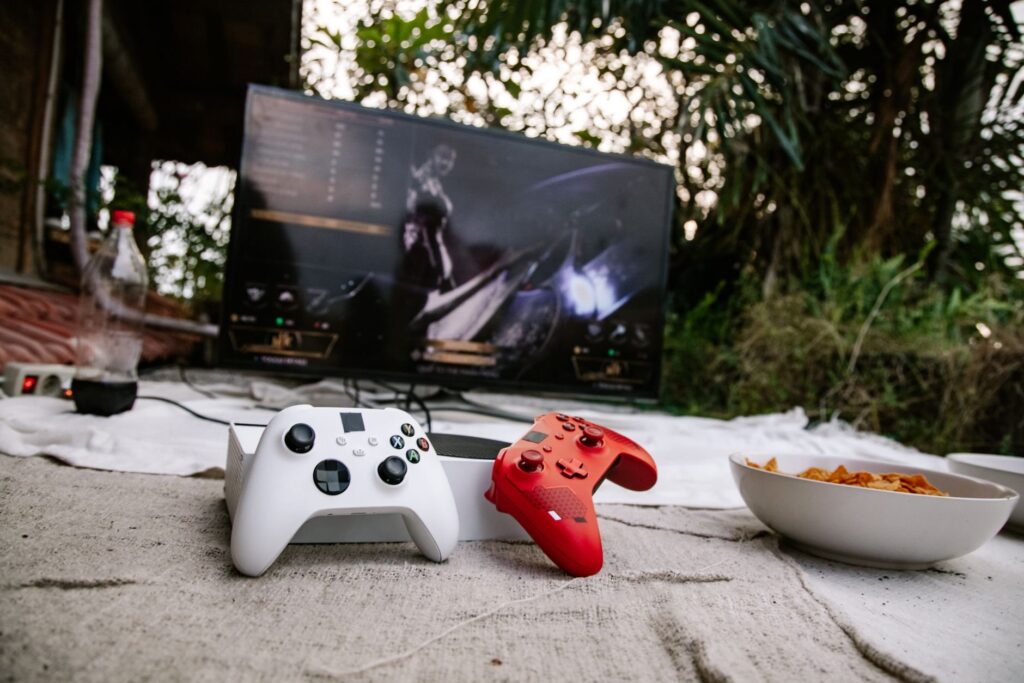
    A white controller rests in front of a white console, with a red controller and a bowl of food to the right.

    Game library and platform reach

    Your game library should outweigh every spec in the table above, because both consoles play the same major third-party releases at a similar level of capability and the CPUs are effectively matched. What differs is the catalogue you can carry over and the size of the community around each platform.

    On reach, the PS5 outsold the whole Xbox Series family by more than two to one, according to Video Game Console Library. Those totals are estimates for the Xbox side, since Microsoft no longer breaks out Xbox Series console sales. A larger install base on the PlayStation side matters if you play online with friends who already own one console or the other.

    The same source offers a useful verdict on the base consoles: the Series X is better hardware by a slim technical margin of about 18% in GPU compute, but the PS5 is the better console for most people. That comparison predates the Pro, and the PS5 Pro widens the hardware lead on the PlayStation side. The logic still holds, though: choose the platform whose games, friends and existing purchases you will use, then judge the hardware.

    For modding and cheat-friendly play, remember that console hardware sets limits you cannot change. If that freedom matters more to you than a plug-in machine, a PC build gives you the control that neither console offers.

    Controllers and long-term ownership

    Controller wear is a running cost worth planning for, especially on Xbox. If a pad you already own has started to wander, our guide Fix Xbox One Stick Drift Fast: Proven DIY Repairs & When To Replace (2026 Guide) – Lunacheats covers repairs and when replacement is the better call. For a longer-lasting replacement, Hall-Effect Xbox Controllers: The Ultimate Guide To Drift-Free Performance In 2026 – Lunacheats explains what to look for in a drift-free pad.

    Prices and value

    Prices move with bundles, retailer promotions and region, so confirm current listings before buying the PS5 Pro. The most reliable reference points are launch prices for the earlier models. Video Game Console Library reports that the PS5 and Xbox Series X launched at the same price for the disc models, with the digital PS5 and the Xbox Series S priced lower.

    Judge value by what the console includes, not only the shelf price. Per Shattered, the PS5 Pro ships with a 2TB SSD against the Series X’s 1TB, so a Series X owner who fills the internal drive faces an extra storage purchase that narrows any price gap. Include subscriptions and controllers in the total cost before comparing.

    Which console suits which buyer

    • Choose the PS5 Pro if you want the strongest hardware in this pairing, a bigger internal drive and dedicated upscaling hardware, and your friends or favourite games are on PlayStation.
    • Choose the Xbox Series X if you want to keep playing older Xbox titles and your main games already live in that ecosystem. Its hardware is weaker on paper, but it is the safer pick for an existing Xbox library.
    • Wait or look elsewhere if neither library appeals, or you want deep customisation. Check current prices first, and consider a PC build before committing to either console.

    Frequently asked questions

    Does the PS5 Pro use the same graphics architecture as the Series X?

    No. The Series X uses RDNA 2, while Sony describes the PS5 Pro as a hybrid of RDNA 2 and RDNA 3 elements with custom machine-learning enhancements.

    Can the PS5 Pro play PS4 games?

    Yes, through a compatibility layer, according to Tech Insider. The Xbox Series X goes further back, covering Xbox One, Xbox 360 and select original Xbox titles.

    Are Xbox Series console sales figures reliable?

    They are estimates. Microsoft no longer breaks out Xbox Series console sales, so published totals for the Xbox side are third-party estimates.

    Which console handles upscaling better?

    The PS5 Pro has dedicated machine-learning hardware for PSSR, while the Series X uses software-based FSR with no dedicated ML hardware, per Shattered.