Blog

  • Gaming Hardware Buying Guides

    Gaming Hardware Buying Guides

    The best gaming PC build starts with the graphics card, not the case: decide which games and mods you want to run, choose a GPU for that list, then size the power supply and cooler around it.

    The first decision is whether to build at all. If you would rather not pick parts, the best prebuilt gaming pc guide covers ready-made towers, and the best gaming laptop guide covers portable machines. The rest of this page assumes you want a desktop and need help choosing where to spend first.

    Start with the games and mods you want to run

    A parts list only makes sense once you know the workload. Two players with the same budget can need very different machines: one plays lighter competitive titles, the other keeps a large mod list for a single big game. Write down your five most-played games and any mods you already use, then let that list set the graphics card tier before anything else.

    Use these profiles to decide where the money goes:

    • Lighter and older titles: a modest graphics card in a budget tower is a reasonable fit. The budget listings later in this guide show what that tier costs and what it ships with.
    • Large single-player games with mod lists: spend your flexible budget on the graphics card first, and leave spare capacity in the power supply and case so you can upgrade the card later.
    • Heavy visual overhauls: compare the graphics memory on each card. The listings in this guide range from 4G and 6G to 8GB and 12GB, and a mod’s own requirements page tells you more than a general rule.
    • Mixed use, such as streaming or recording: plan for a balanced build rather than the strongest card you can afford, because capture software and the game share the same machine.

    Resolution belongs on the same list. A card that suits one screen resolution can feel cramped on a higher one, so settle the monitor decision in the same sitting as the GPU decision. With the workload written down, the next question is which graphics card fits it.

    Choosing a graphics card: GeForce or Radeon

    Which graphics card you should buy depends on the games you play and the resolution you target, and the two main families, NVIDIA GeForce and AMD Radeon, both cover budget to high-end builds. Corsair’s builder guidance ties the card to the rest of the machine: it advises paying attention to power supply wattage in relation to your intended GPU. Pick the card first, then buy the supply.
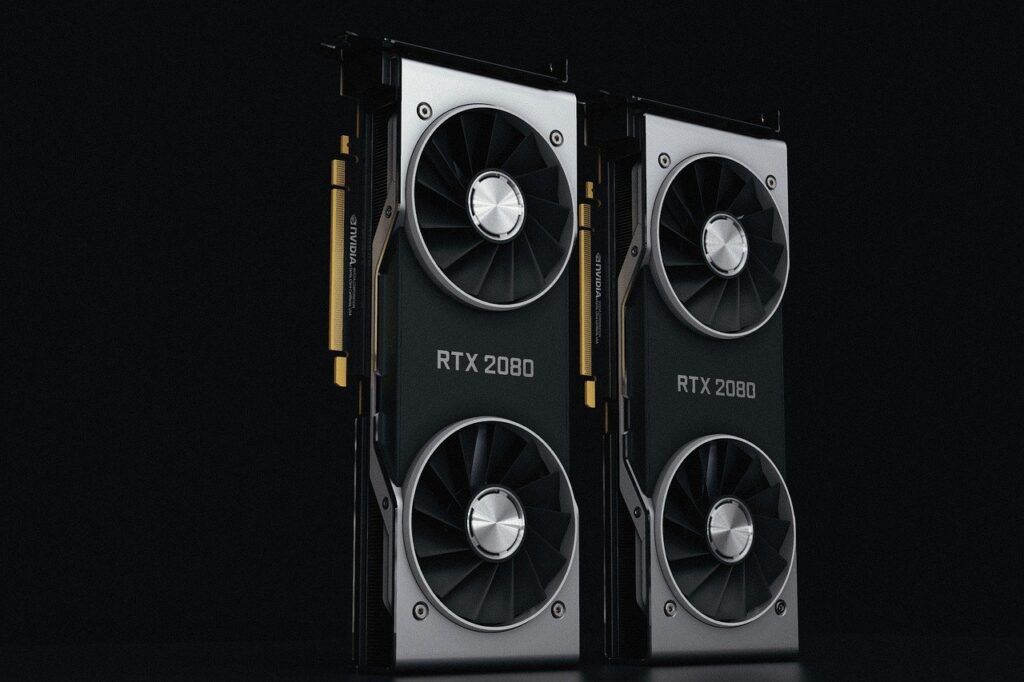
    Dual-fan cards with silver shrouds, shown in a studio setting; the fan and shroud layout is what your case needs room for.

    NVIDIA GeForce in current listings

    Current Amazon prebuilt listings show how GeForce cards sit across tiers. A CyberPowerPC tower pairs a GeForce RTX 5060 Ti 8GB with a Ryzen 7 8700F, 16GB DDR5 and a 1TB SSD. Two other listings, an iBUYPOWER Element and a KOTIN tower, use the GeForce RTX 5070 12GB, with a Ryzen 9 7900X and a Ryzen 7 9700X respectively and 32GB DDR5 in each. At the older end, a budget tower carries a GTX 1660 Super 6G.

    The practical reading is that the RTX 5060 Ti 8GB and RTX 5070 12GB listings are the ones to shortlist for modded games, because the 12GB card has the most graphics memory of any card in the set. The older GTX 1660 Super 6G suits lighter titles on a tight budget.

    AMD Radeon and how to compare it

    AMD Radeon shows up at the budget end of the same listings: a Core i5 tower with a Radeon RX 550 4G. That card has the least graphics memory of any listing here, so it fits older and lighter games rather than a heavy mod list. When you price a Radeon card against a GeForce card, compare them at the same budget on the specific games you play, using independent benchmark results for those titles rather than the brand name alone. A manufacturer spec sheet tells you memory and connections, while benchmark labs tell you how the card behaves in a game.

    Whichever family you choose, the card’s physical size and power draw feed straight into the case and power supply decisions covered below. First, it helps to know what a sensible budget build looks like.

    A budget gaming PC build: where the money goes first

    The best budget gaming PC build puts the largest share of money into the graphics card and keeps the supporting parts adequate rather than extravagant. Custom PC Review, an independent build site, says the parts in its recommended builds have either been reviewed by the site or are well known, and it selects on price, performance and reliability. That is a sensible test to apply to any parts list you assemble yourself.

    Two budget towers on Amazon mark the floor of the market. A STGAubron tower with a Core i5, a Radeon RX 550 4G, 16GB RAM and a 512GB SSD is listed at THB 14,183.90 shipping to Thailand. A second STGAubron tower with a Core i7, a GTX 1660 Super 6G, 16GB RAM and a 512GB SSD is listed at THB 19,587.42. The second listing costs more and offers more graphics memory, which is the more important of the two differences for games.

    Who each budget route suits

    • Buy a budget prebuilt tower if you want a working machine quickly and plan to replace the graphics card later. Check the power supply before you plan an upgrade, because a replacement card has to fit the supply.
    • Build from parts if you want to choose the case, cooler and supply yourself. Corsair says its builder bundles typically cover key internal components, which makes bundles a convenient way to settle the supporting parts in one purchase.
    • Wait and watch prices if the card you want is above your budget. Custom PC Review states that hardware prices and availability are constantly fluctuating, so a patient buyer can sometimes do better than one who buys the first week a part appears.

    The supporting parts are where Corsair’s own listings give concrete prices, which the next section covers alongside the power and cooling decisions.

    Power supply, cooler and case

    Match the power supply to the graphics card, and the cooler to the heat your processor produces. Both rules come from Corsair, which advises paying attention to power supply wattage in relation to your intended GPU and cooling relative to the CPU’s heat output. Corsair gives no single wattage figure for this, so read the supply requirement on the card you choose and buy at or above it.

    Cooling prices from Corsair

    Corsair’s builder bundle page, in US dollars, lists a few supporting parts with a snapshot dated 2026-10-24:

    • iCUE LINK TITAN 360 QX AIO CPU cooler combo: $99.99 current, against a listed original price of $250.02. A discount that large is a reason to check the date and the stock before assuming it lasts.
    • Nautilus 240 CPU cooler and RS120 fan bundle: $104.98 current.
    • 2500X case, black, with RX120 triple fan starter kit: $234.98.

    Corsair’s listings are in dollars and the Amazon listings in this guide are in Thai baht, so do not compare the two sets of numbers directly. Use each set to see the shape of the market in its own currency.

    Case clearance

    Choose the case after you know the card and the cooler. The ASUS TUF Gaming GT502 ATX mid tower is listed as supporting 400mm graphics cards and 360mm radiators, at THB 6,280.58. That is a useful reference for a build with a long, high-end card and a large liquid cooler. If you pick a card from the lower tiers, you will rarely need that much room, but confirm the maximum card length on any case before buying it.

    Choosing a gaming monitor

    The best gaming monitor is the one whose resolution your graphics card can drive comfortably in the games you play, so choose the screen and the card together. Amazon’s display filter for gaming PCs offers three resolution steps: 1920 x 1080, 2560 x 1440 and 3840 x 2160, commonly called 1080p, 1440p and 4K.

    Match resolution to the card

    • 1080p: the natural partner for the budget towers above. It asks the least of the graphics card, which suits older titles and lighter games.
    • 1440p: a sensible target when you buy a card in the RTX 5060 Ti or RTX 5070 class and want sharper images without moving to the highest resolution.
    • 4K: best saved for a build where the graphics card is the largest line in the budget. If your mod list is heavy, the card has to cope with both the resolution and the mods, so wait until the card tier supports both.

    Resolution is only one of the choices; refresh rate and panel type also change how a monitor feels. The guide to the best gaming monitor explains those trade-offs in full, so use it once you have fixed your resolution.

    Keyboard and other peripherals

    Peripherals are the cheapest part of the build to change later, so buy a sound pair rather than the most expensive. A mechanical keyboard is the piece most players notice every day, because the switches decide how each keypress feels and sounds. The best gaming keyboard guide covers switches, layouts and picks.
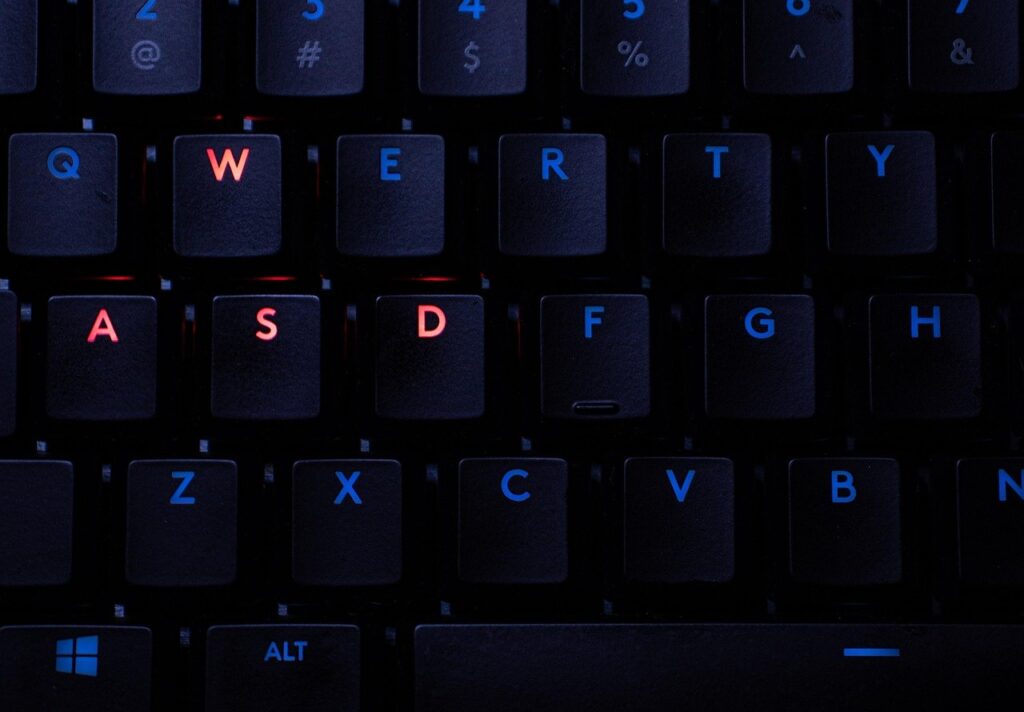
    Backlighting picks out the WASD cluster in red and blue, the keys most games use for movement.

    Two practical rules help when you plan a peripherals budget. First, spend the build money on the graphics card and monitor before the keyboard, because those two parts decide what the games look like. Second, keep the old keyboard and mouse until the new machine runs stably; peripherals are the easiest items to swap in afterwards.

    When a console or handheld beats a PC build

    A PC build is not always the right answer. If your budget would only buy the weakest tower in the listings above, or you mostly play exclusives on one platform, a console may be the better first purchase. The Xbox Series X vs PS5 Pro: Which Console Wins in 2026? A Practical Comparison – Lunacheats guide compares the two high-end consoles, and the PS5 Slim vs PS5 Pro: Which PlayStation Should You Buy In 2026? – Lunacheats guide helps you decide between the two PlayStation models.

    If you choose a PlayStation

    Storage fills quickly on a console, and the Upgrade Your PS5 Storage: A Simple Step-By-Step Guide To Adding An SSD In 2026 – Lunacheats guide walks through adding an SSD. If you want to record or stream console play, the Best Capture Card for PS5 in 2026: Top Picks, Buyer’s Guide, and Easy Setup – Lunacheats guide covers the hardware you need.

    If you want PC games on the move

    Handheld PCs give you a PC library without a desk. The ROG Ally Vs Steam Deck: Which Handheld Wins In 2026? A Practical Comparison – Lunacheats guide compares the two best-known devices directly, and the Best Handheld PC Gaming Devices In 2026: Portable Powerhouses For Serious Gamers – Lunacheats guide widens the field. A handheld suits players who value portability over the settings a desktop card allows, and it is a poor fit for a heavy mod list.

    Controllers and stick drift

    A controller is part of the hardware setup on any platform, and stick drift is the most common reason to repair or replace one. Fix the problem before you spend on a new pad: the guides below cover console-specific repairs, and each will help you decide whether a repair is worthwhile or a replacement is better.

    If you would rather replace a pad than repair it, magnetic-stick designs are the drift-free option. The Hall-Effect Xbox Controllers: The Ultimate Guide To Drift-Free Performance In 2026 – Lunacheats and Hall Effect PS5 Controller: Why Magnetic Analog Sticks Could Be the Upgrade You Need in 2026 – Lunacheats guides explain what to look for on each platform.

    Listed prices at a glance

    Listings give a snapshot of what a finished machine costs at each graphics card tier, which is a useful sanity check on a parts budget you are building yourself. Use the table to see where your intended card falls and what the rest of the machine typically includes.

    Listing Graphics card Processor Memory and storage Listed price (THB, shipping to Thailand) Planning use
    STGAubron tower Radeon RX 550 4G Core i5 16GB RAM, 512GB SSD 14,183.90 Floor price for older and lighter games
    STGAubron tower GeForce GTX 1660 Super 6G Core i7 16GB RAM, 512GB SSD 19,587.42 Budget step up with more graphics memory
    CyberPowerPC GeForce RTX 5060 Ti 8GB Ryzen 7 8700F 16GB DDR5, 1TB SSD THB 50,657.66 shipping to Thailand Mid-tier reference for 1080p to 1440p play
    iBUYPOWER Element GeForce RTX 5070 12GB Ryzen 9 7900X 32GB DDR5, 1TB NVMe 77,675.26 High-end reference for heavy mod lists
    KOTIN prebuilt GeForce RTX 5070 12GB Ryzen 7 9700X 32GB DDR5, 1TB SSD, 850W 80+ Gold supply 77,675.26 Same card and price as the Element, with the supply stated

    These figures come from Amazon’s search listings for gaming PCs, which are third-party retail prices rather than manufacturer prices.

    Read the table as a ladder. The two STGAubron towers sit at the lower end of the price range, the RTX 5060 Ti listing is the mid-tier reference, and the two RTX 5070 listings share a price, so choose between them on the details each states, such as the supply rating. Custom PC Review reminds readers that prices and availability are constantly fluctuating, so treat every figure as a guide to relative position rather than a quote.

    Frequently asked questions

    What does a PC builder bundle usually include?

    Corsair says its builder bundles typically include key internal components such as cases, power supplies, cooling solutions and memory. Check the bundle page for what a specific bundle contains before you rely on it.

    Why are some listed prices in Thai baht?

    The Amazon listings in this guide showed prices for shipping to Thailand, so they appear in baht. Your own price and shipping will differ by location, so use the figures to compare tiers rather than to budget.

    Do I need an SSD in a gaming PC?

    An SSD is the standard choice for fast game load times, and Custom PC Review says nothing beats one for that. Every prebuilt listing in this guide includes an SSD, from 512GB on the budget towers to 1TB on the stronger ones.
  • How To Install Mods In Stardew Valley: A Simple Step‑By‑Step Guide For 2026

    How To Install Mods In Stardew Valley: A Simple Step‑By‑Step Guide For 2026

    Situation What happens Planning use
    Installing SMAPI SMAPI creates a launcher on the desktop Start every modded session from that launcher rather than the plain game shortcut.
    Starting point A working Stardew Valley copy on Steam is required Confirm the unmodded game starts before you add anything.
    Finding the Mods folder on Steam Steam game page, right-side options, explore local files, then the Mods folder in the game files Drop each mod into this folder, and nowhere else.
    Nexus Mods manager app Downloads mods and places them in the folder automatically Suits beginners who want fewer manual file moves.
    Manual ZIP download The manual download button on Nexus Mods gives a ZIP file Suits players who prefer to see exactly what goes into the folder.
    Uncompressed or repackaged folders They lack the hash data needed to trace the source Avoid them when a ZIP or manager download is on offer.

    The steps and cautions above come from a Stardew Valley community forum thread on modding a Steam copy and a Vortex collection-preparation guide.

    Here is how to install mods Stardew Valley players rely on: confirm a working Steam copy, install SMAPI, put each mod in the Mods folder, and start the game from the SMAPI desktop launcher.

    The same habits carry over to other titles, and the hub page on how to install game mods collects the wider guidance.

    What installing mods changes for you

    Adding mods changes how you start the game, where your files live and how far you can trust an update. Knowing these effects before you download anything is what keeps a first modded farm playable.

    • Your launch routine changes. After SMAPI is installed, the forum thread describes a launcher appearing on the desktop. Treat it as the normal way into a modded game, and keep the plain shortcut for moments when you want to test the unmodded game.
    • The download route decides how traceable a mod is. A mod fetched through the Nexus Mods manager or the manual ZIP button keeps its source information. Mods added manually or from uncompressed folders may not have enough of it, which matters later if you need to update or reinstall them.
    • Version choices decide stability. Some install policies lock a mod to one file version, while others always grab the newest file, and the newest file may introduce breaking changes. Pick stability over novelty if you plan a long playthrough.
    • Mistakes become harder to reverse without a copy. Copy your save files somewhere safe before the first mod goes in. A plain duplicate of the save folder is enough to undo a bad experiment.

    Backups and load-order safety

    The safest beginner routine is to change little at a time. Add a mod or a small related group of mods, start the game from the SMAPI launcher, load a save and confirm that everything behaves. If something breaks, the latest addition is the first suspect, and removing it restores the previous state.

    This habit does more for you than any clever ordering of files. Dumping a large pile of mods into the folder at once leaves you unable to tell which one caused a crash, and several fixes may be needed before the game loads again.

    • Keep the original download. Hold on to the ZIP you installed from. A binary patch alters file content and changes checksums, so having the untouched archive lets you compare or reinstall cleanly.
    • Test on a spare save when a mod is large. A mod that changes many parts of the game is better judged on a throwaway farm than on the save you care about.
    • Remove, do not overwrite. When a mod misbehaves, delete its folder and reinstall a fresh copy instead of pasting new files over old ones.

    With a backup in place and a routine of small changes, the next step is the tool that makes modding possible at all.

    Installing SMAPI

    SMAPI is the Stardew Modding API, and the SMAPI project publishes its own installation and usage guide in its public repository, which is released under the MIT licence. Follow that guide for the installer itself, because it is the maintained reference for your platform.

    In the workflow described on the community forum, you first need a working Steam copy of the game, then you install SMAPI, and it creates a launcher on the desktop. That launcher is how you start Stardew Valley with mod support. If SMAPI is not installed, the Mods folder has nothing to load the mods, so skipping it defeats the purpose of copying files in.

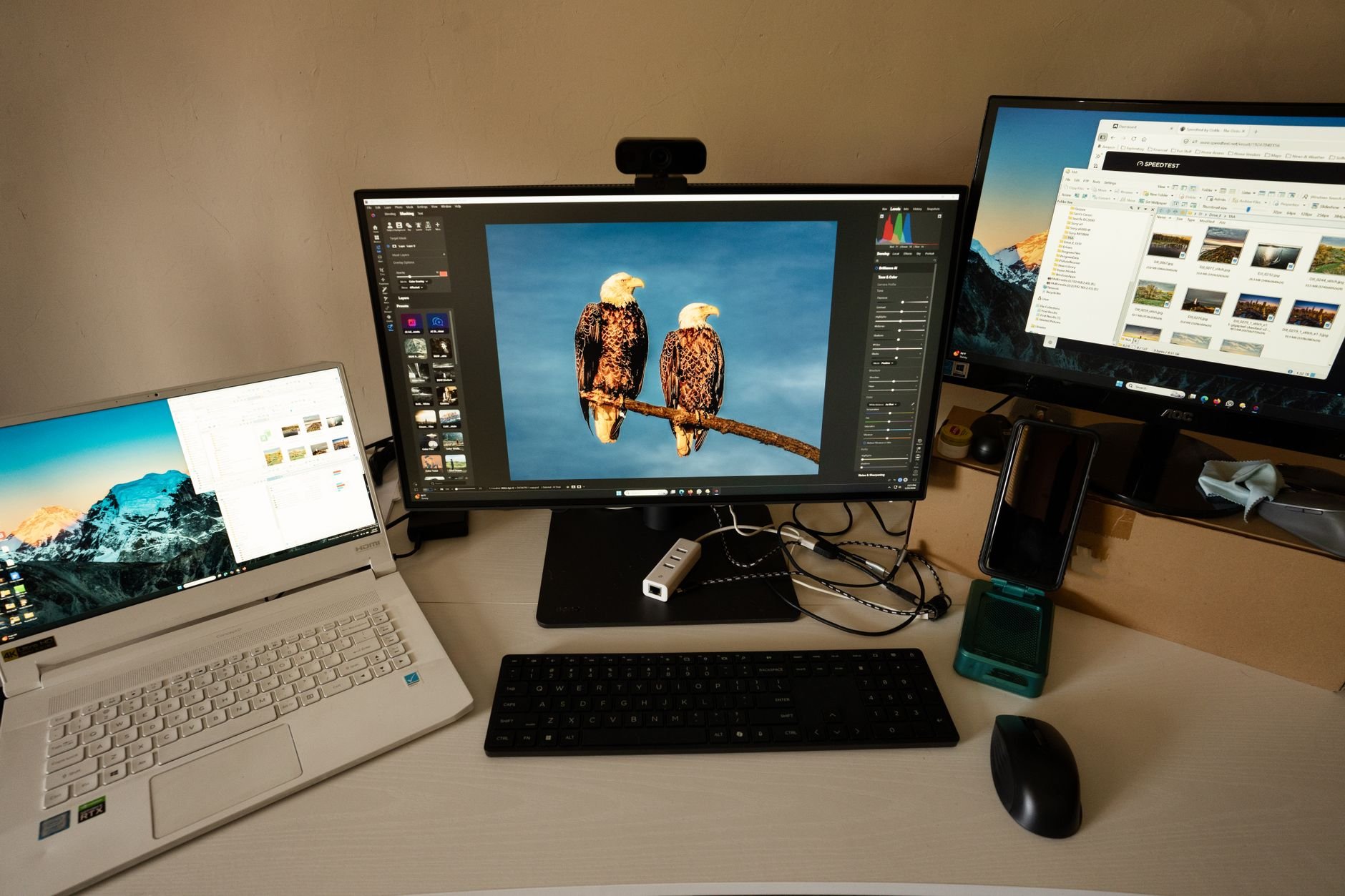
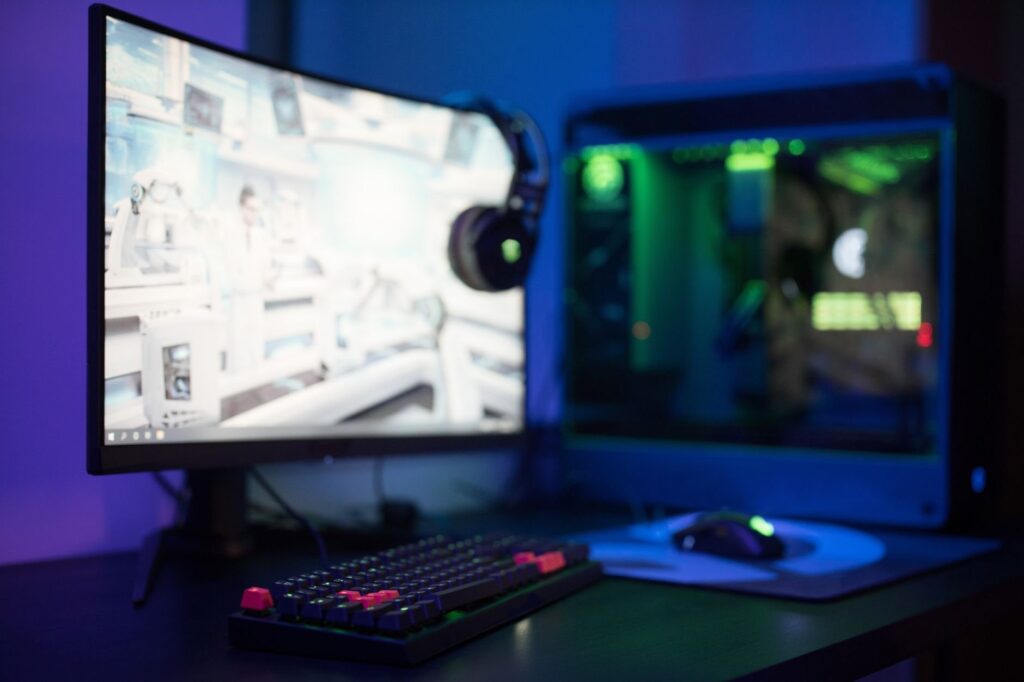
    A curved monitor and a gaming PC with a glass side panel and green lighting on a dark desk.

    Run the installer only after the unmodded game has launched successfully from Steam. If anything goes wrong later, you then know the base game was healthy and can look at SMAPI or a mod instead.

    Putting mods in the Mods folder

    Every mod ends up in the Mods folder inside the game files. On Steam you can reach it without hunting through drives, using the route the forum thread describes.

    1. Open Stardew Valley on its Steam game page.
    2. Use the options on the right-hand side and choose to explore local files.
    3. Look for the Mods folder inside the game files that open in the file explorer.
    4. Place the mod there, then start the game from the SMAPI desktop launcher.

    If the Mods folder is missing, check that SMAPI installed correctly before moving anything. Do not create folders at random elsewhere in the game directory, because mods placed outside the Mods folder will not be picked up.

    Manual placement suits anyone who wants to see each file arrive. If you would rather not handle folders yourself, a manager can do the placing for you.

    Nexus Mods, Vortex and download choices

    Nexus Mods hosts the mods, and the forum thread notes that it also has a manager app that can download mods and put them in the folder automatically. The choice between that app and a manual download comes down to how much control you want.

    Manager app or manual ZIP

    Choose the manager button when you are installing many mods and want less folder work. Choose the manual ZIP download when you want to inspect the contents first or keep a copy of the archive. The Vortex guide recommends adding ZIP files directly after downloading them with the manual download button on Nexus Mods, and it advises against uncompressed or repackaged folders from Nexus. Mods added to Vortex manually or from uncompressed folders may lack the source information the manager needs.

    Referencing the Nexus Mods entry also matters beyond convenience: it is how mod authors receive credit, downloads and donation points, which is a good reason to download from the official mod page.

    When an archive installs oddly

    Some archives are nested or laid out unusually, and automatic detection may put files in the wrong place. In Vortex you can right-click the mod and choose Install As-Is, also called Unpack As-Is. It bypasses Vortex’s automatic directory detection and extracts the archive exactly as stored. Use it only when the mod page describes an unusual layout, since the default detection is the better choice for ordinary mods.

    Version policies and compatibility

    When you install a curated collection through Vortex, the version policy decides how closely you match the curator’s setup, and this is the clearest compatibility lever the guide describes.

    • Exact Only locks to the curator’s file version by its Nexus Mods ID. It gives the most predictable result, but the install fails if a file the curator used is removed from Nexus Mods, until the collection is updated or an alternate source is provided.
    • Prefer Exact uses the curator’s version if it is still available and otherwise the newest version. It is a sensible default for newcomers, since it falls back instead of failing.
    • Latest always uses the newest Nexus file and ignores curator metadata, so it may introduce breaking changes. Reserve it for players who are comfortable troubleshooting.

    Matching mods to the game version also matters. The collection documentation applies to Stardew Valley 1.6.15 and later, so read each mod page for the game version it targets before you download.

    Where to go next

    Once your first mod runs, you may want to apply the same careful approach elsewhere. Console players who like personalising their gear can look at Customize Your PS5 Controller: 7 Practical Ways To Make It Uniquely Yours In 2026 – Lunacheats, and anyone changing how another sandbox game looks can compare options in Best Minecraft Texture Packs: 20 Picks To Transform Graphics In 2026 – Lunacheats.

    Frequently asked questions

    Do I need SMAPI?

    Yes. In the workflow used here, SMAPI comes after a working Steam copy and before any mod, and the SMAPI project’s repository hosts the installation and usage guide to follow.

    Are mods safe?

    No mod is safe by default, so safety depends on where it comes from and how prepared you are. Download from the mod’s Nexus Mods page, avoid repackaged folders, and keep a save backup so any bad install can be undone.

    Can I install mods without a mod manager?

    Yes. Download the ZIP with the manual download button on Nexus Mods and place the mod in the Mods folder reached through Steam’s local files.

    Which game versions do the collection docs cover?

    The Vortex collection guidance applies to Stardew Valley 1.6.15 and later, so check each mod page for the version it supports.

  • The Best Texture Packs For Minecraft Java: 2026 Guide To Visuals, Performance, And Easy Installation

    The Best Texture Packs For Minecraft Java: 2026 Guide To Visuals, Performance, And Easy Installation

    Texture packs for Minecraft Java give players new visuals for blocks, items, and GUIs. This guide lists popular texture packs, explains how they differ from resource packs, and shows how to install them. It also helps players pick packs that match their hardware and shows basic steps to build a custom pack. The guide stays direct and practical for quick decisions and easy setup.

    Key Takeaways

    • Texture packs for Minecraft Java primarily change the game’s visuals for blocks and items, offering a simpler alternative to resource packs that also modify sounds and UI.
    • Installing texture packs involves placing the pack in the resourcepacks folder and enabling it via the Minecraft launcher, with mods like OptiFine enhancing compatibility and features.
    • Players should choose texture packs based on their hardware, balancing between low-resolution packs for performance and high-resolution packs for detailed visuals.
    • Popular texture packs vary by fidelity, from “Faithful 16x” for polished default looks to “PBR Realism 256x” for advanced realism requiring strong hardware.
    • Troubleshoot installation issues by verifying pack versions, pack.mcmeta files, and disabling conflicting mods; always back up worlds before applying changes.
    • Creating custom texture packs involves editing PNG files with image editors, maintaining file structures, and testing frequently to ensure smooth gameplay and visual consistency.

    What Texture Packs Are And How They Differ From Resource Packs

    Texture packs for Minecraft Java change the game’s images. They replace block, item, and mob textures. Resource packs can also change sounds, models, and languages. Players choose texture packs when they want a visual overhaul only. They choose resource packs when they want visuals plus UI or sound changes. Many creators label files as resource packs today. Players should check the pack contents to know if it only changes textures or includes extra assets.

    How To Install Texture Packs On Minecraft Java

    Players must download a pack that matches their Minecraft version. They must keep backups of world saves before changes. Installation typically involves placing the pack file in the correct folder and selecting it in the game. Mods like OptiFine or Forge can add features and compatibility. The steps below cover the common methods used by most players.

    Step-By-Step Installation (Folder, Launcher, And OptiFine/Forge Support)

    Windows users open the Minecraft launcher and click Options then Open Resource Pack Folder. Mac users open Finder and go to ~/Library/Application Support/minecraft/resourcepacks. Players move the downloaded zip or folder into that folder. Then they open Minecraft, go to Options → Resource Packs, and enable the pack. For OptiFine, players install the OptiFine mod and use its settings to load connected features like custom skies. For Forge, players use compatible pack versions or mod-specific loaders. They must match pack resolution to performance needs.

    Troubleshooting Common Install Issues And Version Compatibility

    If a pack fails to load, players check the game log for errors. They verify the pack contains a pack.mcmeta file with the right format version. They ensure the pack matches the Minecraft release or use a legacy-compatible tag when possible. Corrupt downloads require re-downloading from an official source. If textures look broken, players disable conflicting mods and try the pack alone. For performance drops, players lower pack resolution or use OptiFine’s performance options. If a pack requires a mod, the pack page usually notes that requirement.

    Choosing The Right Texture Pack For Your Hardware: Performance Vs. Fidelity

    Players choose texture packs by balancing detail and frame rate. Low-resolution packs keep 16×16 or lower textures and favor smooth performance on weak PCs. Medium packs use 32×32 to 64×64 for clearer detail with modest cost. High-fidelity packs use 128×128 or higher textures and demand stronger GPUs and more RAM. Players check VRAM and CPU when testing packs. They test each pack in a world that matches their typical play: redstone builds or dense forests show performance differences best. OptiFine helps tune settings for any pack.

    Top Texture Packs To Try In 2026 (Low, Medium, And High Fidelity Picks)

    Low: “Faithful 16x” keeps the original style and improves clarity. It suits players who want default visuals with minor polish. Low: “TinyPixel” lowers load and helps older GPUs. Medium: “Sphax PureBDCraft 32x” provides comic-style art and wide mod support. Medium: “VanillaBDcraft 64x” adds detail without extreme cost. High: “Modern HD 128x” raises realism and needs strong hardware. High: “PBR Realism 256x” uses physically based rendering textures and pairs well with shaders and OptiFine. Players test each pack and choose one that fits their visual taste and performance budget.

    How To Customize Or Create Your Own Texture Pack: Tools, Tips, And Best Practices

    Players can edit textures with image editors like GIMP or Photoshop. They open a pack folder and edit PNG files directly. They keep the original file names and folder structure. They update pack.mcmeta with the correct format number. For testing, players zip the folder and place it in the resourcepacks folder. Tips: work on one asset at a time, test changes in-game, and keep backups of originals. Best practices: use consistent lighting and color palettes, keep file sizes small to limit VRAM use, and document any changes so other players can reproduce or revert them.

  • Games Leaving Xbox Game Pass in 2026: What’s Going, What Stays, And How To Keep Playing

    Games Leaving Xbox Game Pass in 2026: What’s Going, What Stays, And How To Keep Playing

    Situation What is supported Planning use
    Regular rotation Games normally rotate out twice a month, mid-month and month-end Check your backlog around those two points instead of waiting for a surprise.
    Dated removals A July list gave Aftercharge July 9, Warhammer Vermintide 2 July 10, LEGO Movie: The Videogame July 16 and seven titles July 31 Expect removals to be staggered, so a game can go well before month-end.
    Extra rounds Three July 2024 removal dates were followed by a return to regular rotation in August 2024 Do not assume a fixed pair of dates every month.
    Member discount Game Pass members can buy departing titles at up to 20% off before they go Make the buy decision before the title goes, not after.

    Figures come from Thurrott’s monthly joining-and-leaving roundup and Game Rant’s August 2024 removal report.

    Games leaving Xbox Game Pass go on listed dates, and members can buy them at up to 20% off before they go. Finish short games first and buy only the ones you expect to replay.

    Departures are only half the catalogue picture. For what is arriving instead, see our guide to upcoming video game releases.

    Recent departure waves

    Removals arrive in small batches rather than as a single clear-out. Each wave below was reported on its own date, so use the waves as a pattern for what a departure looks like, not as a current checklist.

    • Mid-August 2024: Game Rant reported that Shadow Warrior 3, Airborne Kingdom, Offworld Trading Company and The Texas Chain Saw Massacre were leaving on Aug 15, 2024, expected around end of day local time.
    • June 2024: Five titles were scheduled to leave within two weeks of June 2, 2024, which makes the early-month window shorter than many players expect.
    • May 2025: Five titles, including Remnant II and Cassette Beasts, were set to leave on May 31.
    • July list: The dated entries ran from Aftercharge on July 9 through Warhammer Vermintide 2 on July 10 and LEGO Movie: The Videogame on July 16, with seven titles on July 31, according to Thurrott.
    • Late August 2026: A magazine post on LinkedIn says another batch leaves on August 31, 2026. That post is not an official Microsoft announcement, so confirm the date against Xbox’s own listings before you plan around it.

    The practical reading is that a batch can be as small as four titles or as large as seven at a month-end. A game you care about can also leave in the middle of the month. If you have a title sitting half-finished, check the date as soon as you notice it is on a leaving list rather than assuming month-end.

    Buy or wait: deciding on a departing game

    The right call depends on how much of the game you have left and whether you would ever return to it. The member discount makes buying cheaper, but it does not make every departing game worth owning.

    • Finish it before it goes. Short games are the easiest to save money on. A June 2024 report noted that Bramble: The Mountain King can be wrapped up in less than 5 hours, so a game of that length rarely justifies a purchase. Play it instead.
    • Buy if you will replay it. If you enjoy a game enough to return to it, the member discount of up to 20% is the cheapest point at which to own it. Reports from June 2024 describe the same discount in the Microsoft Store.
    • Skip it if you have not started. Subscription libraries come with a trade-off: several games rotate out as new batches arrive. If your queue is already long, letting a departing title go is a reasonable choice.
    • Do not wait past the date for the member price. A May 2025 report says the departing titles were 20% off until they leave the service. Waiting beyond the departure date means giving up that specific discount.

    A departing game also competes for the same budget as new releases. Our guide to The Biggest Video Games Coming Out in 2026: What To Watch, Preorder, And Play – Lunacheats shows what else may be asking for your money, and The Ultimate List Of Nintendo Switch 2 Games (2026): Must-Play Launches, Indies, And What’s Coming Next – Lunacheats helps if you split your spending across consoles.

    Keeping access after a game leaves

    A subscription gives access only while the title is listed. Once it leaves, the route to keep playing is to buy it, and the reports describe the Microsoft Store as the place where departing titles can be purchased at 20% off.

    The free route is simply to finish the game while it is still available. That makes the listed departure date the real deadline, and it favours players who start a departing game early in the window rather than on the last evening.

    An illustrative stock photo of a relaxed play session: the coloured face buttons and d-pad are in view, a reminder that a game you own can be picked up at your own pace once it leaves the subscription.

    Spotting departures early

    Departure information tends to surface in more than one place, and the earliest signal is not always the official post. In May 2025, the “Leaving Soon” section on Xbox Cloud Gaming quietly updated before the official list appeared.

    If you are tracking a particular game, check that section alongside Xbox’s own monthly roundup. Because Microsoft does not announce specific departure times in advance, treat the listed date as the last day and finish before it, not on it.

    Why games rotate out

    Microsoft’s own stated reason is library management. A Thurrott report quotes the explanation that “to keep the library curated and fresh for you, we do have to let some beloved titles go.” A departure is therefore not a verdict on a game’s quality, and a well-loved game can leave as easily as a forgotten one.

    The rhythm is regular but not rigid. Game Rant notes that the service normally rotates out games twice a month, and that Microsoft appeared to be returning to its regular rotation schedule in August 2024 after three separate July 2024 removal dates. That context matters for planning: expect two main points in the month, with the occasional extra round.

    The subscription model explains the rest. New batches are added each month, and the trade-off is that several games end up rotating out. For players, that means a game’s presence in the catalogue is a rental window to use, not a permanent shelf to rely on.

    Frequently asked questions

    Does a departing game leave at a specific time of day?

    Microsoft does not announce departure times in advance. For the August 15, 2024 removals, Game Rant expected them around the end of the day in local time, so the safest approach is to finish earlier.

    How long can I keep playing a game that is on a leaving list?

    You can play it until the listed departure date. For the late-August batch in the 2026 post, that is until August 31, 2026, to finish through the service.

    Is the member discount always exactly 20%?

    Not in every report. Thurrott says up to 20% off, the June 2024 and May 2025 reports say 20%, and the 2026 post says at least 20% on all departing titles. Check the price shown in the store before you buy.

    Can a departure date move?

    Yes. A May 2025 list first gave May 15, and an update on May 18 listed May 31 for the games set to leave. Recheck the date before you commit to a plan.

  • Customize Your PS5 Controller: 7 Practical Ways To Make It Uniquely Yours In 2026

    Customize Your PS5 Controller: 7 Practical Ways To Make It Uniquely Yours In 2026

    Bought a DualSense and want it to look and feel like yours? A ps5 controller custom job ranges from outside-only changes to opening the case, and the right start is the option that leaves the shell closed.

    Software-side tweaks live elsewhere: our hub on how to install game mods covers the wider picture, cyberpunk 2077 mods shows a big game-specific example, and How To Install Mods In Stardew Valley: A Simple Step‑By‑Step Guide For 2026 – Lunacheats covers a lighter one.

    What customizing a DualSense involves

    Customizing a PS5 DualSense means changing how it looks (shell, faceplate, paint, skin), how it feels (thumbsticks, grips) or how you map controls (back paddles). You can also skip the work and buy a finished build. One seller, Customcontrollerzz, says PS5 controllers can be customized with a wide range of colors, designs and options. The deciding question is how far you are willing to go inside the case.

    • Shells and faceplates: the biggest visual change, and the best fit if appearance is your main goal.
    • Paint and protective coats: a one-off finish, either done yourself or bought already painted.
    • Thumbsticks: the most direct way to change aiming feel without altering the layout.
    • Back paddles: a layout change that suits players who want extra inputs without moving a thumb off the sticks.
    • Skins and grips: the gentlest route, suited to anyone who wants to test before committing.
    • Finished custom builds: the choice for people who want a result without tools.

    Four assumptions that cause bad purchases

    Most disappointing controller projects start with a wrong assumption about what a listing includes. The table sets four common ones against what the seller pages actually state.

    General workshop tools, shown for illustration only. A shell or stick swap needs a clear table and small tools; the eXtremeRate thumbstick kit, for one, ships with its own screwdriver and prying tool.
    Common assumption What the listings show Planning use
    A custom build uses an inferior controller The seller says every build starts from a brand-new, genuine Sony PlayStation controller Judge a build on finish and warranty, not on the base hardware
    A thumbstick kit is everything you need The kit holds 2 thumbsticks, 1 screwdriver and 1 prying tool; the controller is not included Own the controller first and treat the kit as a part, not a product
    Any replacement stick fits any DualSense One listing names PS5 models BDM-010 through BDM-060 and all PS4 models Find your controller’s model code before ordering
    Custom means no safety net A 90-day warranty covering defects or performance issues, plus a 30-day risk-free trial Seller-built controllers carry their own protection; DIY work does not

    These figures come from the Customcontrollerzz listing and the eXtremeRate thumbstick listing, which are seller pages rather than Sony documentation.

    Shells and faceplates

    A shell swap changes the controller’s whole outer look, while a faceplate changes only the front or back panel. If you want a visible change and nothing else, this is where to start.

    Check what the listing says it fits. A MODDEDZONE listing on Amazon names Sony PlayStation 5 as the compatible console, with Bluetooth connectivity, and the seller says it builds on brand-new authentic Sony or Microsoft controllers and makes its shells in the USA. Those are seller claims, so read them as a description of the product rather than an independent guarantee.

    If you like choosing from a catalogue, AimControllers’ configurator lists more than 60 faceplate designs. That page is for the PS4 configurator, so use it to see how a design range looks and confirm PS5 availability before ordering.

    Paint and protective coats

    Paint is the only route here that can look genuinely one-of-a-kind, and buying it finished is far simpler than doing it yourself. A hand-painted Galaxy design on Controller Chaos carries a regular price of $179.98 USD, though it was shown as sold out. The seller says the paint is sealed with a premium protective coating for long-lasting color and a glossy touch.

    Treat that price as a reference point. If you paint a shell yourself, the cost is the shell plus your materials, and the finish needs a protective top layer, as the seller’s own sealed-coat description suggests. Choose painting when the design matters more than speed, and a finished build when you would rather not risk a ruined shell.

    Thumbsticks and feel

    Replacement thumbsticks change how the controller feels under your thumbs without touching the layout. The main decision is height. AimControllers offers stick options taller than default by 2 mm, 4 mm and 6 mm, and the same page lets buyers choose to remove the vibration motors. These are options on the seller’s PS4 configurator, which shows what is commonly offered rather than a PS5 fit guarantee.

    Change one thing at a time. Swap to a single new height, play with it for a few sessions, and only then consider going taller or adding other changes, so you know which change caused which difference in feel. Pair that with the compatibility check in the table above, because a stick that does not match your controller’s model code is the likeliest source of a wasted purchase.

    Back paddles and control layout

    Back paddles add inputs on the rear of the controller so your thumbs can stay on the sticks. AimControllers describes optional ergonomic static or mappable paddles that can be installed on the back panel. Mappable paddles give you the flexibility to choose what each one does, which suits players who change games often; static paddles suit anyone who prefers a fixed arrangement.

    Paddles are an internal job, so they belong later in your sequence, after you have decided that the extra inputs would actually be used.

    Skins and grips

    Skins and grips are the easiest place to begin because they sit on the outside and leave the case closed. They suit anyone testing a new look or a firmer hold before committing money to parts. Keep the original surface clean and any removed parts stored, so you can return to stock if the change does not suit you.

    Finished custom controllers

    If tools are not your thing, buy a built controller. A pre-designed PS5 custom wireless controller at Customcontrollerzz is listed at $179.99, and the Controller Chaos Galaxy design sits at almost the same level. That puts a finished build in a clear price band, so a stick kit and a shell bought separately only save money if your own labor is free and nothing goes wrong.

    Does customization void the warranty?

    It depends on who made the change and which warranty you mean. A seller-built controller carries that seller’s cover: Customcontrollerzz states a 90-day warranty on defects or performance issues, and AimControllers advertises a lifetime warranty on most parts, in terms published on its PS4 configurator page.

    If you modify your own DualSense, none of that seller cover applies to your work. Read the warranty terms that came with your Sony controller before opening the case, and keep external options such as skins and grips for the period when original cover matters most. Opening the shell is the step to hold back until you are comfortable with the trade-off.

    Frequently asked questions

    Question Answer
    Where can I buy PS5 controller parts? Seller sites and marketplaces list them. Thumbsticks appear on eXtremeRate, faceplates and paddles on AimControllers, and PS5-compatible shells on an Amazon MODDEDZONE listing. Confirm the console or model on each page before ordering.
    How quickly do shell orders ship? The MODDEDZONE listing says orders typically ship in 1-2 business days, followed by 3-5 days of delivery.
    Do PS4 parts fit a PS5 controller? Do not assume so. The eXtremeRate listing names specific PS5 controller models as well as PS4 models, which shows that fit is stated model by model.
  • The Biggest Video Games Coming Out in 2026: What To Watch, Preorder, And Play

    The Biggest Video Games Coming Out in 2026: What To Watch, Preorder, And Play

    Which video games coming out in 2026 deserve your money? Match each title to your hardware before its date: Popverse’s release list shows the same year splitting across PS5, Xbox Series X/S, PC and Switch 2.

    That platform split, plus the gap between listed and confirmed dates, is where most buying mistakes start. Our Gaming News hub tracks upcoming video game releases as they are announced, and this guide sorts the main listings by the hardware you own.

    Why a single release date rarely fits every platform

    Popverse’s list, published on October 30, 2025, gives each title its own platform line, and those lines differ more than a headline date suggests. Nioh 3 is listed for PS5 on February 6. Mario Tennis Fever is listed for Switch 2 on February 12. Resident Evil Requiem, on February 27, is listed for PS5, Xbox Series X/S and PC. A date tells you when a game arrives, not where you can play it.

    Common assumption What the listing shows Planning use
    A big game launches everywhere Resident Evil Requiem, February 27: PS5, Xbox Series X/S, PC. Monster Hunter Stories 3: Twisted Reflection, March 13: PC, Xbox Series X, PS5, Switch 2 Owners of any listed platform can choose by library, friends and controller preference rather than availability.
    Every game reaches all consoles Nioh 3, February 6: PS5. Mario Tennis Fever, February 12: Switch 2 Confirm that your own console appears on the platform line before you wishlist or preorder.
    Switch 2 titles need Switch 2 hardware Dragon Quest VII Reimagined, February 5: Switch and Switch 2 Read the platform line for your exact Nintendo console. Some listings name both.
    The biggest game is on every system Grand Theft Auto VI, May 26: PS5, Xbox Series X/S PC and Nintendo owners should not assume a version from this listing.

    Dates and platforms in this table come from Popverse’s upcoming games calendar.

    The storefront’s device filters (phone, tablet, TV, Chromebook) are visible above the featured game banner.

    Misconceptions to drop before you preorder

    Three beliefs cause most of the disappointment around a release calendar. Each has a simple correction.

    • “Grand Theft Auto VI is the big game of 2026.” Popverse uses that phrase as an editorial judgement rather than a sales figure. The same list carries other titles through the year, from Dragon Quest VII Reimagined in early February to Halloween: The Game on September 8. A single headline release should not decide your whole budget.
    • “A listed date is a confirmed date.” GameRant’s 2026 calendar keeps a separate Unconfirmed Release Dates section, which tells you calendars mix firm and provisional entries. Publisher Webnetic says it adds a date only once a release is confirmed with Nintendo, Microsoft or Valve. If a title only has a calendar date and no store page, wishlist it rather than prepaying.
    • “A list from last year is still current.” The Popverse list covers 2025 and beyond. Metroid Prime 4: Beyond sits in it with a December 4, 2025 date for Switch and Switch 2, so it belongs to the previous year’s buying decisions, not this one’s.

    PlayStation 5 and Xbox Series X releases

    On the big consoles, most listings overlap, so the real choice is ecosystem rather than availability. PS5 is the only listed platform for Nioh 3 on February 6, which makes it the clear pick for anyone who wants that game on console. 007 First Light, listed for March 27, names PS5 and Switch. Grand Theft Auto VI names PS5 and Xbox Series X/S for May 26, per Popverse.

    Xbox Series X and PS5 both appear on Monster Hunter Stories 3: Twisted Reflection (March 13), Resident Evil Requiem (February 27) and Halloween: The Game (September 8). If you own both consoles, choose the version that matches where your friends play. If you own one, you lose nothing on these titles, so wait for reviews and let price and edition contents drive the decision.

    Xbox owners who play through a subscription should compare a new release with what they already have access to. Our guide to the Best Xbox Game Pass PC Games In 2026: 25 Must-Play Picks And How To Choose – Lunacheats helps with that, and Games Leaving Xbox Game Pass in 2026: What’s Going, What Stays, And How To Keep Playing – Lunacheats shows what to finish before it disappears.

    Nintendo Switch 2 releases

    Switch 2 owners have the clearest early-year run in the Popverse calendar. Dragon Quest VII Reimagined arrives February 5 on Switch and Switch 2, Mario Tennis Fever follows on February 12 for Switch 2, and Monster Hunter Stories 3: Twisted Reflection lists Switch 2 for March 13. GameRant also lists Animal Crossing: New Horizons – Nintendo Switch 2 Edition for January 15, 2026.

    The 007 First Light listing names Switch rather than Switch 2, so check the store page for your exact console before buying. Mario Tennis Fever is the only title above that names Switch 2 alone. For a game that lists both Nintendo consoles, such as Dragon Quest VII Reimagined, the platform line matters more than the date.

    PC and Steam releases

    PC is not a single list. Some titles are cross-platform, such as Resident Evil Requiem on February 27 and Halloween: The Game on September 8. Others are PC-first, such as Wreckfest 2 on March 20, all per Popverse. IGN’s Upcoming PC Games page adds Gears of War: E-Day on October 1, Call of Duty: Modern Warfare 4 on October 22 and Phantom Blade Zero on October 29. Those three PC listings all fall in October, so budget for them together rather than one at a time.

    Smaller publishers show how much the store matters. Webnetic’s calendar covers releases on Nintendo Switch, Xbox (console and Windows) and Steam, and it states that its PlayStation versions were removed from sale in 2026. An indie fan on PS5 should therefore not assume a small game follows the big consoles. Check the store page for your platform before you wishlist.

    Preorder and hardware decisions

    Use the platform lines above to turn the calendar into purchases. These choices cover most situations.

    • Match the platform line first. Only a title that names your console or storefront deserves a wishlist slot. A date without a platform line is not a reason to preorder.
    • Wait on provisional dates. Titles that appear only on calendars, or in an unconfirmed section, carry more risk. Prepay once a platform store lists the date.
    • Let cross-platform titles come to you. When a game lists several platforms, as Monster Hunter Stories 3: Twisted Reflection does, you have no availability pressure. Wait for reviews and compare editions.
    • Plan for clusters. The October PC listings and the early-year Switch 2 titles each land close together. Prioritise the title you will actually play first and let the rest wait for post-launch patches or sales.

    On hardware, the calendar suggests no single must-buy console. Switch 2 has the densest early run, PS5 holds a clear console-only listing in Nioh 3, and PC covers the widest spread of release types. If you already own a platform with several listings you care about, buy games before you buy hardware.

    Frequently asked questions

    Question Answer
    What games are coming out in 2026? Popverse lists Dragon Quest VII Reimagined (February 5), Resident Evil Requiem (February 27), Grand Theft Auto VI (May 26) and Halloween: The Game (September 8), among others. See Popverse’s calendar for the full list.
    Which releases are most anticipated? Popverse calls Grand Theft Auto VI “the big game of 2026”. That is its editorial view, not a measured ranking.
    Which platforms do they launch on? It varies by title. Listings include PS5, Xbox Series X/S, PC and Nintendo Switch 2, and IGN keeps a PC-specific list for PC releases.
    Is Metroid Prime 4: Beyond a 2026 game? No. Popverse lists it for December 4, 2025, on Switch and Switch 2.
  • Fix Xbox One Stick Drift Fast: Proven DIY Repairs & When To Replace (2026 Guide)

    Fix Xbox One Stick Drift Fast: Proven DIY Repairs & When To Replace (2026 Guide)

    Here is how to fix stick drift xbox one controllers: confirm the drift, update firmware, then clean around the thumbstick base with isopropyl alcohol. Replace the joystick, and then the controller, only if the drift returns.

    This guide puts diagnosis first so you only open the controller when you need to. For wider purchase planning, such as a best gaming pc build, the hardware hub collects our buying guides.

    How stick drift shows up

    Stick drift means the controller reports stick movement when nobody is touching the stick. The cause is either on the software side (firmware or settings) or in the hardware, meaning the thumbstick module itself. The distinction decides your route. Software steps are quick and reversible, while hardware steps involve opening the controller.

    Severity is the first clue. In one Microsoft Q&A thread, a user described the stick position being reported as “full up” rather than just slightly up from center. A stick stuck at full deflection is not a sensitivity problem, so do not expect a settings change to hide it. A slight offset is a better candidate for a software workaround, covered below.

    Diagnose before you repair

    Diagnosis keeps you from taking apart a controller that was never faulty. Run the checks in this order and stop as soon as the picture is clear.

    Watch the stick at rest

    Put the controller down on a flat surface, leave the stick alone and watch what the game or menu does. Note whether the drift is constant or intermittent, and whether it affects one stick or both. A stick that pushes the cursor on its own every time points at the thumbstick module. Drift that comes and goes is easier to confuse with a connection or settings issue, so test it more than once before deciding.

    Isolate the controller from the machine

    A Microsoft moderator suggests that, if possible, you connect the affected controller to a different Windows 11 machine. The point is to separate a controller fault from a problem with one console, PC or setup. If the second machine shows the same drift, the controller is the cause and you can move on to cleaning. If the second machine behaves normally, investigate the first setup before you open anything.

    What you see What it suggests Planning use
    Drift also appears on a different Windows 11 machine The controller, not the first console or PC, is at fault Go to the cleaning steps
    Drift is absent on the second machine The original setup deserves attention first Hold off on opening the controller
    Stick reads full up with nothing touching it Raising the dead zone in the calibration app did not help in one user report Treat it as hardware and clean the stick
    Drift stops during the cleaning cycles The repair has worked Reassemble and keep using the controller
    Drift returns after cleaning The joystick itself is worn or faulty Replace the joystick, then the controller if needed

    The table draws on a Microsoft Q&A thread for the machine-swap and full-up findings and on iFixit’s drift repair guide for the cleaning and escalation rows.

    Software steps to try first

    Start with firmware because it costs nothing and risks nothing. A Microsoft answer advises opening the Xbox Accessories app and making sure the controller’s firmware is updated. Do this before cleaning, so you know whether a hardware fix is needed at all.

    If a slight offset remains, the same Microsoft answer notes that the Accessories app can remap controls or adjust stick sensitivity as a workaround. Think of that as a bandage. It can make a mildly drifting stick usable, but it does not repair the module, and it cannot cover for a stick that reports full deflection. If the drift is mild and you only need a few more weeks from an older controller, the workaround is reasonable. If the drift is getting worse, move on to cleaning.

    Cleaning the thumbstick with isopropyl alcohol

    Cleaning is the first hardware step in both iFixit’s guide and Microsoft’s advice. iFixit rates its drift repair as easy and says it needs only isopropyl alcohol and a few cotton balls.

    What you need

    • Isopropyl alcohol: iFixit says the repair needs 70% or higher isopropyl alcohol.
    • Cotton balls or swabs: a Microsoft answer specifically recommends a cotton swab for cleaning around the base of the thumbstick.
    • Power removed: take the batteries out of the controller, and disconnect the cable if you use it wired.
    Swabs with clear plastic shafts are the applicator type Microsoft’s answer names for cleaning around the thumbstick base; this is an illustrative photo, not a controller repair.

    The cleaning cycle

    1. Remove the batteries, or unplug the cable if the controller is wired.
    2. Clean gently around the base of the thumbstick with isopropyl alcohol on a cotton swab or cotton ball.
    3. Let the controller dry for 40-60 seconds.
    4. Repeat the cleaning and drying two more times, or until the drift stops.
    5. Reconnect or reinsert the batteries and retest the stick at rest.

    The important word is gently. Microsoft’s answer asks for gentle cleaning, and the dry time between passes exists so the alcohol is not left sitting in the stick area when you retest.

    Does alcohol fix stick drift?

    Sometimes, and it is worth trying first because it is the cheapest repair. iFixit lists the job at 5-10 minutes and frames it as the step to try before replacing anything, so a failed attempt costs you little. Alcohol does not repair a worn joystick. If the drift comes back after the full cycle, further cleaning is unlikely to change the result.

    Swabs with blue handles stand in a clear container; keep a supply at hand so each cleaning pass can start with a fresh tip. The photo illustrates supplies only.

    When to replace the joystick or the controller

    iFixit’s escalation path is simple: if drift returns after cleaning, replace the joystick, and if that does not work, buy a new controller. That order makes sense when you are comfortable doing the swap, since a joystick module should cost less than a whole new pad. If you are not comfortable opening the controller further, going straight to a new controller avoids a second repair that may not hold.

    Warranty changes the decision. A Microsoft moderator states that Microsoft does not support repair if the controller is out of warranty. For an older controller that means the choice is between your own joystick swap and a replacement. Price a replacement joystick against a new controller before ordering parts. Ordering a part that costs close to a whole pad leaves you with a repaired but still aging controller.

    Drift can also push a bigger rethink. If you are weighing a console upgrade, our comparison titled Xbox Series X vs PS5 Pro: Which Console Wins in 2026? A Practical Comparison – Lunacheats covers that choice, and ROG Ally Vs Steam Deck: Which Handheld Wins In 2026? A Practical Comparison – Lunacheats covers handheld play. Those are separate purchases from a drift repair, so do not buy one just to escape a sticky thumbstick.

    Frequently asked questions

    How long does the cleaning repair take?

    iFixit lists its drift repair at 5-10 minutes and rates it easy, not counting the drying time between passes.

    What does the DIY cleaning cost?

    The repair uses isopropyl alcohol and cotton balls. iFixit lists a 90% or greater bottle at $12.99, though its guide says only that the alcohol must be 70% or higher.

    Who should I contact if the drift will not go away?

    A Microsoft moderator advises reaching out to Microsoft Support for further help. Expect no repair service if the controller is out of warranty.

  • GTA 5 Phone Cheat Codes: The Complete Mobile Cheat Guide For Faster Fun In 2026

    GTA 5 Phone Cheat Codes: The Complete Mobile Cheat Guide For Faster Fun In 2026

    GTA 5 phone cheat codes work in single-player story mode: open the in-game phone, dial the cheat’s number and call it. Every cheat locks achievements and trophies for the session, and none work in GTA Online.

    The phone is the quickest way to run a cheat repeatedly, but the trade-offs matter. This guide covers how entry works, the codes grouped by effect, platform differences and a safe save routine. For cheats in other titles, see our hub of video game cheat codes.

    How the in-game phone triggers a cheat

    The in-game phone doubles as a cheat console. According to GTABoom’s cheat roundup, you open the phone, bring up the dial pad, enter a 1-999 number and call it. The game reads the number as a command and applies the effect straight away, with no menu to switch on.

    A generic phone stands in for the in-game one here. In GTA 5 the same chain applies: open the phone, bring up the dial pad, enter the number and call it.

    The bracketed labels beside each number, such as BUZZ-OFF or TURTLE, are the words the digits spell on a phone keypad. Eurogamer notes that on PC the commands are the words spelt out by the phone numbers, so a label is a handy memory aid even when you key digits.

    Entered codes are not stored anywhere. IGN’s cell phone cheat list says they must be re-keyed each time you want to use them. Nothing is added to your contacts, so keep your own short list of the numbers you rely on.

    Rockstar Games’ GTA 5 offers no shortcut for money. Eurogamer states plainly that there is no money cheat, so no phone number will fill your bank balance.

    Entering a code, step by step

    The routine is short, but the order matters because of the achievement lock covered below.

    1. Save first. Make a manual save before any cheat, so a clean file exists to reload later.
    2. Open the phone and dial pad. Use the character’s phone from story mode, not GTA Online, where cheats are disabled.
    3. Enter the full number. Include the 1-999 prefix and the digits for the effect you want.
    4. Call it. The effect applies once the number is dialled.
    5. Redial with the star key. Per IGN, * redials the previous code you just entered, which is useful for a cheat that works one step at a time.

    Re-keying each time is a small cost, and it works as a safeguard. A cheat cannot fire by accident, because every activation needs a deliberate dial. The same pattern suits testing: dial, check the result, redial or enter the next number.

    Phone cheat codes grouped by effect

    The table groups the codes by what they do. Every row carries the same achievement impact: using any of them disables achievements and trophies for the rest of the session. The condition column shows the limits that change how useful each code is.

    Effect Phone number Condition Planning use
    Spawn Buzzard attack helicopter 1-999-289-9633 (BUZZ-OFF) No prior event listed Instant helicopter when you want an aircraft on demand
    Spawn Comet 1-999-266-38 (COMET) No prior event listed Sports car for testing handling
    Spawn Rapid GT 1-999-727-4348 (RAPID-GT) No prior event listed Second sports car option for comparing handling
    Spawn Duke O’Death 1-999-3328-4227 (DEATHCAR) Duel random event must be completed first Only worth dialling once that event is done
    Invincibility 1-999-724-654-5537 (PAIN-KILLER) Temporary god mode for about five minutes Time-limited, so use it for one planned stunt or fight
    Max health and armor 1-999-887-853 (TURTLE) Fully restores both Recovery after a bad fight, with no timer
    Recharge special ability 1-999-769-3787 (POWER-UP) Refills the special ability Resets the ability for repeated tests
    Lower wanted level 1-999-5299-3787 (LAWYERUP) Removes one star per use Dial repeatedly to clear a high level
    Raise wanted level 1-999-3844-8483 (FUGITIVE) Increases the wanted level For deliberately triggering a police chase

    Codes and conditions come from IGN’s cell phone cheat list and GTABoom’s cheat roundup.

    Vehicles and spawns

    The Buzzard, Comet and Rapid GT codes give immediate access to a vehicle without hunting for one. Pick the Comet or Rapid GT when you want to compare two sports cars, and the Buzzard when you want a helicopter. The Duke O’Death is the odd one out. GTABoom says it spawns only after the Duel random event has been completed, so an early save may simply ignore the number.

    Stock image of a phone, shown only for illustration. The save routine matters more than the handset: save first, cheat afterwards, and reload the clean file when you want progress to count again.

    The Dodo seaplane has a similar gate: GTABoom says it spawns after the Sea Plane random event has been completed. If a vehicle code appears to do nothing, check whether it depends on a random event you have not finished before assuming you mistyped it.

    Survival and wanted level

    Invincibility and max health are different tools. Invincibility lasts about five minutes, so it suits a stunt or fight you have already planned, and the clock runs whether or not you are ready. The health and armor code restores both in one go and has no timer, which makes it better for recovering mid-session.

    The wanted-level pair works in opposite directions. Because the lower code removes one star each use, a heavy chase needs several calls, and the star key makes repeating it quick. The raise code is the one to dial only when you want the pressure, for example to test how a chase plays out.

    GTABoom also lists a cheat that gives a full weapon set with ammo, which is the simplest way to start a combat test with a complete loadout.

    Platform differences

    Phone numbers are not available everywhere. GTABoom’s breakdown shows which consoles take the dialled method and which stay with button combinations:

    • Older consoles: button combos only, not phone numbers.
    • PS4 and PS5: phone numbers work, alongside button combinations.
    • Xbox One and Series X|S: phone numbers work as well.
    • PC: phone numbers work on supported versions, and the tilde key opens a console where the same words can be typed.

    One GTA cheat guide calls the phone method the fastest and most reliable option on PS5 and Xbox Series X. If you are on those consoles, use the phone rather than a button string. PC players who like typed commands can compare this with how valheim console commands work in another game.

    Achievements, trophies and saves

    Using any cheat disables achievements and trophies for the rest of the current session, according to GTABoom. Eurogamer adds that in a cheated session you cannot unlock achievements or trophies, and mission ratings cannot rise above Bronze. The Eneba guide words it more softly, saying activation may disable achievements and trophies for that session.

    The lock outlasts the effect. Invincibility fades after about five minutes, but the achievement lock stays until the session ends. A short cheat is not a short cost.

    The safe routine is simple. Save before you dial anything, play with cheats as long as you like, then reload the clean save so the next session counts. If you plan to chase achievements or mission medals, keep cheat play entirely separate from those runs.

    Related cheat guides

    Cheat systems differ a lot between games. For codes, usage and alternatives in another open-world title, read Red Dead Redemption 2 Cheats: The Essential 2026 Guide To Codes, How To Use Them, And Smart Alternatives – Lunacheats.

    Frequently asked questions

    Do phone cheats work in GTA Online?

    No. Eurogamer states that cheats are disabled in GTA Online and that they are offline only, so use them in single-player.

    Do phone cheats disable achievements?

    Yes, for the session. Achievements and trophies stay locked until the session ends, so save first and reload a clean file afterwards.

    Is there a phone cheat for money?

    No. Eurogamer states that GTA 5 has no money cheat, and none of the phone numbers listed here add cash.

  • Etesportech gaming news by etruesports

    Etesportech gaming news by etruesports

    etesportech gaming news by etruesports is a search phrase that joins two similar-looking site names, Etesportech and Etruesports, and readers often wonder whether one publishes the other. On the evidence of the sites themselves, Etesportech is a general blog with a Gaming category, and it states no link to Etruesports; this explainer sets out what each phrase means and how to find its gaming posts.

    Question Answer
    What is Etesportech? A blog with Gaming, Sports and Tech menu entries
    Is it run by Etruesports? No connection is stated on either site
    Does it have gaming posts? Yes, mixed in with other topics
    How often does it post? Irregularly, with dates shown on each post
    Is it a gaming news specialist? No, subjects range widely

    What Etesportech is, in plain terms

    Etesportech is a blog. Its menu lists Home, Contact Us, Gaming, Sports, Tech and About Us, and its front page shows a stream of articles with an author label, a date and a reading time. The posts seen at the time of reading covered storage solutions for small retailers, AI photo and video tools, why a long-running fantasy online game is still popular, hiring a plumber, and a lead-generation platform. Gaming is one theme among many, so searching etesportech for gaming news returns a handful of posts and not a stream of daily updates.

    A general blog mixes gaming posts with unrelated topics

    Why people add the words from etruesports

    The two names look alike because both begin with the letters e t and both end with the word sports or a variation of it. Searchers also type phrases such as gaming news etesportech from etruesports and gaming updates etesportech by etruesports, which presume that Etruesports is a parent or a source. Nothing on the Etesportech pages examined says so. There is no byline crediting Etruesports, no republished-from note and no ownership statement.

    That matters because a reader who believes two sites share an owner may carry trust from one to the other. Without a stated connection, the safest approach is to judge each site separately, on its own pages and its own track record.

    Etruesports and Etesportech compared at a glance

    Etruesports is also a general blog, with menus for international sports and an eSports and gaming group. Etesportech has a shorter menu and a more business-and-technology tilt in its recent posts. Both mix unrelated subjects, both name authors in a limited way and both carry commercial or promotional material. These likenesses are why they get confused, and they are not evidence of a relationship.

    Similar names do not mean shared ownership

    How to find the gaming posts on Etesportech

    Open the Gaming entry in the top menu. That page lists posts filed under the category, newest first. The Gaming archive seen held a single item, a November 2025 article about a game-cheat software website, while a separate post on the front page asked why a classic online role-playing game is still popular in 2026. Treat these as opinion articles. They show a date and a reading time, which helps you judge freshness, but they do not cite sources in a consistent way.

    1. Go to the Gaming menu entry.
    2. Check each post’s date before reading.
    3. Skip posts that are really adverts for services unrelated to games.
    4. Cross-check any release dates, patch details or prices with the game’s publisher.

    What to expect from the gaming coverage

    Expect occasional, opinion-led features, not rolling news. Some articles read like sponsored or contributed posts, and several unrelated topics sit in the same feed. If you want gaming news that arrives daily, dedicated outlets with named editorial teams will serve you better. If you are curious about a specific article you saw shared, the category page is a quick way to find it.

    Common points of confusion

    Readers tend to stumble over the same few things, and clearing them up saves time.

    • The names differ by only a few letters, so a typo can land you on the wrong site. Check the address bar before you read or sign up for anything.
    • A post with a gaming headline may be a general advertorial. Read the first paragraph to see whether it discusses a game or sells something else.
    • A byline such as admin tells you nothing about who wrote the piece, so it should not be mistaken for a sports or gaming expert.
    • A newer date does not guarantee accuracy. Patch notes and release schedules change quickly, and a feature written months ago may already be out of date.

    It also helps to remember that search suggestions are generated from what other people type, not from facts about the sites. If a suggestion pairs two names, it shows that people were curious, not that the pairing is real.

    Staying safe with sites like this

    Blogs that publish a broad run of paid-looking articles can include promotional links, so avoid downloading files or entering payment details from them. The site offers a Contact Us page and an About Us page, which is a modest positive sign, but it does not publish a company name or address in the pages seen. Read claims about products with the same caution you would apply to any advertisement.

    In short, the phrase etesportech gaming news by etruesports names a real blog and a separate, similarly named one, with no stated link between them. Use the Gaming menu on Etesportech for what it offers, and look elsewhere for dependable breaking news.

  • PS5 Pro vs PS5: Which Sony Console Should You Buy in 2026?

    PS5 Pro vs PS5: Which Sony Console Should You Buy in 2026?

    ps5 pro vs ps5 remains the key question for players in 2026. The article compares hardware, performance, and price. It shows clear differences and practical tradeoffs. It helps buyers decide which console fits their needs and budget. The writing uses direct facts and simple comparisons.

    Key Takeaways

    • The PS5 Pro offers higher GPU power and faster SSD speeds, delivering better 4K fidelity and higher frame rates compared to the PS5.
    • Players with 4K or 4K 120Hz TVs will benefit most from the PS5 Pro’s enhanced performance and improved ray tracing capabilities.
    • Both consoles use similar 16 GB GDDR6 memory, but the PS5 Pro has faster memory timings and bandwidth for smoother gameplay.
    • The PS5 Pro features improved cooling and quieter fan operation during long, demanding gaming sessions.
    • The PS5 remains a strong option for value-conscious buyers seeking solid 4K performance and broad game support at a lower price.
    • Choosing between the PS5 Pro and PS5 depends on your display setup, gaming style, and budget, with trade-in and bundle offers worth considering before purchase.

    Side‑By‑Side Specs At A Glance

    This table summarizes the core specs for a quick comparison.

    • CPU: PS5 uses an 8-core AMD Zen 2 CPU. PS5 Pro uses a higher-clocked 8-core Zen 2 variant for modest CPU gains.
    • GPU: PS5 uses a 10.28 TFLOP RDNA 2 GPU. PS5 Pro uses a 15–16 TFLOP RDNA 2+ GPU for better raw performance.
    • Memory: Both consoles use 16 GB GDDR6. PS5 Pro reserves more bandwidth and slightly faster memory timings.
    • Storage: Both ship with an NVMe SSD. PS5 Pro uses a faster controller and higher sustained throughput.
    • Output: PS5 targets 4K up to 60–120Hz. PS5 Pro targets native 4K and enhanced 4K performance at higher frame rates and better upscaling to 8K-capable modes.

    The PS5 Pro boosts GPU power and SSD speed. The PS5 keeps a strong baseline price and wide game support. Buyers who want higher frame rates and better 4K fidelity will prefer the PS5 Pro. Buyers who want value and a solid 4K experience will prefer the PS5.

    ps5 pro vs ps5 appears in many comparisons. The differences matter most for high-end TVs and competitive players.

    Real‑World Performance: Graphics, Frame Rates, And Load Times

    Developers tune games for both consoles. The practical results vary by title and patch level.

    Most studios ship performance modes for higher frame rates. They also ship fidelity modes for higher resolution or visual quality. The PS5 Pro lets studios push the fidelity mode further or raise target frame rates in performance mode.

    Players with 4K TVs see the biggest gains on PS5 Pro. Players with 1080p displays will notice smaller differences.

    The section below breaks down specific areas.

    Ray Tracing, Resolution, And Upscaling

    The PS5 offers hardware ray tracing. The PS5 Pro offers stronger ray tracing performance. Games show sharper reflections and lighting on PS5 Pro when ray tracing is enabled.

    The PS5 uses checkerboard or temporal upscaling to hit native 4K. The PS5 Pro raises internal render targets and reduces reliance on aggressive upscaling. The result is cleaner edges and fewer artifacts on complex scenes.

    Both consoles use Sony’s spatial and temporal techniques for upscaling. The PS5 Pro gives those techniques more headroom. The visual gains vary by game engine and developer effort.

    In practical terms, this means open-world games with dense foliage, distant draw, or lots of reflections often look noticeably crisper on the PS5 Pro when fidelity is prioritized. In performance modes, the PS5 Pro tends to maintain higher sustained frame rates during GPU-heavy sequences such as particle-heavy combat or ray-traced reflections. For players sensitive to microstutter and dropped frames, these differences translate into a smoother, more consistent experience on the Pro.

    Load Times And Frame Stability

    Both consoles use fast NVMe SSDs. The PS5 Pro uses a higher throughput controller. It cuts some load times by a noticeable margin in large open worlds.

    Frame stability improves on PS5 Pro in CPU-bound scenarios and GPU-heavy scenes. The console keeps frame rates steadier in demanding titles. The PS5 still hits target frame rates in most games but drops more often under stress.

    Patches and driver updates influence load times and stability. Developers can tune game builds to use the PS5 Pro gains or keep parity with the PS5.

    Real-world testing across multiple titles shows several practical takeaways: long travel sequences and fast-travel loads tend to complete faster on the PS5 Pro, and streaming-heavy areas (for example, sprawling city districts or massive outdoor zones) recover texture pop-in and streaming stalls more quickly. For multiplayer or competitive games where responsiveness matters, the improved stability on the PS5 Pro can reduce frame drops during peak action. That said, many single-player experiences are already well-optimized on the base PS5, so the perceived improvement depends on the specific game and settings used.

    Design, Noise, And Thermal Performance

    Sony updated the chassis and cooling for the PS5 Pro. The new layout improves airflow and raises sustained performance.

    The PS5 size remains large but the PS5 Pro shifts component placement for better thermal headroom. The PS5 runs cool for most tasks. The PS5 Pro runs cooler under long sessions when it sustains higher GPU clocks.

    A user with limited shelf space should measure clearance. The PS5 Pro adds slight height and weight compared with the PS5.

    Beyond raw dimensions, physical differences affect where you place the console and how it integrates with an AV rack. If you keep the console in an enclosed media cabinet, the PS5 Pro’s improved airflow helps but you should still allow ventilation space. If vertical space is limited, remember that both consoles can be positioned horizontally with the proper base.

    Noise Levels And Cooling Solutions

    The PS5 produces fan noise during heavy loads. Sony reduced fan pitch and raised fan efficiency in the PS5 Pro. The PS5 Pro uses a larger vapor chamber and a refined fan curve.

    Most players hear little difference during casual play. Players running long, GPU-heavy sessions will hear lower sustained noise on the PS5 Pro. The PS5 can spike fan speed more often under peak loads.

    Both consoles benefit from clean vents and proper placement. Dust buildup raises noise and lowers thermal headroom over time.

    For streamers or users with shared living spaces, the quieter sustained noise of the PS5 Pro during demanding sessions can be meaningful. If you use an external microphone or stream with on-console gameplay capture, lower fan noise reduces the need for audio gating or noise suppression. Maintenance-wise, both systems follow similar recommendations: keep intake and exhaust clear, check for dust periodically, and avoid placing the console on soft surfaces that block airflow.

    Price, Value, And Who Should Upgrade

    Sony priced the PS5 Pro above the PS5. The price gap reflects higher GPU power and faster storage.

    A buyer who owns a 4K 120Hz TV and who values higher frame rates should choose the PS5 Pro. A buyer who plays on 1080p or who wants the lowest cost and wide game support should choose the PS5.

    Competitive players and content creators who stream or capture high-resolution footage will benefit from the PS5 Pro hardware. Casual players and those on a tight budget will save money by buying the PS5.

    ps5 pro vs ps5 comes down to the display, playstyle, and budget. Buyers should check current bundle deals and trade-in offers before they decide.

    To make a practical decision, consider these points:

    • Display: If you have a 4K 120Hz or 4K HDR TV, the PS5 Pro unlocks more of your screen’s potential. For 1080p or older TVs, the base PS5 remains a strong choice.
    • Games you play: If your library includes many GPU-bound AAA titles or titles known for heavy ray tracing, the PS5 Pro will show more benefit. For lighter or indie titles, the differences are minor.
    • Longevity: The PS5 Pro offers more headroom for future games that trend toward higher fidelity; buy it if you plan to keep the console several years without upgrading again.
    • Resale/trade-in: If you already own a PS5, factor in trade-in values and how much you can recover toward a Pro upgrade.
    • Accessories and ecosystem: Both consoles share the same controller, headset compatibility, and PlayStation Network features. You won’t need to replace peripherals when upgrading.

    Finally, if you remain undecided, a sensible path is to match your choice to your current setup: choose the PS5 Pro if your display and play habits demand the extra GPU and storage bandwidth; choose the PS5 if you prioritize value and broad compatibility today. Keep an eye on seasonal promotions and bundles that can shift the practical value between the two models.