The best gaming PC build starts with the graphics card, not the case: decide which games and mods you want to run, choose a GPU for that list, then size the power supply and cooler around it.
The first decision is whether to build at all. If you would rather not pick parts, the best prebuilt gaming pc guide covers ready-made towers, and the best gaming laptop guide covers portable machines. The rest of this page assumes you want a desktop and need help choosing where to spend first.
Start with the games and mods you want to run
A parts list only makes sense once you know the workload. Two players with the same budget can need very different machines: one plays lighter competitive titles, the other keeps a large mod list for a single big game. Write down your five most-played games and any mods you already use, then let that list set the graphics card tier before anything else.
Use these profiles to decide where the money goes:
- Lighter and older titles: a modest graphics card in a budget tower is a reasonable fit. The budget listings later in this guide show what that tier costs and what it ships with.
- Large single-player games with mod lists: spend your flexible budget on the graphics card first, and leave spare capacity in the power supply and case so you can upgrade the card later.
- Heavy visual overhauls: compare the graphics memory on each card. The listings in this guide range from 4G and 6G to 8GB and 12GB, and a mod’s own requirements page tells you more than a general rule.
- Mixed use, such as streaming or recording: plan for a balanced build rather than the strongest card you can afford, because capture software and the game share the same machine.
Resolution belongs on the same list. A card that suits one screen resolution can feel cramped on a higher one, so settle the monitor decision in the same sitting as the GPU decision. With the workload written down, the next question is which graphics card fits it.
Choosing a graphics card: GeForce or Radeon
Which graphics card you should buy depends on the games you play and the resolution you target, and the two main families, NVIDIA GeForce and AMD Radeon, both cover budget to high-end builds. Corsair’s builder guidance ties the card to the rest of the machine: it advises paying attention to power supply wattage in relation to your intended GPU. Pick the card first, then buy the supply.
NVIDIA GeForce in current listings
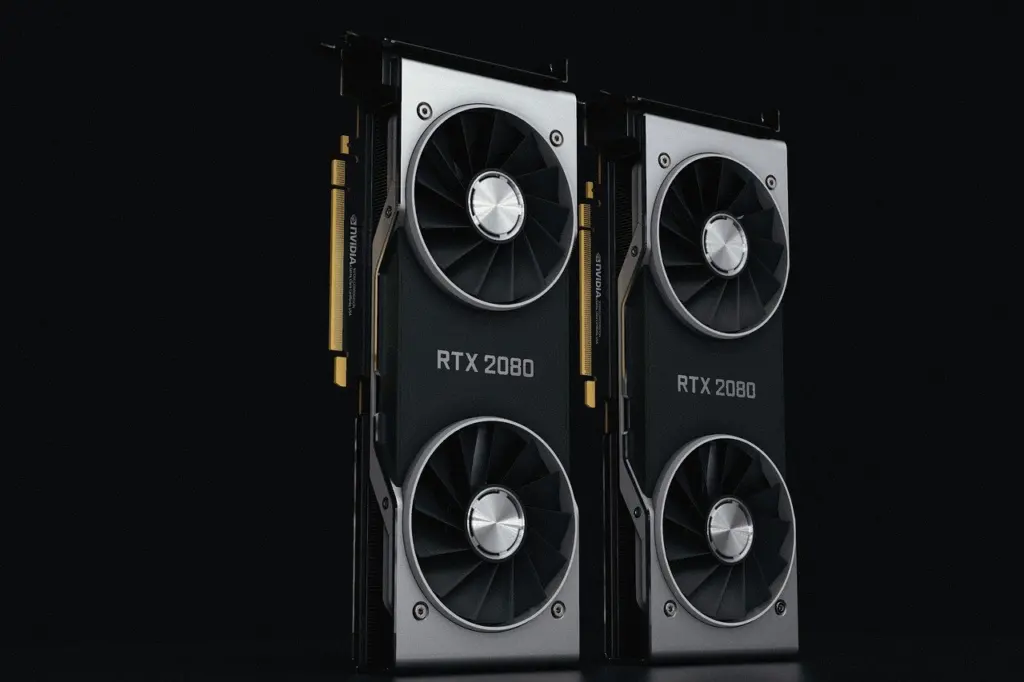
Current Amazon prebuilt listings show how GeForce cards sit across tiers. A CyberPowerPC tower pairs a GeForce RTX 5060 Ti 8GB with a Ryzen 7 8700F, 16GB DDR5 and a 1TB SSD. Two other listings, an iBUYPOWER Element and a KOTIN tower, use the GeForce RTX 5070 12GB, with a Ryzen 9 7900X and a Ryzen 7 9700X respectively and 32GB DDR5 in each. At the older end, a budget tower carries a GTX 1660 Super 6G.
The practical reading is that the RTX 5060 Ti 8GB and RTX 5070 12GB listings are the ones to shortlist for modded games, because the 12GB card has the most graphics memory of any card in the set. The older GTX 1660 Super 6G suits lighter titles on a tight budget.
AMD Radeon and how to compare it
AMD Radeon shows up at the budget end of the same listings: a Core i5 tower with a Radeon RX 550 4G. That card has the least graphics memory of any listing here, so it fits older and lighter games rather than a heavy mod list. When you price a Radeon card against a GeForce card, compare them at the same budget on the specific games you play, using independent benchmark results for those titles rather than the brand name alone. A manufacturer spec sheet tells you memory and connections, while benchmark labs tell you how the card behaves in a game.
Whichever family you choose, the card’s physical size and power draw feed straight into the case and power supply decisions covered below. First, it helps to know what a sensible budget build looks like.
A budget gaming PC build: where the money goes first
The best budget gaming PC build puts the largest share of money into the graphics card and keeps the supporting parts adequate rather than extravagant. Custom PC Review, an independent build site, says the parts in its recommended builds have either been reviewed by the site or are well known, and it selects on price, performance and reliability. That is a sensible test to apply to any parts list you assemble yourself.
Two budget towers on Amazon mark the floor of the market. A STGAubron tower with a Core i5, a Radeon RX 550 4G, 16GB RAM and a 512GB SSD is listed at THB 14,183.90 shipping to Thailand. A second STGAubron tower with a Core i7, a GTX 1660 Super 6G, 16GB RAM and a 512GB SSD is listed at THB 19,587.42. The second listing costs more and offers more graphics memory, which is the more important of the two differences for games.
Who each budget route suits
- Buy a budget prebuilt tower if you want a working machine quickly and plan to replace the graphics card later. Check the power supply before you plan an upgrade, because a replacement card has to fit the supply.
- Build from parts if you want to choose the case, cooler and supply yourself. Corsair says its builder bundles typically cover key internal components, which makes bundles a convenient way to settle the supporting parts in one purchase.
- Wait and watch prices if the card you want is above your budget. Custom PC Review states that hardware prices and availability are constantly fluctuating, so a patient buyer can sometimes do better than one who buys the first week a part appears.
The supporting parts are where Corsair’s own listings give concrete prices, which the next section covers alongside the power and cooling decisions.
Power supply, cooler and case
Match the power supply to the graphics card, and the cooler to the heat your processor produces. Both rules come from Corsair, which advises paying attention to power supply wattage in relation to your intended GPU and cooling relative to the CPU’s heat output. Corsair gives no single wattage figure for this, so read the supply requirement on the card you choose and buy at or above it.
Cooling prices from Corsair
Corsair’s builder bundle page, in US dollars, lists a few supporting parts with a snapshot dated 2026-10-24:
- iCUE LINK TITAN 360 QX AIO CPU cooler combo: $99.99 current, against a listed original price of $250.02. A discount that large is a reason to check the date and the stock before assuming it lasts.
- Nautilus 240 CPU cooler and RS120 fan bundle: $104.98 current.
- 2500X case, black, with RX120 triple fan starter kit: $234.98.
Corsair’s listings are in dollars and the Amazon listings in this guide are in Thai baht, so do not compare the two sets of numbers directly. Use each set to see the shape of the market in its own currency.
Case clearance
Choose the case after you know the card and the cooler. The ASUS TUF Gaming GT502 ATX mid tower is listed as supporting 400mm graphics cards and 360mm radiators, at THB 6,280.58. That is a useful reference for a build with a long, high-end card and a large liquid cooler. If you pick a card from the lower tiers, you will rarely need that much room, but confirm the maximum card length on any case before buying it.
Choosing a gaming monitor
The best gaming monitor is the one whose resolution your graphics card can drive comfortably in the games you play, so choose the screen and the card together. Amazon’s display filter for gaming PCs offers three resolution steps: 1920 x 1080, 2560 x 1440 and 3840 x 2160, commonly called 1080p, 1440p and 4K.
Match resolution to the card
- 1080p: the natural partner for the budget towers above. It asks the least of the graphics card, which suits older titles and lighter games.
- 1440p: a sensible target when you buy a card in the RTX 5060 Ti or RTX 5070 class and want sharper images without moving to the highest resolution.
- 4K: best saved for a build where the graphics card is the largest line in the budget. If your mod list is heavy, the card has to cope with both the resolution and the mods, so wait until the card tier supports both.
Resolution is only one of the choices; refresh rate and panel type also change how a monitor feels. The guide to the best gaming monitor explains those trade-offs in full, so use it once you have fixed your resolution.
Keyboard and other peripherals
Peripherals are the cheapest part of the build to change later, so buy a sound pair rather than the most expensive. A mechanical keyboard is the piece most players notice every day, because the switches decide how each keypress feels and sounds. The best gaming keyboard guide covers switches, layouts and picks.

Two practical rules help when you plan a peripherals budget. First, spend the build money on the graphics card and monitor before the keyboard, because those two parts decide what the games look like. Second, keep the old keyboard and mouse until the new machine runs stably; peripherals are the easiest items to swap in afterwards.
When a console or handheld beats a PC build
A PC build is not always the right answer. If your budget would only buy the weakest tower in the listings above, or you mostly play exclusives on one platform, a console may be the better first purchase. The Xbox Series X vs PS5 Pro: Which Console Wins in 2026? A Practical Comparison – Lunacheats guide compares the two high-end consoles, and the PS5 Slim vs PS5 Pro: Which PlayStation Should You Buy In 2026? – Lunacheats guide helps you decide between the two PlayStation models.
If you choose a PlayStation
Storage fills quickly on a console, and the Upgrade Your PS5 Storage: A Simple Step-By-Step Guide To Adding An SSD In 2026 – Lunacheats guide walks through adding an SSD. If you want to record or stream console play, the Best Capture Card for PS5 in 2026: Top Picks, Buyer’s Guide, and Easy Setup – Lunacheats guide covers the hardware you need.
If you want PC games on the move
Handheld PCs give you a PC library without a desk. The ROG Ally Vs Steam Deck: Which Handheld Wins In 2026? A Practical Comparison – Lunacheats guide compares the two best-known devices directly, and the Best Handheld PC Gaming Devices In 2026: Portable Powerhouses For Serious Gamers – Lunacheats guide widens the field. A handheld suits players who value portability over the settings a desktop card allows, and it is a poor fit for a heavy mod list.
Controllers and stick drift
A controller is part of the hardware setup on any platform, and stick drift is the most common reason to repair or replace one. Fix the problem before you spend on a new pad: the guides below cover console-specific repairs, and each will help you decide whether a repair is worthwhile or a replacement is better.
- Xbox One: the Fix Xbox One Stick Drift Fast: Proven DIY Repairs & When To Replace (2026 Guide) – Lunacheats guide covers repairs and when replacement makes sense.
- PlayStation 4: the How To Fix PS4 Stick Drift: Practical Steps That Work (2026) – Lunacheats guide gives practical steps.
- PlayStation 5: the Fix PS5 Stick Drift Fast: 7 Proven Fixes To Stop Drifting In 2026 – Lunacheats guide lists a set of fixes.
- Nintendo Switch: the How To Fix Stick Drift On Nintendo Switch: 3 Reliable Fixes You Can Do Today (2026) – Lunacheats guide describes reliable fixes.
If you would rather replace a pad than repair it, magnetic-stick designs are the drift-free option. The Hall-Effect Xbox Controllers: The Ultimate Guide To Drift-Free Performance In 2026 – Lunacheats and Hall Effect PS5 Controller: Why Magnetic Analog Sticks Could Be the Upgrade You Need in 2026 – Lunacheats guides explain what to look for on each platform.
Listed prices at a glance
Listings give a snapshot of what a finished machine costs at each graphics card tier, which is a useful sanity check on a parts budget you are building yourself. Use the table to see where your intended card falls and what the rest of the machine typically includes.
| Listing | Graphics card | Processor | Memory and storage | Listed price (THB, shipping to Thailand) | Planning use |
|---|---|---|---|---|---|
| STGAubron tower | Radeon RX 550 4G | Core i5 | 16GB RAM, 512GB SSD | 14,183.90 | Floor price for older and lighter games |
| STGAubron tower | GeForce GTX 1660 Super 6G | Core i7 | 16GB RAM, 512GB SSD | 19,587.42 | Budget step up with more graphics memory |
| CyberPowerPC | GeForce RTX 5060 Ti 8GB | Ryzen 7 8700F | 16GB DDR5, 1TB SSD | THB 50,657.66 shipping to Thailand | Mid-tier reference for 1080p to 1440p play |
| iBUYPOWER Element | GeForce RTX 5070 12GB | Ryzen 9 7900X | 32GB DDR5, 1TB NVMe | 77,675.26 | High-end reference for heavy mod lists |
| KOTIN prebuilt | GeForce RTX 5070 12GB | Ryzen 7 9700X | 32GB DDR5, 1TB SSD, 850W 80+ Gold supply | 77,675.26 | Same card and price as the Element, with the supply stated |
These figures come from Amazon’s search listings for gaming PCs, which are third-party retail prices rather than manufacturer prices.
Read the table as a ladder. The two STGAubron towers sit at the lower end of the price range, the RTX 5060 Ti listing is the mid-tier reference, and the two RTX 5070 listings share a price, so choose between them on the details each states, such as the supply rating. Custom PC Review reminds readers that prices and availability are constantly fluctuating, so treat every figure as a guide to relative position rather than a quote.
Frequently asked questions
What does a PC builder bundle usually include?
Corsair says its builder bundles typically include key internal components such as cases, power supplies, cooling solutions and memory. Check the bundle page for what a specific bundle contains before you rely on it.
Why are some listed prices in Thai baht?
The Amazon listings in this guide showed prices for shipping to Thailand, so they appear in baht. Your own price and shipping will differ by location, so use the figures to compare tiers rather than to budget.
Do I need an SSD in a gaming PC?
An SSD is the standard choice for fast game load times, and Custom PC Review says nothing beats one for that. Every prebuilt listing in this guide includes an SSD, from 512GB on the budget towers to 1TB on the stronger ones.