Blog

  • The Best Sims 4 Traits CC: How To Find, Install, And Use Custom Traits In 2026

    The Best Sims 4 Traits CC: How To Find, Install, And Use Custom Traits In 2026

    Sims 4 traits cc help players change Sim behavior and backstory. This guide explains what sims 4 traits cc do, where to find them, and how to install them. The guide uses clear steps and checks to avoid broken content. It gives practical tips for safe downloads and stable gameplay.

    Key Takeaways

    • Sims 4 traits cc expand your Sims’ personality with unique wants, fears, and behaviors beyond the base game.
    • Download Sims 4 traits cc only from trusted sources that provide clear descriptions, version info, and user feedback to ensure quality and safety.
    • Install Sims 4 traits cc by placing package or script files in the Mods folder and enabling custom content and script mods in game settings.
    • Always test new Sims 4 traits cc individually in a clean save to detect conflicts and keep backups to avoid gameplay issues.
    • Use clear file naming and keep track of updates to maintain stable gameplay and quickly identify problematic Sims 4 traits cc.
    • Respect creators by crediting their work and adhering to license terms to support ongoing maintenance and community health.

    What Are Sims 4 Traits CC And Why Use Them?

    Sims 4 traits cc add new personality options to the game. Players download sims 4 traits cc to give Sims unique wants, fears, and reactions. A custom trait can change moodlets, social interactions, and aspiration progress. Mod creators make sims 4 traits cc for realism, drama, or humor. The official game only includes a fixed trait set. Players use sims 4 traits cc to expand that set.

    Sims 4 traits cc can be small or large. A small trait might add a single new interaction. A large trait might add new moodlets and scripts. Scripted sims 4 traits cc can change daily routines or add custom phone options. Scripted traits require script mod support. Script-free sims 4 traits cc only use tuning files and avoid runtime changes.

    Players choose sims 4 traits cc for specific goals. Some players want stronger storytelling. Some want life-sim realism. Some want unusual or comedic behavior. Players should pick sims 4 traits cc that match their game rules. They should also check compatibility with expansion packs and other mods.

    Where To Find High-Quality Traits CC (Trusted Sources And What To Look For)

    Players should use trusted sites for sims 4 traits cc. Trusted sites offer clear file descriptions, author credits, and update notes. Examples include major Sims CC hubs and creator blogs. Players should prefer creators with download histories and user comments. Those creators often keep sims 4 traits cc updated after patches.

    A good sims 4 traits cc page shows file type, required packs, and installation steps. Players should avoid downloads that use unclear hosting or require extra installers. They should scan sims 4 traits cc files with antivirus software before installation. They should also check comments for reports of broken traits or conflicts.

    Players should look for these technical signs in sims 4 traits cc:

    • Clear file names and version numbers.
    • Readme or changelog text.
    • Compatible game version noted.
    • Script tag when the trait uses scripts.

    Players should test new sims 4 traits cc in a clean save or a test household. They should enable one trait file at a time to spot conflicts. They should keep a backup of the Mods folder before adding new sims 4 traits cc. A simple file name and clear author contact help if the trait breaks after a patch.

    How To Install, Manage, And Troubleshoot Traits CC

    Players install sims 4 traits cc by placing files in the Mods folder. The Mods folder sits in Documents > Electronic Arts > The Sims 4 > Mods. Players copy package or script files into that folder. Players must enable mods in the game settings. They must check the “Enable Custom Content and Mods” box and the “Script Mods Allowed” box when needed.

    After installation, players restart the game. They should test the new sims 4 traits cc on a fresh Sim. If the trait does not appear, players should check these items:

    • File type: package files often work without scripts.
    • Script requirement: script traits need the script box enabled.
    • Subfolders: the game reads files inside Mods subfolders, but deep nesting can fail.
    • Cache: players should delete localthumbcache.package when odd behavior occurs.

    If a sims 4 traits cc causes crashes, players should remove it and test again. They should reintroduce one file at a time to find the cause. They should also check for outdated trait versions after a game patch. Creators often update sims 4 traits cc within days of a major patch. Players should follow creator updates and notes.

    Players can manage sims 4 traits cc with a simple naming convention. They should prefix files with the creator name and date. That habit helps find problem files quickly. Players can also use a dedicated test Mods folder to isolate new sims 4 traits cc.

    For those who use many sims 4 traits cc, a conflict tool helps. A conflict tool flags duplicate tuning IDs and script clashes. Players should treat conflict reports as clues, not final verdicts. They should check the creator page and comments for known fixes.

    Finally, players should respect creator credit and terms. Many creators request credit in screenshots or posts. Players should read any included license file for commercial rules. Following those rules keeps the community healthy and helps creators keep sims 4 traits cc maintained.
  • The Best Sims 4 CC Clothes: Where To Find, How To Install, And How To Style Them In 2026

    The Best Sims 4 CC Clothes: Where To Find, How To Install, And How To Style Them In 2026

    The player searches for sims 4 cc clothes to expand wardrobe options. This article lists trusted sources for cc clothes. It shows safe download steps and clear install actions. It explains organization methods and basic styling rules. The reader will learn ways to avoid conflicts and keep game performance steady.

    Key Takeaways

    • High-quality Sims 4 CC clothes are best sourced from trusted sites like The Sims Resource, Mod The Sims, and Patreon creators to ensure safety and quality.
    • Safely downloading Sims 4 CC clothes involves scanning files for malware, avoiding ads, and backing up the Mods folder before installation.
    • Understand file types and dependencies by reading descriptions carefully, extracting archives, and including required custom meshes in your Mods folder.
    • Organize your Sims 4 CC clothes by sorting files into categories and keeping detailed logs to streamline updates and troubleshoot issues.
    • Test CC clothes for fit and compatibility with base game content, avoid overloading textures, and keep mods updated to maintain steady game performance.

    Top Sources For High‑Quality Sims 4 CC Clothes

    Players find high-quality sims 4 cc clothes at several reliable sites. The most popular sites include The Sims Resource, Mod The Sims, and Patreon creators. The Sims Resource hosts large collections and user ratings. Mod The Sims focuses on free mods and vetted uploads. Patreon creators offer exclusive, updated sims 4 cc clothes for direct support. Tumblr and Instagram still host creator links, but players should follow creator pages for updates. Sites like TSR and MTS show previews and tags for clothing type, mesh fixes, and required packs. Players check comments and recent uploads to judge quality and support.

    When choosing a source, look beyond appearance: read the description to confirm whether the item is recolorable, whether it replaces EA content, and if it includes a custom thumbnail or poses. Good creators document which game packs are required and will often include before-and-after screenshots or in-game previews that show how the item behaves on different body shapes, ages, and genders. For long-term use, favor creators who maintain changelogs or post patch compatibility notes so you know when to update files after EA patches.

    Another good practice is to follow a few creators whose style you like and to join small community hubs (such as creator Discords or forum threads) where users share installation tips and report issues. Community feedback can quickly highlight common problems like clipping, broken textures, or missing meshes.

    How To Download And Install CC Clothes Safely

    Players protect their game by following safe download practices. They scan downloaded files for malware and confirm creator reputation. They avoid clicking ads and use direct download links from creator pages or trusted hosts. They read descriptions to confirm required game packs and install steps. Players back up the Mods folder before large installs. They stay alert for updates when game patches appear.

    Follow a step‑by‑step routine each time you add sims 4 cc clothes: 1) preview the item and read the full description; 2) download files to a temporary folder and scan them with antivirus software; 3) extract compressed files and inspect the contents for .package, .ts4script, and any readme files; 4) check for and download any listed dependencies such as custom meshes; 5) move only the validated files into your Mods folder (or into appropriately named subfolders).

    If an item includes a script mod (.ts4script), ensure script mods are enabled in game settings before testing, and keep a backup of your current Mods folder so you can revert quickly if something causes instability. When installing multiple items at once, add them in small batches and test in-game to detect which item may cause a problem. This methodical approach reduces the chance of corrupting your main save or introducing hard-to-trace conflicts.

    Recognizing File Types, Required Dependencies, And Extracting Archives

    Creators package sims 4 cc clothes as .package, .ts4script, or compressed archives like .zip and .rar. Players extract archives with tools like 7-Zip or WinRAR. They place .package and .ts4script files in Mods or subfolders. Some clothes require custom meshes or TSRW meshes. Players read the item description to identify dependencies. They download mesh files when creators list them. They keep a copy of all dependency files in the Mods folder to avoid missing assets in game.

    Understanding file roles helps troubleshoot problems. .package files generally contain textures, models, and recolors. .ts4script files execute code and are often used for functional mods, so treat them cautiously and keep them updated. Mesh files are shared resources; if multiple items rely on the same mesh, keep a single copy of the mesh in Mods to avoid duplicates. If an item comes as a recolor only, it will usually reference an existing mesh—if you see missing textures or a “missing mesh” thumbnail in the catalog, you likely need to install that mesh.

    When extracting, maintain a consistent folder naming system in your temporary download area so you can quickly match readmes to files. If a creator provides a readme, open it before moving files to Mods—readmes often include required settings, notes about known issues, or links to required meshes. Lastly, keep a small “testing” save file dedicated to checking new sims 4 cc clothes so your main household progress remains protected.

    Organizing And Managing Your CC Wardrobe

    Players keep their sims 4 cc clothes organized to save time. They use folders for categories like tops, bottoms, dresses, and accessories. They name files with creator name, item type, and notes like compatibility. They use a simple naming rule to find files quickly. They separate test files from stable files. They log installed sims 4 cc clothes in a spreadsheet or note app. This log saves time when they need to remove or update items.

    Create a folder hierarchy inside Mods that mirrors in-game categories—for example: /Mods/Clothes/Tops, /Mods/Clothes/Dresses, /Mods/Accessories. Within those folders, subfolders for creators or for items that require a mesh can help you quickly find and remove problematic content. Use short, consistent file names such as “Creator_Item_Age_Gender.package” so filenames remain readable in folder views.

    Maintain a simple tracking document that lists each installed sims 4 cc clothes item, its source, any dependencies, and the date you installed or last updated it. This makes it much easier to respond to patch issues: you can search your log for recently added items if a problem appears after an update. Periodically audit your Mods folder to remove duplicates, old recolors you no longer use, and test files you’ve forgotten about—this cleanup reduces load and prevents accidental conflicts.

    Styling Tips, Compatibility Issues, And Performance Considerations

    Players plan outfits around base-game options to avoid pack conflicts. They mix sims 4 cc clothes with EA content to create unique looks. They test new items on different sims to check fit and texture issues. They avoid overloading the game with high-resolution textures to protect performance. They limit script mods during heavy building or large families. They remove duplicate meshes to reduce load times. They watch for patch notes after EA updates and update creator files when required. They roll back to backups if an update causes persistent crashes.

    For styling, start by building a capsule wardrobe for your Sims: choose versatile tops, bottoms, and outerwear that can be recolored or layered. Use recolors and swatches sparingly to keep download sizes down while increasing outfit variety. When combining multiple CC pieces in one outfit, preview the look in Create-a-Sim and in live mode—some combinations may reveal clipping at the shoulders, hips, or around accessories.

    To maintain performance, prefer optimized content: lower-resolution textures, items without unnecessary LODs (levels of detail), and fewer unique meshes that bloat memory usage. If you play with large families or build extensive lots, consider temporarily disabling heavy or experimental CC during those sessions. Keep an eye on game behavior after installing new sims 4 cc clothes—longer load times, UI lag, or frequent texture pop-in are signs you may need to pare down or replace specific files.

    When compatibility issues arise, the troubleshooting approach should be systematic: remove recently added CC in small batches, test in a clean save, and consult creator notes for known conflicts or updates. Use community resources—forums and creator pages—to see if a particular item causes widespread issues after a patch. Finally, keep regular backups of your Mods folder and saves so you can restore a working setup if an installation or update goes wrong.

  • Switch 2 GameCube Revival: Complete List Of Playable GameCube Titles On Switch 2 (2026 Update)

    Switch 2 GameCube Revival: Complete List Of Playable GameCube Titles On Switch 2 (2026 Update)

    Topic What Nintendo lists Planning use
    Membership Nintendo Switch Online + Expansion Pack, used with a Switch 2. The base tier covers Super NES, Game Boy and NES games. Check your tier before anything else. Base membership does not unlock the GameCube library.
    First batch The Legend of Zelda: The Wind Waker, F-Zero GX and Soulcalibur II, all originally released on GameCube in 2003. Start here if you want the titles Nintendo itself announced as the opening lineup.
    Collection release 5 June 2025, available only on Nintendo Switch 2. The original Switch is not a route to these games.
    Download size 13 GB for the collection. Clear storage space before you start.
    Play modes TV, semi-portable (tabletop) and handheld. You can use any docked, propped-up or handheld setup.
    Players 1-4 on one console and 1-4 online. Extra accessories may be needed for multiplayer and are sold separately. Count controllers before a group session.
    Saves Cloud save data and suspend points. Short sessions are easy to pause and resume.

    Figures come from Nintendo’s announcement of the first GameCube games and the GameCube Nintendo Classics store page.

    This switch 2 gamecube games list begins with three launch titles: The Wind Waker, F-Zero GX and Soulcalibur II. Playing them needs a Switch 2 and a Nintendo Switch Online + Expansion Pack membership.

    Nintendo has said more games will be released in the future, so keep this page next to your tracking of upcoming video game releases.

    Confirmed GameCube titles

    Ten GameCube titles were confirmed for Switch 2 as of May 2025, according to a Nintendojo report on the confirmed list. Only three of them had a firm date at that point: 5 June 2025, the same day Switch 2 launched. Nintendo’s own announcement says the three launch games were added first and that more would follow, so treat the second group below as confirmed titles and check the collection itself for what has been added since.

    Launch titles

    • The Legend of Zelda: The Wind Waker. Nintendo describes it as originally released for GameCube in North America in 2003.
    • F-Zero GX. Originally released for GameCube in 2003.
    • Soulcalibur II. A fighting title originally released for GameCube in 2003.

    All three launch games date from the same year, so the opening batch is a snapshot of one stretch of the GameCube library rather than its full range. If you only want to try the service, an adventure, a racer and a fighter give you three different play styles from day one.

    Other confirmed titles

    • Super Mario Sunshine. Listed among the ten confirmed titles.
    • Luigi’s Mansion. Another first-party name on the same confirmed list.
    • Pokémon Colosseum and Pokémon XD: Gale of Darkness. Both Pokémon titles appear on the list, which makes the pair an easy pick for fans of the series.
    • Fire Emblem: Radiant Dawn. Confirmed alongside the others.
    • Super Mario Strikers. Confirmed for the service.
    • Chibi-Robo! Confirmed for the service.

    Release timing for these seven titles was not fixed in that report. Wait to plan around any one of them until it shows up in the collection, and avoid buying a membership solely for a title that has not yet arrived.

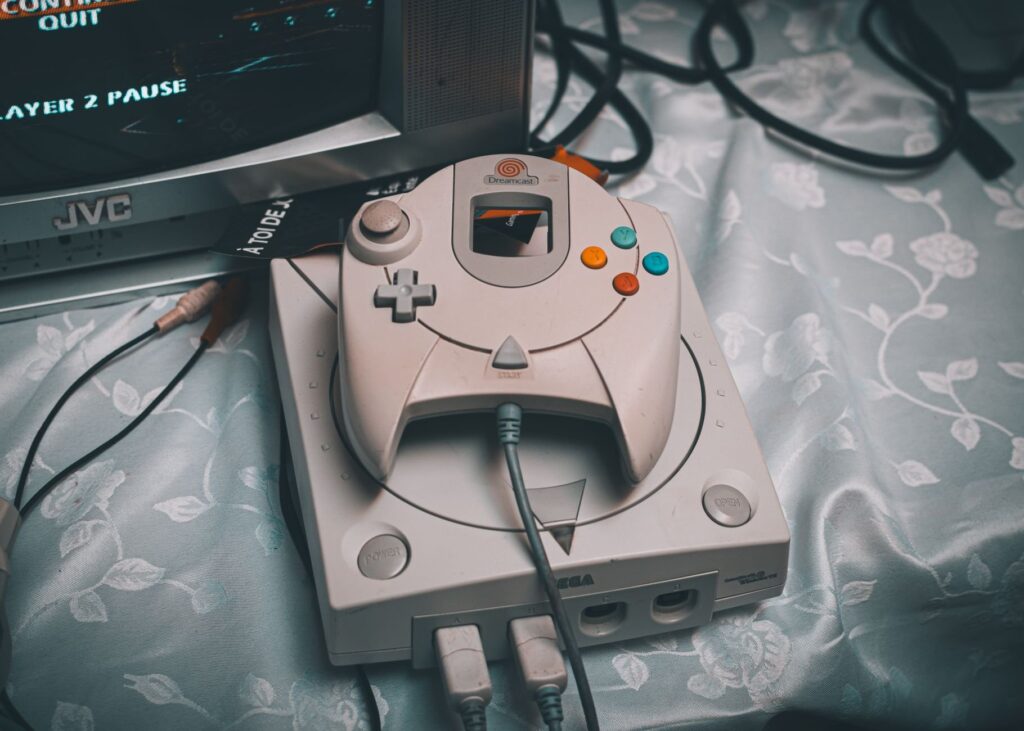
    The monitor screen shows on-screen text reading “PLAYER 2 PAUSE” and “QUIT.”

    Subscription and access

    Yes, you need a subscription. GameCube games on Switch 2 come through Nintendo Switch Online with the Expansion Pack tier, and the collection is exclusive to Switch 2 within that tier, according to Nintendo’s announcement.

    • Right tier. Nintendo Switch Online + Expansion Pack, used with a Switch 2 system.
    • Wrong tier. The base membership gives you a library of Super NES, Game Boy and NES games, but not the GameCube collection. If you already pay for the base plan, the Expansion Pack upgrade is the cost of entry.
    • Online features. Nintendo states that a Nintendo Switch Online membership, sold separately, and a Nintendo Account are required for online features.
    • GameChat. The collection’s store page notes that GameChat could be used without a subscription until 31 March 2026, with Nintendo Switch Online required afterwards.

    The practical decision is simple. If you want several of the titles above, or any online play, the membership pays for itself in access. If you only want a single game, check whether it is in the collection yet before committing.

    Playing the games step by step

    Getting into a GameCube game on Switch 2 takes a membership check, some free storage and a choice of how to play.

    1. Confirm that you own a Switch 2 and that your Nintendo Switch Online membership includes the Expansion Pack.
    2. Free up storage for the collection download before you start.
    3. Find the Nintendo GameCube – Nintendo Classics software in Nintendo’s store, install it and choose a game from the collection.
    4. Pick a play mode. Nintendo supports TV mode, semi-portable (tabletop) mode and handheld mode for the collection.
    5. Choose a display style. Nintendo offers a standard style or a retro CRT look.

    Handheld suits short sessions, while TV or tabletop mode suits shared play. The CRT option is a matter of taste: it changes how the picture is presented, so try both styles on the first game you open.

    Save data and session features

    Nintendo’s store page lists cloud save data as a feature of the collection. Treat that as a reason to keep your membership active while you are mid-way through a long game.

    The same page describes suspend points, which Nintendo says let you take a break in the middle of exploring a dungeon. That helps with long adventure games, since you do not need to reach a save spot before putting the console down. It also fits handheld play, where interruptions are common.

    Multiplayer and accessories

    The collection supports 1-4 players on one console and 1-4 players online, per Nintendo’s store listing. Nintendo adds that extra accessories may be needed for multiplayer and are sold separately.

    Whether a particular game uses all of those slots depends on the game. Before inviting friends over, check how many controllers you have available, and remember that any online session also depends on the membership and Nintendo Account requirement noted earlier.

    How the collection works

    GameCube Nintendo Classics is a Nintendo product: Nintendo is listed as both publisher and developer, and it released on 5 June 2025, according to the store page. The page describes it as available only on Switch 2.

    Games are added to the collection over time rather than all at once, which is why the confirmed titles list is a moving target. Check the collection after a new announcement, and compare it with the confirmed titles above to see what has arrived.

    Related subscription libraries

    If you are weighing this membership against other platforms, compare it with The Best Xbox Game Pass Games In 2026: 12 Must-Play Titles For Every Kind Of Gamer – Lunacheats and November PS Plus Games 2026: The Complete Lineup & What To Play This Month – Lunacheats.

    Frequently asked questions

    Is Super Mario Sunshine on the Switch 2 GameCube list?

    Yes. Super Mario Sunshine is among the ten titles named as confirmed in May 2025. Check the collection itself to see whether it has been added yet.

    Can I use a GameCube controller?

    Yes, on Switch 2. Nintendo states that the Nintendo GameCube controller is compatible only with the Switch 2 console.

    Can I play these games on the original Switch?

    No. Nintendo lists GameCube Nintendo Classics as available only on Nintendo Switch 2.

    Does the membership renew automatically?

    Yes. Nintendo says membership auto-renews after the initial term at the then-current price unless it is canceled.

  • The Ultimate Guide To CC For The Sims 4: Find, Install, And Manage Custom Content Safely (2026)

    The Ultimate Guide To CC For The Sims 4: Find, Install, And Manage Custom Content Safely (2026)

    The guide explains cc for sims 4 in clear steps while adding practical context and expanded best practices. It shows where to find safe downloads and how to add files, and it now includes more detailed checks, common pitfalls, and hands-on tips for keeping your game stable. The guide covers file inspection, installation steps, conflict resolution, and basic troubleshooting with examples of what to try first. The reader gets practical advice, quick checks, and suggestions for organizing and tracking content. The tone stays direct and action-oriented. The instructions aim to reduce errors, protect game saves, and help players make informed choices about which cc for sims 4 to use.

    Key Takeaways

    • Custom Content (cc) for Sims 4 allows players to personalize their game with new clothing, hair, furniture, build items, and gameplay mods to expand appearance, storytelling, and functionality.
    • Always download cc for Sims 4 from trusted, established sites and known creators; check comments, update history, and compatibility notes to lower risk.
    • Before installing, inspect file types and sizes, check required packs or scripts, review user feedback, and run an antivirus scan on downloads.
    • Install cc for Sims 4 by extracting compressed archives and placing .package, .ts4script, or other supported files into Documents/Electronic Arts/The Sims 4/Mods; enable Mods and Script Mods in-game and restart the game.
    • Organize and maintain a log of installed cc for Sims 4, backup Saves and Mods regularly, and remove or update outdated content after each game patch to avoid crashes.
    • Troubleshoot broken or conflicting cc by testing in a clean save, removing recent additions, checking for duplicate filenames, clearing caches, and consulting creators or community threads when needed.

    What Is Custom Content (CC) For The Sims 4 And Why Use It

    Custom content, or cc for sims 4, adds new items, visual styles, and behaviors that the base game doesn’t include. Creators share clothing, hair, makeup, furniture, architectural items, and gameplay mods that can alter interactions, careers, or UI elements. Players use cc for sims 4 to align the game with a personal aesthetic, recreate characters and places, or add niche gameplay features. Typical uses include expanding wardrobe variety, introducing realistic furniture sets, or adding poses and animations for storytelling.

    When using cc for sims 4, balance creativity with stability: prioritize lightweight, well-documented items for everyday play and reserve experimental or high-poly assets for controlled testing. Be aware that some script mods can change game mechanics and require regular updates. Good practice includes reading creator notes for required packs or dependencies and limiting the number of script mods active at any time to simplify troubleshooting.

    Where To Find Safe, High-Quality CC

    Players should seek cc for sims 4 on trusted sites and creator pages with visible upload dates, clear terms of use, and active comment threads. Prefer sources that host creator portfolios and display previews or in-game screenshots so you can judge quality before downloading. When a creator provides changelogs, version notes, or clear compatibility statements (for example, which game patch the item was last tested on), that’s a strong positive signal of reliability.

    Organize your discovery process: subscribe to a handful of creators you trust, follow their update channels, and create a simple bookmarks folder for cc for sims 4 that you want to revisit. Avoid unknown file hosts or pages that hide downloads behind excessive pop-ups and ad redirects. If a download requires unusual permissions (executables beyond .zip/.rar/.7z or asking to run installers), treat it with caution and confirm the creator’s reputation before proceeding.

    Top Trusted Sites And Creators For Sims 4 CC

    The most reliable sites host creator portfolios, tag files clearly by type and required packs, and offer a comment section and update history. Examples of well-known, broadly used platforms include The Sims Resource and Mod The Sims, where creators can present previews and version notes. Many creators also use Patreon for early or curated releases and host galleries or download pages on personal blogs and social platforms where they document changes.

    When evaluating a creator, look for consistent posting, clear install instructions, and a history of supporting older items after patches. Favor creators who provide multiple preview shots (CAS, build/buy, and in-world screenshots) and include lists of dependencies or conflicting known issues. Bookmark a few trustworthy creators for regular checks and take note of creators who specialize in the content you like (e.g., realistic hair, low-poly furniture, or gameplay tweaks) so your cc for sims 4 library remains cohesive.

    How To Evaluate CC Files Before Downloading

    Before downloading cc for sims 4, inspect the file listing and description carefully. Check the file type (.package, .ts4script, .blueprint, or compressed archive), file size (very large files can be high-poly models), and any notes about required expansion packs or other mods. Read the description for compatibility notes and installation steps so you avoid surprises after adding the content.

    Use comment sections and recent user feedback to catch common issues—users often report broken meshes, conflicting items, or outdated scripts. Preview images and in-game screenshots help you verify quality and intended scale. When unsure, download a single item to a test folder, scan with your antivirus, and extract it locally to inspect filenames before moving anything into your Mods folder.

    How To Install CC In The Sims 4 — Step By Step

    Step 1: Download the cc for sims 4 file to a single, clearly named folder (e.g., Downloads/Sims4_CC_Pending). Keeping downloads separate avoids accidental installs of unwanted files. Step 2: Extract compressed files with a trusted tool (common extractors can open .zip/.rar/.7z). Verify the archive contains expected file types and read any included README or install notes.

    Step 3: Move extracted .package, .ts4script, or other supported files into Documents/Electronic Arts/The Sims 4/Mods. You can create subfolders inside Mods (for example, Mods/Clothing, Mods/Build, Mods/Scripts) to make later audits easier; the game reads nested folders but avoid overly deep paths. Step 4: Start the game and go to Game Options > Other. Step 5: Enable both Mods and Script Mods if your downloaded content requires scripts, then restart the game to apply changes. Step 6: Check the Mods list in-game and test the new content in a clean save or a small test household. Add a few items at a time to evaluate stability before bulk-adding more cc for sims 4.

    Managing, Updating, And Troubleshooting Your CC

    Players should track cc for sims 4 with a simple log: note creator, file name, source URL or page name, and install date. Keep a “pending” folder for new downloads and a separate “active” folder inside Mods for items you’ve tested. After each game patch, review your log and check creators for updates or compatibility posts before launching your main save.

    Back up Saves and Mods folders regularly—either by copying them to an external drive or zipping them to a secure location—so you can restore a working state if a new cc causes corruption. When testing new cc for sims 4, use a clean save file or a freshly created household to avoid risking your main stories. Maintain a habit of updating popular script mods promptly and removing items that haven’t been updated for multiple patches.

    Fixing Broken Items, Conflicts, And Performance Issues

    If an item breaks, start with these quick steps: remove the most recently added cc for sims 4 and restart the game; clear the Sims 4 cache files (localthumbcache.package and the caches folder) and test again; and look for duplicate filenames or conflicting meshes. If a script mod causes errors, move the .ts4script file out of Mods and run the game to confirm whether it’s the source of crashes or odd behavior.

    For visual issues like missing textures or stretched meshes, check for missing dependencies (a mesh or texture pack the creator lists as required) and ensure there are no duplicate filenames in different subfolders. For performance problems, identify and remove high-poly assets or large texture packs, test frame rates in an empty lot, and consider using lower-poly alternatives. If problems persist, consult the creator’s notes, open an issue in their comment thread, or post a concise bug report in community forums including game version, mods list, and steps to reproduce the issue—this information helps creators and fellow players suggest targeted fixes for your cc for sims 4.

  • Xbox Game Pass Premium: The 2026 Games List, New Additions, And What To Play First

    Xbox Game Pass Premium: The 2026 Games List, New Additions, And What To Play First

    Xbox Game Pass Premium games list shows the full catalog for 2026. The list helps players decide if they should upgrade. It highlights new releases, premium exclusives, and streaming options. This guide covers the complete 2026 games list, top premium picks, installation steps, and how to track rotating titles. Readers get clear steps and quick recommendations to start playing fast. Throughout this article you’ll find practical advice for getting the most from the xbox game pass premium games list — from choosing the right first playthrough to managing storage, claiming licenses, and optimizing cloud streams.

    Key Takeaways

    • The Xbox Game Pass Premium games list for 2026 includes top new releases like Baldur’s Gate 3, Forza Horizon 6, and Hades II, offering diverse premium gaming experiences.
    • Upgrading to Xbox Game Pass Premium benefits players seeking day-one releases, cloud streaming, and premium-only titles across console, PC, and cloud platforms.
    • Subscribers can easily access, install, or stream games via the Xbox app or console, with cloud play adapting to connection quality for smooth gameplay when bandwidth and latency are sufficient.
    • Managing your premium library with favorites, storage priorities, and claiming game licenses ensures continued access even when titles rotate out of the xbox game pass premium games list.
    • Staying updated through Xbox Wire and in-app notifications helps players track game rotations and avoid losing access to leaving titles by claiming or purchasing them.

    What Is Xbox Game Pass Premium (And Who Should Upgrade?)

    Xbox Game Pass Premium is the highest tier of Microsoft’s subscription lineup, building on Core and Standard/Console/PC Game Pass with extra benefits aimed at players who want immediate access to the newest releases and expanded cloud functionality. Key differences include priority inclusion of certain day-one premium releases, access to premium-only editions or expansions when offered, enhanced cloud streaming options, and subscriber-only perks such as in-game items and partner offers. The service is best for three types of players: those who want day-one access to big releases without an upfront purchase, players who frequently stream games to low-spec devices or mobile through cloud play, and households that move between PC and console and want cross-gen continuity. It’s less compelling for gamers who only play a few older titles a year or who prefer to buy and keep games permanently rather than rotate through a catalog.

    Before upgrading, consider how often you play, whether you value cloud play over local installs, and if you want the convenience of trying titles without buying them. Check your typical play session length and whether your internet connection supports reliable streaming — those factors will determine whether the xbox game pass premium games list delivers good value for you.

    Complete 2026 Games List (Alphabetical)

    The 2026 xbox game pass premium games list follows. This list shows titles available on console, PC, and cloud where applicable. Platform availability and edition details (for example, Premium or Expansion Pass) are indicated where known; always verify in the app before downloading or streaming. For many entries the Premium tag means the title is offered to subscribers either as a full release or as a premium edition with extra content.

    • A Plague Tale: Requiem (Premium)
    • Age of Empires IV: Definitive Edition (Premium)
    • Alan Wake 2 (Premium)
    • Baldur’s Gate 3 (Premium)
    • Call of Duty: Vanguard, Premium Edition
    • Dead Space Remake (Premium)
    • Diablo IV (Premium)
    • Forza Horizon 6 (Premium)
    • Gears 6 (Premium)
    • Hades II (Premium)
    • Helldivers 2 (Premium)
    • Microsoft Flight Simulator 2026 (Premium)
    • Ori and the Will of the Wisps: Remastered (Premium)
    • Starfield: Expansion Pass (Premium)
    • The Elder Scrolls VI: Companion (Premium)

    This list reflects the catalog status at the time of publication and is intended as a single reference snapshot of the xbox game pass premium games list for 2026. Microsoft may add or remove titles throughout the year, and platform tags (console/PC/cloud) can change as developers enable or disable cloud streaming or release platform-specific updates. Always open the Xbox app or the Microsoft Store listing to confirm a specific title’s availability and platform support before planning download or play sessions.

    New Additions In 2026 And Recent Drops

    Microsoft added several high-profile premium titles in 2026, including Hades II, Forza Horizon 6, and Gears 6, which arrived on the xbox game pass premium games list at or near their launch weeks. New additions are often accompanied by in-app banners and perks such as limited cosmetics or trial bonuses. Equally important are the seasonal drops: Microsoft periodically removes older or third-party licensed games to refresh the roster and make room for new deals. In Q2 and Q3 of 2026 some legacy indie and third-party ports rotated out, which is normal for a curated service.

    Subscribers who want to keep access to a leaving title should claim it while it’s still listed (claiming preserves the license tied to your account) or purchase a permanent digital copy if you want guaranteed long-term access. Claiming is fast and does not require immediate installation — a useful step when a favorite game shows a “Leaving soon” banner in the xbox game pass premium games list.

    Best Premium-Exclusive Games To Play First

    With so many premium choices on the xbox game pass premium games list, prioritizing what to play first helps stretch your time and subscription value. Here are recommended starting points by play style:

    • RPG / Story-first: Baldur’s Gate 3 — deep character systems, long campaign, heavy replay value. Ideal if you enjoy immersive roleplaying and multiple narrative paths.
    • Racing / Open world: Forza Horizon 6 — best for players who want relaxed or competitive driving with a large vehicle roster and seasonal events.
    • Action Roguelike: Hades II — tight combat loops and excellent replayability for shorter but highly repeatable sessions.
    • Co-op Shooter: Gears 6 and Helldivers 2 — strong cooperative features and new maps, which are great if you play with friends.
    • Simulation / Exploration: Microsoft Flight Simulator 2026 & Starfield expansions — excellent for longer sessions and players who enjoy realistic systems and exploration.

    Start with a game that matches your preferred session length and whether you want solo or multiplayer experiences. If you’re unsure, pick one large, narrative-driven title and one pick-up-and-play multiplayer or roguelike — that combination often yields immediate enjoyment while you explore the broader xbox game pass premium games list.

    How To Access, Install, And Stream Premium Titles (Console, PC, Cloud)

    Signing in: Use the same Microsoft account associated with your Premium subscription on the Xbox console, the Xbox app for Windows, or the Xbox Cloud Gaming web/app client. The xbox game pass premium games list will surface games tied to your subscription level once you’re signed in.

    Installing on console: Navigate to the game’s page and choose Install. If you have multiple storage drives, pick one to manage space; the install screen shows required and available space. For large premium releases, consider moving or uninstalling less-played titles to keep space available for new installs.

    Installing on PC: Open the Xbox app or Microsoft Store, select the game, and click Install. Use the app’s settings to adjust the default install location and to manage optional high-resolution packs or DLC that may increase disk usage. If you have limited SSD space, use the Windows Storage settings to mount a secondary drive or to offload non-essential games.

    Cloud play: Select Play (or Play on cloud) from the game page to stream. The service dynamically adjusts bitrate and resolution to match your connection. For stable cloud play, use a wired Ethernet connection or a strong 5 GHz Wi‑Fi link, close other high-bandwidth apps on your network, and test latency using the Xbox app’s network overlay when available. If you experience stuttering, try lowering the client resolution or switching to a different network to isolate the issue.

    Controller and peripheral tips: For cloud play on PC or mobile, pair an Xbox controller via USB or Bluetooth for the best compatibility, or use touch controls where supported. On consoles, ensure your controller firmware is up to date when connecting to premium titles that leverage new input features.

    Cross-Gen, DLC, Perks, And Managing Your Premium Library

    Most premium titles on the xbox game pass premium games list support cross-gen saves and, in many cases, cross-play, letting you continue progress between Xbox Series consoles and Windows PC for supported games. Check the game’s store page for explicit cross-save support and steps to link accounts. DLC and expansions may be discounted for subscribers; the store page will reflect any member-only pricing and available content packs.

    Perks: Premium subscribers can receive in-game items, partner bonuses, and trial access to add-ons. Claim perks through the Perks section of the Xbox app — claimed items will attach to your account and often appear in-game after a short synchronization period. Keep an eye on limited-time promotions tied to new premium launches on the xbox game pass premium games list.

    Library management: Mark favorites to keep quick access to frequently played premium titles and use the app’s filters to show only installed games. When low on space, uninstall large games but remember to claim the license first if the title is at risk of leaving the service. Use storage management tools on console and PC to move less-played games to external drives or secondary folders while keeping saves in the cloud.

    Upcoming Rotations: How To Track Leaving And Joining Titles

    Microsoft releases regular catalog updates that list which titles are joining and leaving the xbox game pass premium games list. The most reliable sources are the official Xbox Wire blog and the Xbox app’s Discover or Coming Soon sections. In the app, titles flagged as “Leaving soon” include a removal date and often a claim button — use that to preserve access while the game remains part of the service.

    Practical tracking steps: subscribe to the Xbox app notifications for monthly rotation posts, add titles you care about to your favorites list, and enable in-app alerts for leaving-game banners. Third-party trackers and community forums can also send alerts if you prefer push notifications or email reminders. If a game you’re playing is set to leave, claim it immediately and consider purchasing it if you expect long-term play; claiming ties the license to your account but only preserves access while it remains listed or until you stop subscribing, depending on the publisher’s policies.

    Finally, plan for long campaigns by checking rotation windows before you start a game with 30+ hour commitments: if a title is leaving soon and you’re mid-campaign, claim or buy it to avoid losing access to saves and progress tied to that digital license from the xbox game pass premium games list.

  • Minecraft Realistic Shaders: How To Get Cinematic Graphics In 2026

    Minecraft Realistic Shaders: How To Get Cinematic Graphics In 2026

    You load a popular pack and get cartoon colours and stutter. The fix is choosing minecraft realistic shaders by listed style, frame cost and game version, then matching the cost tier to your GPU.

    Shaders are a type of mod, so the general routine of how to install game mods applies: confirm compatibility first, add the pack second, test third. The sections below sort the packs by style and cost, then match them to hardware.

    What “realistic” means in a shader pack

    Realism in Minecraft shaders comes from three things: how light behaves, how water reflects, and how shadows soften. Packs do not all pursue it. The shaderLABS shaderpack list tags every pack with a style such as Realistic, Semi Realistic, Path Traced, Fantasy, Cartoon or Vanilla. A famous name does not guarantee a photoreal look. BSL is listed as Cartoon and Complementary Fantasy as Fantasy, so a pack can be popular and still look stylised on purpose.

    For a cinematic result, look at what a pack emphasises. Aurelia Realistic Shaders names cinematic lighting as its defining feature, with softer shadows. Its water gains pronounced specular highlights and reflects the sun, the surrounding terrain and the sky. Lavi_bloomz Shaders goes a different way and focuses on soft lighting and performance, which suits players who want a gentle, filmic mood rather than maximum fidelity.

    Generic stock photo, not a Minecraft screenshot: still dark water with a sharp reflection, the kind of surface behaviour that reflective shader water tries to imitate.

    Listed style and FPS cost side by side

    Water, shadow and lighting quality are hard to judge from a table, but style, cost and version range are not. The packs below are the ones with a listed realistic or near-realistic style, plus the cheapest and the best-known stylised options for comparison.

    Pack Listed style FPS cost Minecraft versions Planning use
    Potato Shaders Vanilla Potato Potato 1.12 – 1.20.1 Lowest cost label; a vanilla-style lift for very weak GPUs
    BSL Cartoon Low 1.7.10 – 26.3 Wide version range and low cost; a safe first install, but stylised rather than photoreal
    Complementary Fantasy Fantasy Low 1.7.10 – 26.3 Low cost across old and new game versions
    Chocapic13 Semi Realistic Low 1.7.2 – 1.20.1 Realistic-leaning at low cost; not for newer game versions
    SEUS Renewed Semi Realistic Medium 1.14 Only worth it if you play that older version
    Kappa Realistic High 1.16.5 – 1.21.4 Realistic style for a strong GPU
    Voyager Realistic High 1.16 – 1.21 Realistic style for a strong GPU
    SEUS PTGI Path Traced High 1.18 Path-traced lighting, limited to its listed version
    Continuum RT Realistic/Path Traced Extreme 1.14.4 – 1.20.4 Heaviest tier; for top-end hardware and a willingness to trade frames for looks

    Style labels, cost tiers and version ranges in this table come from the shaderLABS shaderpack list.

    Matching packs to your GPU tier

    Yes, shaders lower your FPS. Every pack carries a cost, and shaderLABS grades it on a scale that runs from Potato through Low, Medium and High to Extreme. The list gives relative tiers rather than frame rates, so the practical approach is to pick a tier that suits your graphics card and then measure in your own world. These are judgement calls built on that scale, not guarantees.

    • Integrated or entry-level graphics: start with Potato Shaders, or a Low-cost pack. Lavi_bloomz Shaders is described as focused on soft lighting and performance, which makes it a natural second candidate on modest hardware.
    • Mid-range graphics: Low-cost packs such as Chocapic13 give a semi-realistic look while leaving headroom. Medium is the next step up, but the Medium-rated SEUS Renewed only lists one older game version, so it rarely fits a current install.
    • Strong dedicated graphics: the High tier is where Kappa and Voyager sit, both listed as Realistic. SEUS PTGI also sits at High and adds path tracing, but its listed version is narrow.
    • Top-end graphics: Continuum RT is the only pack here at Extreme. Choose it when screenshots and cinematic scenes matter more than smooth movement, and expect to lower settings during exploration or building.

    A sensible rule is to begin one tier below what you think your card can handle. Moving up a tier later is easy; recovering from an unplayable first impression is more frustrating.

    Version and add-on pitfalls

    The most common failure is not hardware but a mismatch between pack and game version. The packs in the table above show how much the ranges differ, according to the shaderLABS shaderpack list.

    • Realistic does not mean current: Chocapic13 is listed up to 1.20.1, Continuum RT up to 1.20.4, SEUS PTGI at 1.18 and SEUS Renewed at 1.14. BSL and Complementary Fantasy are listed through 26.3, and Kappa through 1.21.4. If you play a recent release, check the upper end of the range before you download anything.
    • A Low label is still a cost: Low sits above the Potato label on the same scale. On a weak laptop, even a Low pack can feel heavy, so test before you commit to a long session.
    • New releases need a fresh look: Aurelia Realistic Shaders is listed for Minecraft 26.3, which makes it a candidate for players on the newest version who want soft shadows and reflective water.

    Realistic packs can also be extended. Euphoria Patches is an add-on mod for Complementary Shaders, covering Reimagined and Unbound. Developed by SpacEagle17, it extends Complementary with added features. The site describes Complementary as a popular shader pack for Minecraft Java Edition. If you like Complementary’s base look but want more options, an add-on is a lighter commitment than switching packs.

    Installing and testing a pack

    The routine is short, and the order matters. Work through it before you adjust any sliders.

    1. Check the listing. Note the pack’s supported Minecraft versions and its loader. The shaderLABS table includes Loader and GPUs columns for this purpose.
    2. Install a shader-capable loader. Use Iris or OptiFine, whichever the pack lists, in a version that supports your game version.
    3. Download the pack. Take the ZIP from the pack’s own page and leave it zipped.
    4. Add it in-game. Open the video settings, go to the shaders screen, drop the ZIP into the shaderpacks folder and select the pack.
    5. Test before tuning. Run the default preset in a world you know well, in daylight and at dusk, and near water. If frame rate suffers, step down a cost tier instead of tweaking many options.

    If the pack does not appear, or the game fails to launch with it enabled, compare its listed Minecraft version and loader with your own. That mismatch accounts for most problems, and it is quicker to check than reinstalling anything.

    The same compatibility-first habit carries over to other games. If you also play farming sims or life sims, see Best Stardew Valley Mods In 2026: Top Picks To Supercharge Your Farm – Lunacheats for Stardew Valley, and The Ultimate Guide To CC For The Sims 4: Find, Install, And Manage Custom Content Safely (2026) – Lunacheats for custom content in The Sims.

    Frequently asked questions

    Question Answer
    What are the best realistic shaders for Minecraft? It depends on your GPU and game version. Kappa and Voyager are listed as Realistic at High cost, Continuum RT is Realistic/Path Traced at Extreme, and Chocapic13 is a Semi Realistic option at Low cost, per the shaderLABS list.
    Will shaders lower my FPS? Yes. Every listed pack has an FPS cost tier from Potato to Extreme, so the question is how much. Choose a tier your graphics card can handle and test it in your own world.
    Can I add features to Complementary Shaders? Yes. Euphoria Patches, developed by SpacEagle17, is an add-on for Complementary Reimagined and Unbound.
    Is BSL a realistic shader? shaderLABS lists BSL with a Cartoon style and a Low FPS cost, so it is better treated as a stylised, low-cost option than a photoreal one.
  • Skyrim Console Commands For Gold: Fast, Safe Ways To Get Money In 2026

    Skyrim Console Commands For Gold: Fast, Safe Ways To Get Money In 2026

    skyrim console commands gold lets players add coins quickly. This guide explains how the commands work, how they change saves, and how to avoid common errors. It uses clear examples and exact syntax. The reader will learn safe use, when to back up saves, and how to fix coin glitches.

    Key Takeaways

    • Using Skyrim console commands gold lets players quickly add coins by typing precise commands like player.additem 0000000F amount.
    • Always back up save files before using console commands to protect game integrity and prevent loss or corruption of progress.
    • Correct syntax requires including full item IDs with leading zeros and no commas in amounts, for example, player.additem 0000000F 1000.
    • You can give gold to NPCs or followers by selecting the target in the console, then using additem with the gold ID and desired amount.
    • If gold glitches occur, reload a backup or fix inventory by removing all gold with player.removeitem 0000000F 0 and then adding the correct amount.
    • Avoid using console commands during quests or with mods that affect economy, and keep multiple saves to maintain compatibility and avoid achievement issues.

    How Console Commands Affect Saves, Achievements, And Game Integrity

    Console commands change game data directly. They alter player inventory, quest states, and NPC variables. When a command writes to a save, that save no longer matches a purely unmodified playthrough. The game will still run, but achievements may stop unlocking in Steam and on consoles that block altered saves. Commands can also break quest logic if used on quest items or flags. The safe approach uses backup saves before any console work. The player should load a backup after any unwanted change.

    Basic Gold Commands: additem Versus player.additem

    Skyrim supports both global and actor-targeted additem forms. The command additem adds an item to a reference id when the reference is selected. The form player.additem always targets the active player character. The player should prefer player.additem for personal coins. The player can open the console with ~, then type the command and press Enter. The player must include the item ID and amount.

    Correct Syntax, Examples, And Common Mistakes

    Use subject-verb-object sentences when typing commands. The correct syntax uses the command, the item ID, then the count. Example: player.additem 0000000F 1000 will add 1000 gold to the player. A common mistake omits leading zeros in the item ID or uses commas in numbers. The player must type ‘0000000F’ not ‘F’ and must not enter ‘1,000’. Another mistake uses additem without a target: that only works when the correct reference is selected. The player should test with small amounts first.

    Giving Gold To NPCs, Followers, And Other Characters

    The player can transfer gold between actors by changing the target reference. To give a follower gold, the player opens the console, clicks the follower to set the reference, then runs additem 0000000F 500. That command adds coins to the clicked actor. To move coins from the player to an NPC, use player.removeitem 0000000F 500 followed by the target additem 0000000F 500. The player should watch follower inventory limits and avoid removing quest-critical coins from NPCs.

    Fixing Broken Gold, Duplicate Coins, And Inventory Desyncs

    If coins disappear or duplicate, the player should reload a backup save first. The player can also fix counts by syncing item stacks: open the console and use player.removeitem 0000000F 0 to remove all gold, then add the correct amount with player.additem 0000000F X. The player must replace X with the desired count. For duplicated coin objects in containers, the player can use disable and enable on the container reference and then moveitems to force a clean transfer. If the inventory shows wrong totals, the player should run the ‘resurrect’ or ‘recycleactor’ commands only with a backup available.

    Best Practices: Backups, Mods Compatibility, And When Not To Use Commands

    The player should create manual saves before any console use. The player should test commands in a new or spare save to check mod compatibility. Mods that alter base items or economy may conflict with direct coin edits. The player should avoid commands during active quests or while scripts run. The player should avoid console use when they want a pure achievement run or when they play on permadeath rules. The player should document each change and keep at least three recent backups.

  • Fix PS5 Stick Drift Fast: 7 Proven Fixes To Stop Drifting In 2026

    Fix PS5 Stick Drift Fast: 7 Proven Fixes To Stop Drifting In 2026

    How to fix stick drift PS5 players face: reset, update, recalibrate and clean the DualSense first, then choose warranty repair or a new stick module. Software steps help only when dirt or firmware is the cause.

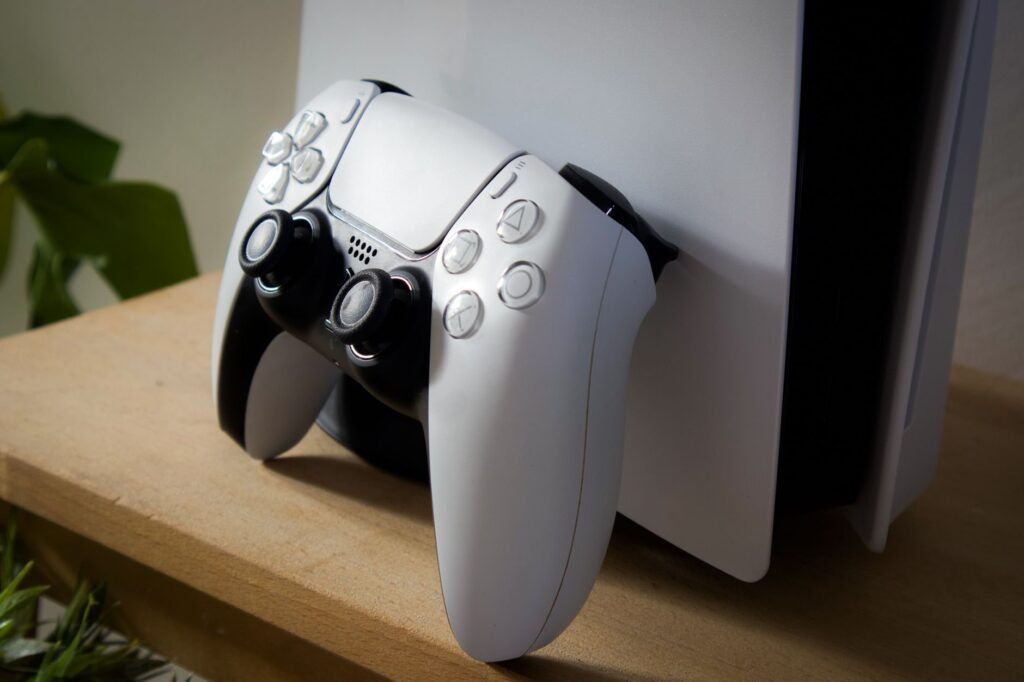
    Hardware buying decisions beyond the controller, such as the best gaming pc build, are collected in our hardware buying guides.

    What makes a DualSense drift

    Drift is unwanted stick movement with no hand on the controller, and it has a short list of causes. Nacon, an accessory maker, lists four common causes, and each one points to a different fix:

    • Dust and debris: fine particles get under the sticks and interfere with the sensors. This is the cheapest cause to rule out.
    • Internal wear: the potentiometers inside the stick module wear down. Cleaning cannot reverse this.
    • User damage: impact or rough handling can leave a stick off-centre permanently.
    • Firmware bugs: malfunctions or an outdated controller software version can produce ghost stick movement.

    IGN’s drift roundup reports that teardown analysis points to potentiometers, internal springs or internal contaminants. It also reports a consensus that the fault sits in the controller hardware, so swapping games or waiting for a patch is not a fix. The same report says iFixit’s teardown suggested parts could begin wearing down after 400 hours of play, which is why a heavily used controller is more likely to need parts than a polish.

    That spread of causes explains the order used below. Free software checks come first, cleaning second, and spending money last, because only the final tier addresses worn parts.

    A PS5-branded display at what appears to be an event, with the menu text too small to read.

    Confirm the drift before you start

    Check that the controller is at fault before you change anything. Put the DualSense down untouched and watch a console menu or an in-game camera. A cursor that creeps, or a view that turns on its own, means the stick is reporting input it should not.

    Repeat the check in a second game, because drift that appears everywhere points at the controller rather than one title’s settings. If you own another DualSense, swapping it in is the fastest way to separate a controller fault from a console or game fault. A drifting stick that behaves in menus but misbehaves in one game is a different problem from the one this guide treats.

    The fix path in order

    Work down this list and stop at the first step that holds. Each step is explained in the sections that follow.

    1. Confirm the drift is in the controller and not one game.
    2. Update the console and the controller software.
    3. Reset the DualSense with the rear pinhole button.
    4. Press and hold each stick to realign it.
    5. Blow dust out of the stick bases with compressed air.
    6. Wipe the stick surface with an isopropyl alcohol swab and let it dry.
    7. Claim a warranty repair, or replace the stick module or the whole controller.

    The first six cost little or nothing and do not require opening the controller. The seventh is the real decision point, covered under repair costs below.

    Software checks and recalibration

    Update before anything physical

    Nacon notes that an outdated controller software version can cause the ghost movement described above. Install any console and controller updates first, since this costs nothing and takes the firmware cause off the table. If the drift disappears after an update, no further work is needed.

    Reset and realign the sticks

    The reset is the nearest thing to a recalibration for a DualSense. With the console off, use a paperclip or pin to hold the reset button in the rear centre hole down for about 5 seconds, according to Nacon’s drift guide. Reconnect the controller afterwards and test it again in a menu.

    Nacon also describes pressing each stick in a direction and holding it for about 10 seconds in each direction. The company says this can help realign internal components and restore joystick calibration. Treat it as a single attempt. If the stick settles, the cause was misalignment. If the drift returns within a session or two, wear is the likelier explanation and more pressing will not help.

    Cleaning without opening the controller

    Yes, you can fix stick drift without opening the controller when dirt is the cause. Nacon’s method has three parts: compressed air around each stick, a cotton swab dipped in isopropyl alcohol on the stick surface, and a complete drying period before the controller is used again.

    Do the air step first so you are not wiping grit into the base. Then clean the stick surface rather than flooding the gap, and give the DualSense time to dry fully.

    Cotton swabs are the tool for the alcohol step, which works on the stick surface rather than inside the controller.

    Cleaning suits a controller whose drift is recent, comes and goes, or follows dusty use. It will not repair worn potentiometers or a damaged spring. If a clean, dry controller still drifts after the reset, move on to the cost decision rather than repeating the wipe.

    Repair and replacement costs compared

    Once the free tiers fail, four routes remain. The table compares them on what they cost, what they do to the warranty and who they suit.

    Route Cost Warranty effect Planning use
    Software checks and cleaning Compressed air, swabs and isopropyl alcohol No opening of the controller needed Try first on any drifting DualSense
    Sony warranty repair or replacement Owner pays shipping; repair may take a few weeks (reported 2021) Applies only while the controller is still under warranty Best for a recently bought controller
    DIY stick module replacement Price of a compatible joystick replacement kit May void the warranty Suits out-of-warranty controllers and confident repairers
    New DualSense About $70 per new controller (reported March 2021) Fresh warranty Simplest option when time matters more than cost

    Cleaning and DIY details come from Nacon, while the warranty handling and controller price are as reported by IGN.

    Warranty first, if you are covered

    IGN reported in March 2021 that Sony would repair or replace drifting controllers still under warranty, and tied this to the one-year warranty Sony offers. Owners had to pay shipping to send the controller in, and the repair could take a few weeks. Those terms were reported at that time, so confirm the current ones with PlayStation Support before you post anything.

    The warranty route matters because the alternative can cost you it. Nacon states that replacing the stick yourself may void the controller’s warranty. Gizmodo’s coverage of a class action filed in the Southern District of New York says the suit asked Sony for a recall or a free replacement programme. That is background about the complaint, not a promise of any outcome. A controller still in its warranty period should go to Sony’s repair route, not under a screwdriver.

    When to replace the stick module

    Replace the analog stick module when cleaning and the reset have both failed and the controller is out of warranty. Heavy use is the other signal. IGN’s report of the iFixit estimate, with parts beginning to wear after 400 hours of play, makes a well-used controller a likely candidate for new parts rather than another clean.

    The job needs a joystick replacement kit compatible with the DualSense and the removal of the screws at the back of the controller. Nacon advises that if you are unsure about doing this, it may be wise to consult a professional or contact Sony customer support. Weigh that against a new controller at about $70 as reported by IGN: a kit makes sense when you are comfortable opening electronics and want to keep the controller you already own. A new controller suits players who want a warranty and no teardown.

    If drift points to a bigger upgrade

    A repeatedly drifting controller sometimes prompts a wider rethink of the setup. If you are weighing a new console instead of another pad, see PS5 Slim vs PS5 Pro: Which PlayStation Should You Buy In 2026? – Lunacheats for how the two models compare. Players who record or stream sessions can find options in Best Capture Card for PS5 in 2026: Top Picks, Buyer’s Guide, and Easy Setup – Lunacheats.

    Frequently asked questions

    How common is DualSense stick drift?

    In an IGN poll in February 2021, 10% of respondents said they had experienced DualSense drift. That is an informal reader poll, so treat it as an indication, not a failure rate.

    Will switching games or installing a game patch stop my PS5 controller drifting?

    Unlikely. IGN reports a consensus that the fault is internal to the controller hardware. Testing in another game is still useful for confirming that the controller is the source.

    What can I do if my DualSense warranty has expired?

    IGN reported in 2021 that there was no established Sony procedure for drift after the warranty ends. Your options are the cleaning and reset steps, a compatible replacement stick kit if you are comfortable opening the controller, or buying a new controller.

  • PS5 Slim vs PS5 Pro: Which PlayStation Should You Buy In 2026?

    PS5 Slim vs PS5 Pro: Which PlayStation Should You Buy In 2026?

    PS5 Slim vs PS5 Pro is mostly a question of which TV you own and which games you play: the Pro earns its extra cost only for players who want higher frame rates or sharper images in games with Pro modes.

    For everyone else, the Slim is the sensible buy. If you are also weighing a console against a PC, the best gaming pc build advice in our hardware buying guides is the place to compare.

    Hardware: where the Pro actually differs

    Both consoles use the same processor family, so the Pro’s advantage sits in the graphics chip. NoobFeed’s comparison notes that both share an AMD Ryzen Zen 2 CPU with eight cores and 16 threads. The Slim caps out at a 3.5 GHz boost clock, while the Pro can push to 3.8 GHz. That is a modest bump, and it matters far less than what happens on the GPU side.

    A green plant is visible at the left edge of the frame.

    The Pro has 60 compute units against 36 on the Slim. A Headtopics summary of the PS5 lineup reports Sony’s own claims for the Pro: 67% more compute units, 28% faster memory, and ray tracing at two to three times the speed of the original PS5. These are Sony Interactive Entertainment’s capability claims, so read them as what the hardware can do, not as a guaranteed gain in every game.

    Smaller upgrades round out the Pro. It gains 2 GB extra RAM reserved for the operating system, which does not translate directly into more memory for games. It also supports Wi-Fi 7, which NoobFeed says noticeably accelerates downloads. That is a convenience for large game downloads, not a gaming performance upgrade.

    Feature PS5 Slim PS5 Pro Planning use
    CPU Zen 2, 8 cores, 16 threads; 3.5 GHz boost Zen 2, 8 cores, 16 threads; up to 3.8 GHz boost Not a deciding factor; the processors are close.
    GPU compute units 36 60 The main reason to pay more for the Pro.
    Internal SSD 1 TB 2 TB The Pro suits large libraries; Slim owners can expand later.
    Extra system RAM None listed 2 GB for the OS A background benefit, not extra game memory.
    Wi-Fi Not listed with Wi-Fi 7 Wi-Fi 7 Helps downloads only if your network supports it.
    Size Disc model: 358 mm high, 216 mm deep, 96 mm wide Height matches the original PS5; width and thickness match the Slim Measure your shelf before buying either.

    Figures come from NoobFeed’s Pro vs Slim comparison and the Headtopics lineup summary.

    Upscaling: how the Pro turns power into picture quality

    The Pro’s headline software feature is PlayStation Spectral Super Resolution, or PSSR upscaling. According to the Headtopics summary, it lets the game engine calculate lower-resolution versions of frames and then upscale them. The game does not have to draw every pixel of a high-resolution image itself, and that is how a game can chase a sharp picture and a smooth frame rate at once.

    The best-documented example is Ratchet and Clank. NoobFeed reports that its Performance Pro mode uses PSSR to produce a native 4K image at 60 fps. Under that framing, the TV you own decides how much of this you will see. A 4K set can show the sharper image that PSSR is built to deliver. A lower-resolution screen leaves most of that advantage unused, and in that situation the Slim gives you the same library for less.

    Games that run better on PS5 Pro

    The gains show up in games that ship a Pro-specific mode, and the documented examples share a pattern: the Pro lifts a mode that the base console runs at 30 fps.

    • Final Fantasy VII Rebirth: NoobFeed says the Pro mode elevates the base console’s 30 fps quality setting to a smooth 60 fps.
    • Ratchet and Clank: Performance Pro mode uses PSSR to produce a native 4K, 60 fps image.
    • Stellar Blade: Pro Quality breaks past 50 fps, while the PS5 Slim runs the same mode at 30 fps.

    Notice what these have in common. In each case a player who normally has to choose between a good-looking mode and a smooth mode gets closer to having both. If your most-played games have a Pro mode, the upgrade is easy to justify. If they do not, the Pro offers little over the Slim, because a game without Pro-specific work gains nothing extra from the hardware. Check the individual games you care about before paying more.

    The wider picture is less exciting. NoobFeed points out that there were no exclusive new releases at launch, so most titles feel like incremental upgrades rather than a new generation of games.

    Size, disc drive and storage

    Physically, the Pro is a middle ground between the original PS5 and the Slim, according to Headtopics. NoobFeed adds that its height matches the original PS5 while its width and thickness mirror the Slim. The Slim disc model measures 358 mm high, 216 mm deep and 96 mm wide. Because the Pro is taller than the Slim, check shelf clearance first if you are buying for a tight media unit.

    The Slim has a detachable drive design, so the disc drive is a separable part rather than something built in. Storage is the other practical split. The Pro ships with a 2 TB drive against the Slim’s 1 TB solid state drive. A Slim owner who runs short of space does not need to move up to a Pro for room; our guide to Upgrade Your PS5 Storage: A Simple Step-By-Step Guide To Adding An SSD In 2026 – Lunacheats covers adding capacity to the Slim.

    Which PlayStation to buy

    The Slim is more of a replacement than an addition to the lineup, so it is the standard current PlayStation for most buyers. NoobFeed also says that for many players the base PS5 remains an excellent value. The Pro sits above it as an option for a specific kind of player, not as the default.

    • Buy the Slim if you are new to the PS5, your TV is not a high-end 4K set, or you mainly play games without a Pro mode. You get the same library and can add storage later.
    • Buy the Pro if you own a 4K TV, play games that offer Pro modes and want the smoother or sharper option in them, and would use the larger 2 TB drive. It is also the stronger pick if you plan to keep the console for years as more games add Pro modes.
    • Wait if you are undecided. With no exclusives at launch, the Pro is not required for anything the Slim cannot play, so there is no penalty for waiting until the games you want have Pro modes.

    Console prices change with retailer and bundle, so compare current listings for each model before deciding. Whichever you choose, the choice should follow your screen and your games, not the spec sheet alone.

    Frequently asked questions

    Does the PS5 Pro include a disc drive?

    No. The Pro is a discless console, and if you want a disc drive you have to buy it separately for $80, according to Headtopics. The Slim’s detachable drive design means it handles the drive differently, and the same $80 figure is quoted for buying the drive new.

    Is there a reason to upgrade from an original PS5 or a Slim?

    Only a narrow one. Headtopics’ view is that there is very little reason to upgrade unless you like squeezing every pixel out of your games. If your favourite titles have Pro modes and your TV can show them, that can be reason enough. Otherwise the upgrade is hard to justify.

    Did Pro-enhanced games launch with problems?

    Some did. NoobFeed notes that Silent Hill 2 and Jedi Survivor initially suffered graphical glitches on Pro hardware. That is a reason to check how a specific game behaves on the Pro before buying the console for it.

    Does the controller differ between the Slim and the Pro?

    A comparison of the two consoles describes the same immersive DualSense controller experience on the Slim, and the Pro’s headline upgrades concern the GPU, storage, memory and Wi-Fi rather than the controller. So the controller should not drive your choice. If a DualSense stick starts to drift on either console, see Fix PS5 Stick Drift Fast: 7 Proven Fixes To Stop Drifting In 2026 – Lunacheats.

  • The Best Xbox Game Pass Games In 2026: 12 Must-Play Titles For Every Kind Of Gamer

    The Best Xbox Game Pass Games In 2026: 12 Must-Play Titles For Every Kind Of Gamer

    best xbox game pass games list helps players pick value fast. The list highlights 12 current hits across genres. It explains why each game matters and who will enjoy it. Readers get quick context, clear reasons, and direct next steps. The guide suits new subscribers and long-term members who want to refresh their queue. Below you’ll find concise notes on each pick, practical tips for choosing based on how and when you play, and concrete ways to squeeze more value from Xbox Game Pass without hunting down extra sources.

    Key Takeaways

    • The best Xbox Game Pass games list helps players quickly find value by highlighting 12 top titles across genres, including Starfield and Forza Horizon 5.
    • Starfield offers deep roleplay and expansive exploration, making it a prime choice for story-driven single-player fans on Xbox Game Pass.
    • Multiplayer games like Sea of Thieves and It Takes Two encourage social play with co-op features and creative challenges, ideal for friends and pairs.
    • Indie hits such as Slay the Spire and Hollow Knight: Silksong deliver tactical gameplay and precise platforming for players seeking skill-based experiences.
    • To maximize Xbox Game Pass value, players should leverage trials, cloud play, and keep track of game rotations to avoid missing out on favorites.
    • Choosing games that match your mood, time availability, and group type ensures a satisfying experience with Xbox Game Pass’s diverse library.

    Top 12 Must-Play Xbox Game Pass Games Right Now (Short Blurbs & Why They Matter)

    1. Starfield. This sci-fi RPG offers wide exploration and deep character choice. It rewards players who enjoy long campaigns and gear variety. Many players value its scale and base-building. If you like slow-burn progression, crafting systems, and modular ship or base upgrades, Starfield provides a lot of long-form content to sink into across multiple play sessions.
    2. Forza Horizon 5. This racing title delivers open-world driving and vivid events. It suits players who like casual races and online festivals. The seasonal updates keep the game fresh. Expect a mix of short races and longer road-trip-style challenges, plus photo and customization modes for players who enjoy collecting cars and tuning performance.
    3. Hellblade II: Senua’s Saga. This action story focuses on voice and mental-health themes. It gives players a tight narrative and strong combat. Critics praise its performance and design. Players who value cinematic presentation and a focused, emotionally driven single-player arc will find it a compact but memorable experience.
    4. Microsoft Flight Simulator. This sim gives realistic flying and global scenery. It appeals to players who like slow, skill-based play and steady learning. New hardware boosts visuals. Treat it as both a relaxed sightseeing tool and a technical simulator—short flights work as well as long cross-country runs depending on how much time you have.
    5. Sea of Thieves. This pirate game supports co-op crews and emergent moments. It fits players who enjoy social play and open-ended goals. Regular content drops keep crews engaged. The best sessions come with friends; shared navigation, treasure hunts, and player-made stories create memorable, unscripted moments.
    6. Grounded. This survival game shrinks players to insect size and adds creative base play. It works well for friends who want short sessions and cooperative problem solving. Base-building, scavenging, and light progression make it ideal for family play or bite-sized co-op runs that still reward teamwork.
    7. Ori and the Will of the Wisps. This platformer mixes tight controls with scenic levels. It suits players who care about story and precise movement. The soundtrack and pacing earn praise. Players who enjoy exploration, collectibles, and carefully tuned platform challenges will appreciate its balance of beauty and difficulty.
    8. Slay the Spire. This deck-builder combines roguelike runs and strategic choices. It attracts players who enjoy repeatable challenge and deep tactics. Each run feels distinct. For people who like to experiment with card synergies and optimize builds across multiple short sessions, Slay the Spire is highly replayable.
    9. Hollow Knight: Silksong. This metroidvania delivers fast combat and exploration. It rewards players who work through tough platforming and boss fights. Fans cite its art and flow. The game is a great pick for completionists and players who enjoy mastering movement and combat patterns over extended exploratory runs.
    10. It Takes Two. This co-op adventure forces teamwork with clever level design. It fits pairs who enjoy varied mechanics and short chapters. The game wins for creative puzzles. Designed specifically for two players, it mixes humor and mechanical variety to keep each level feeling fresh—ideal for date nights or cooperative play sessions.
    11. Microsoft Solitaire Collection. This casual pack offers short sessions and steady replay. It suits players who want low-pressure play and quick breaks. It also has daily challenges. A good fallback for low-attention windows, it’s useful for building small streaks of leisure play without committing to a long session.
    12. Psychonauts 2. This action-platformer adds creative worlds and sharp writing. It appeals to players who like humor and inventive level design. The characters and scripting stand out. Expect a mix of platforming, light combat, and narrative beats that reward exploration and curiosity.

    Each title demonstrates a clear strength. They cover story, competition, co-op, speedruns, and chill play. They give players options for sessions of any length. Together these picks help members get value from their subscription now by matching different moods and time constraints—whether you want an hour of casual racing, a two-hour narrative session, or repeated short roguelike runs.

    Best Picks By Player Type: Single-Player, Multiplayer, Indie & Family-Friendly Recommendations

    Single-player picks

    • Starfield. They get deep roleplay and long-term goals. Players can craft stories and tweak builds. Best for long stretches and open-ended exploration where choices shape later gameplay.
    • Hellblade II. They get a focused story and cinematic scenes. Players will feel the emotional stakes. Good when you want a compact, story-first experience with strong presentation.
    • Psychonauts 2. They get inventive levels and witty writing, useful for players who prefer narrative-driven platforming with humor and variety.

    Multiplayer picks

    • Forza Horizon 5. They race with friends and join live events. Players enjoy low-pressure competition. Great for mixed-skill groups because events scale and social features keep sessions light.
    • Sea of Thieves. They form crews and explore together. Players share loot and player-made stories. Best with a consistent group that enjoys emergent, unscripted moments.
    • It Takes Two. They must cooperate and solve design-driven puzzles. Pairs will laugh and plan together. Excellent for short cooperative sessions with clear chapter breaks.

    Indie picks

    • Slay the Spire. They face tactical runs and surprising combos. Players will replay runs for mastery. Ideal for bite-sized competitive thinking and long-term optimization.
    • Hollow Knight: Silksong. They explore tight levels and upgrade skills. Players will test reflex and memory. Perfect for players who enjoy learning enemy patterns and mastering movement.
    • Ori and the Will of the Wisps. They move through crafted levels and collect upgrades. Players will enjoy artful design. Suits those who want a medium-length, emotionally resonant platformer.

    Family-friendly picks

    • Grounded. They play cooperative survival with simple goals. Kids and adults can team up for short sessions. Its mix of crafting and light danger makes it family-accessible while still offering progression.
    • Microsoft Solitaire Collection. They take short breaks and track daily goals. The app fits varied ages. A low-barrier option for mixed-age households or quick downtime.

    How to choose

    They should match time, mood, and group. Players who want story pick Starfield or Hellblade II. Players who want social play pick Sea of Thieves or It Takes Two. Players who want short sessions pick Solitaire or Grounded. Players who want skill work pick Slay the Spire or Forza. They will find at least one game for any sitting. Also consider session length: sandbox and RPGs reward longer sittings, while roguelikes and platformers offer satisfying short loops. Think about whether you prefer solo progression, cooperative teamwork, or quick competitive bursts when selecting a title.

    How To Get The Most From Xbox Game Pass: Tips For Value, Trials, Cloud Play, And Rotation Awareness

    Sign up for the right tier. They compare Game Pass Console, PC, and Ultimate. They pick Ultimate for cloud play and EA Play access if they want mobile and console flexibility. If you mainly play on one platform, a single-platform plan can save money; if you bounce between devices, Ultimate gives the broadest options.

    Use trials and deals. They claim timed trials and first-month offers. They avoid full-price buys until they complete a trial run. Try a short session during the trial window to confirm you enjoy the core mechanics before committing time or purchasing the game later at a discount.

    Try cloud play. They stream games to phones and low-power devices. Cloud play lets them sample titles before download. They check latency and Wi-Fi strength first. For players with unstable connections, use cloud sessions to test responsiveness and decide whether to download for offline play.

    Manage downloads. They install games they play now and archive others. They free space to reduce clutter and update time. Prioritize large, long-form games for dedicated installs and stream shorter or experimental titles when space is tight.

    Monitor rotation. They track additions and removals on change lists. They prioritize long or large games before removal date. Keep a simple watchlist of titles you want to finish and plan sessions so you complete or back up saves before a game leaves the service.

    Share with family. They set up a home group or family plan. They let others use the library while protecting saves. Use profile management and parental controls if younger players are involved to restrict content and manage playtime.

    Watch for sales. They buy owned titles on discount when they like a hands-on demo. They compare price drops across stores. If a Game Pass title becomes a frequent favorite, buying it during a sale turns a subscription trial into permanent ownership at a lower cost.

    Plan play windows. They schedule nights for long plays and short breaks for casual titles. They balance deep single-player runs with social sessions. Blocking time for long-form games helps maintain momentum, especially for RPGs and story-heavy titles.

    Use reviews and streams. They watch short clips and read quick takes before they download. They avoid long reviews and focus on key points: length, style, and difficulty. Community clips and short guides are useful to confirm that a game’s core loop matches your tastes.

    Track value. They list hours played and cost per hour. They drop subscriptions when weekly play falls below target hours. This step helps them get steady value from the service. Consider setting a simple monthly threshold of hours or satisfaction to decide whether to renew, change tiers, or pause membership.

    Extra practical tips:

    • Back up saves where possible or use cloud saves so progress persists between installs or device changes.
    • Try co-op with friends who own complementary platforms to make the most of cross-play or cloud streaming for low-spec devices.
    • Create a short watchlist of titles to try next and rotate through genres to avoid burnout—mix a long RPG, a short platformer, and a quick multiplayer session each week.
    • Keep an eye on developer roadmaps and in-game seasonal events so you don’t miss limited-time content that can increase a title’s replay value.