Blog

  • Best Xbox Game Pass Multiplayer Games In 2026: Top Picks, Modes, And How To Play Together

    Best Xbox Game Pass Multiplayer Games In 2026: Top Picks, Modes, And How To Play Together

    Situation What the store and Xbox coverage show Planning use
    Finding online co-op games Microsoft Store’s online co-op filter for free Xbox games returns 85 items Start from the filter rather than a generic top-games list, then narrow by what your group enjoys.
    Checking Game Pass inclusion Rocket League, Overwatch, NARAKA: BLADEPOINT, Brawlhalla and Fortnite each carry the label “Included with Game Pass” Treat these as the lowest-friction picks for a group that already subscribes.
    Playing with a friend who does not own the game It Takes Two has a Friend’s Pass listing priced Free Look at that edition before anyone buys a second copy.
    A friend away from the console Party chat reached Xbox’s Android and iOS apps on Feb 14, 2018, with voice and text A friend on a phone can stay in the conversation while the rest of the group plays.

    Counts and labels come from the Microsoft Store online co-op filter, and the party chat detail from The Verge’s report on the mobile rollout.

    The best xbox game pass multiplayer games depend on who is playing: a pair, a small squad or a mixed-skill crowd. Match the game to group size and patience first, then confirm the Game Pass label.

    For the wider catalogue, Every Game On Xbox Game Pass: The Definitive 2026 Guide To What’s Included – Lunacheats lists what the subscription covers. If you are deciding what to play next as new titles arrive, keep an eye on upcoming video game releases too.

    Picks by group size and skill

    The most reliable starting point is Microsoft’s own co-op filter. The store’s online co-op view of free Xbox games returns 85 items, which is far more than any group will try. Within that list, five titles are labelled as included with Game Pass: Rocket League, Overwatch, NARAKA: BLADEPOINT, Brawlhalla and Fortnite. Because they sit under the online co-op filter and carry the Game Pass label, they make a sensible shortlist for a first group night.

    The filter is about online play. It does not tell you whether a game has same-room or split-screen modes, so check the player-count details on each store listing before you plan a couch session around one title.

    Pairs and couch partners

    When only two people are playing, the main obstacle is usually ownership rather than difficulty. The store lists an It Takes Two Friend’s Pass at a Free price. For a pair where only one person owns the game, that edition is the first thing to check, since it could save the second player a purchase. Confirm the exact requirements on the store page before you rely on it.

    Pairs who like rivalry rather than teamwork can look at the head-to-head titles on the Game Pass shortlist. A game that pairs you against each other, such as a fighter, rewards similar skill levels. If one of you is much stronger, share a team instead of facing each other.

    Small squads

    Squads that play together regularly get the most from titles with team play and online co-op support. Rocket League, Overwatch and NARAKA: BLADEPOINT all appear in the Game Pass co-op list, so a squad can try each without buying anything separately. Choose by how much coordination your group tolerates:

    • Low-coordination squads: pick the game where a round is short and mistakes are quickly forgotten, so one weak match does not sour the evening.
    • Voice-heavy squads: pick a game with clear roles and call-outs, and set up party chat before the first match so nobody learns the controls while also learning to communicate.
    • Casual squads: keep a standing rule that the group changes game after a bad run instead of pushing on.

    Mixed-skill groups

    Mixed skill is the hardest case, and the fix is structural. Put everyone on the same side whenever the game allows it, and save head-to-head modes for a night when everyone wants a contest. Fortnite and Brawlhalla suit groups that dip in and out because both are listed as included with Game Pass, which removes the cost barrier for a friend who only plays occasionally.

    An illustrative chalk tic-tac-toe grid: in head-to-head play one player’s win is another’s loss, which is why mixed-skill friends usually enjoy shared-team modes more.

    Joining friends and setting up party chat

    Joining friends on Xbox comes down to two parts: getting everyone into voice or text chat, then getting everyone into the same game session. Do the chat part first, because it is where most evenings stall. Party chat lets Xbox Live users talk through both voice and text, and it works from the Xbox mobile apps as well as from a console.

    1. Start the party. One person creates a party and invites the group from their Xbox Live friends list.
    2. Confirm everyone hears everyone. Settle audio problems before launching anything, so you do not fix them mid-match.
    3. Launch the same game. Each player starts the title from their own console or app, then the group joins the same lobby or invite.
    4. Agree the mode. Decide on co-op, casual or competitive before the first round, so no one is surprised.

    Accessibility settings can help a group where someone cannot or does not want to use voice. An update announced on June 16, 2021 added text-to-speech and speech-to-text to party chat. The speech-to-text option gives a live written transcript of everything said in the party. That is useful for noisy rooms, for quiet households late at night, and for players who find it easier to follow chat in writing.

    An illustrative stock photo of a headset and controller used together, the basic kit for voice play. The headset shown is a VR one, so it stands in for gear rather than for a particular voice-chat setup.

    Reading the Game Pass label before you commit

    The “Included with Game Pass” label is the practical test for whether a group can start tonight at no extra cost. It appears on the store listing of each game, which is why the shortlist above names five specific titles rather than the whole filter. Not every item among the 85 in the co-op filter carries that label, so a title can support online co-op without being part of the subscription.

    That distinction changes how you plan a session. A group that all subscribe can pick any labelled game and test it together. A group where only some members subscribe is better served by the labelled free-to-play titles or by a Friend’s Pass edition, because the cost then falls on nobody.

    Treat the label as a prompt to check the store page rather than a guarantee that every mode in a game is open to every player. Player limits and mode details sit on the store listing, and they are worth a quick look before you tell a group of friends to download something.

    Planning a group night

    A group night works best when you decide a few things before anyone launches a game. These choices matter more than the specific title.

    • Size of the group: pairs should check the Friend’s Pass listing and head-to-head options, while larger groups should lean on the labelled titles that suit drop-in play.
    • Skill gap: prefer shared-team modes when abilities differ, and keep competitive playlists for evenly matched friends.
    • Voice or text: settle this at the start, and use the party chat transcription feature if anyone prefers reading.
    • Plan B: keep a second labelled game ready, so a poor fit costs you a few minutes rather than the whole evening.

    If your group follows a particular shooter series, the Halo Release Dates: A Complete Timeline, Upcoming Launches, and What To Expect in 2026–2027 – Lunacheats guide helps you time a group night around new launches.

    Frequently asked questions

    Can a friend join party chat from their phone?

    Yes. Party chat has been available in the Xbox Android and iOS apps since Feb 14, 2018, and it supports voice and text for players who are away from a console.

    Where do I turn on party chat transcription?

    The speech-to-text and text-to-speech settings can be enabled from the Ease of Access menu in the Xbox Settings app. They were announced on June 16, 2021.

    Does a game in the online co-op filter always come with Game Pass?

    No. The Microsoft Store co-op filter shows 85 items, and only some are labelled “Included with Game Pass”. Check the label on each listing.

    Is It Takes Two free to try with a friend?

    In the Microsoft Store’s co-op filter, the It Takes Two Friend’s Pass is labeled Free. Check the listing’s terms before you count on that offer.


  • Fallout 4 Nexus Mods: The Complete 2026 Guide To Finding, Installing, And Managing Mods

    Fallout 4 Nexus Mods: The Complete 2026 Guide To Finding, Installing, And Managing Mods

    Players use fallout 4 nexus mods to expand gameplay, fix bugs, and add new content. The guide explains where to find mods, how to check compatibility, and how to install mods safely. It covers Vortex, manual installs, load order tips, and quick fixes. The steps aim to keep saves stable and reduce crashes.

    Key Takeaways

    • Fallout 4 Nexus Mods offer a vast selection of mods that enhance gameplay, fix bugs, and introduce new content, making them essential for customization.
    • Using the Vortex mod manager simplifies the installation and management of Fallout 4 Nexus Mods by handling downloads, installations, and plugin conflicts automatically.
    • Always check mod pages for compatibility notes, required tools like Script Extender, and user feedback to avoid crashes and save file corruption.
    • Managing load order with tools like LOOT and maintaining regular backups help ensure game stability when using multiple Nexus Mods.
    • Test mods one at a time and apply compatibility patches as needed to reduce conflicts and improve overall performance and game experience.
    • Quick fixes for common issues like missing textures or script errors include verifying load priorities, updating Script Extender, and restoring clean saves if needed.

    Why Use Nexus Mods For Fallout 4? Key Benefits And Considerations

    Nexus Mods hosts thousands of fallout 4 nexus mods that range from small tweaks to full overhauls. Users find armor, weapons, UI changes, and performance patches there. The site provides mod pages, version history, and author notes. They can read user comments and download statistics before they install a mod. Nexus offers a mod manager, user accounts, and mod categories. Users should check mod requirements and compatibility notes. They should back up saves before major installs. They should prefer stable, well-rated mods for core systems.

    How To Find And Evaluate Mods On Nexus Mods

    Search on Nexus with clear keywords like settlement, textures, or performance. Use filters for game version, file type, and endorsed status. Sort results by endorsements or newest uploads. Read the mod description for required DLC or script extenders. Check recent updates to ensure the mod supports the current game build. Scan comments for common issues and fixes. Look for compatibility patches when a mod changes the same assets as another mod. Prefer mods that list load order advice and known conflicts. Test one mod at a time to isolate issues.

    Reading Mod Pages, Ratings, And Compatibility

    A mod page lists files, installation instructions, and change notes. Ratings show user approval and indicate reliability. The file section lists required tools or plugins. Compatibility notes warn about conflicts with other mods. Authors often post load order tips and optional patches. Users should inspect screenshots to judge visual quality. Users should scan the comments for reports of crashes or broken textures. If multiple users report the same error, the mod may need an update or a compatibility patch.

    Installing Mods: Vortex, Manual Methods, And Required Tools

    Vortex handles most fallout 4 nexus mods with a simple interface. Users install Vortex and link it to their Fallout 4 folder. Vortex downloads mods, installs them, and manages plugins automatically. Manual installs work for simple texture swaps or loose files. Users extract archives and drop files in the Data folder. Some mods require tools like FO4Edit or the Script Extender. Users install the Script Extender in the game root when a mod lists it as required. They should read install notes before they proceed.

    Step-By-Step Vortex Setup For Fallout 4 Mods

    Download Vortex from Nexus and run the installer. Vortex scans for installed games and locates Fallout 4. The user links their Nexus account in Vortex to enable downloads. The user sets the game folder and staging folder in Vortex settings. To install, the user clicks Download in Vortex then Install. The user enables the plugin in the Mods tab and deploys the list. Vortex shows conflicts and file replaces. The user reviews conflicts and sets priority so the desired mod wins.

    Managing Load Order, Conflicts, Saves, And Backups

    A correct load order reduces crashes and script errors. Tools like LOOT sort plugins for fallout 4 nexus mods automatically. The user runs LOOT after major installs. The user resolves flagged warnings by moving plugins or installing compatibility patches. The user keeps a clean saves policy and starts a new save after major overhaul installs when possible. The user keeps regular backups of the Data folder and the Saves folder. They can use simple zip backups or versioned copies. The user tests each install in a short play session to confirm stability.

    Quick Fixes For Common Mod Problems (Crashes, Missing Textures, Script Errors)

    If the game crashes at launch, the user disables recent fallout 4 nexus mods and tests load. If textures appear missing, the user checks loose file priorities and installs the correct archive order. If scripts throw errors, the user ensures the Script Extender and required runtimes are current. If shapes warp or NPCs vanish, the user checks for mesh conflicts and installs a compatibility patch. If performance drops, the user profiles with performance mods or reduces texture resolution. If a mod breaks quests or dialogue, the user restores a pre-mod save and files a bug report on the mod page.

  • Stardew Valley Cheats: Safe Shortcuts, Console Commands, and Mod Tips For 2026

    Stardew Valley Cheats: Safe Shortcuts, Console Commands, and Mod Tips For 2026

    You search for a quick gold boost and find an old exploit that no longer works. Stardew Valley cheats still work through built-in chat commands on PC or through SMAPI mods, provided you back up your save first.

    This guide sorts the common misunderstandings from what holds up, and gives a command list with syntax. For the wider picture on video game cheat codes, the hub covers other games and general safety habits.

    Chat cheats versus mods

    The most common misunderstanding is that Stardew Valley cheating always needs mods. Rock Paper Shotgun describes two broad ways to introduce cheats: with mods and without mods. The no-mod route became a proper built-in option on PC from version 1.6.9, according to Gameblog. It needs an edit to your save file, changing allowChatCheats from false to true, before it works.

    A Sonic cartridge sits in the console’s slot, and the words “WINS:2” are visible on a dark surface at the upper left.

    Neither route is automatically better. Built-in chat cheats suit a player who wants a few commands and no extra software. The mod route suits a player who wants menus, an item spawner and a console window with feedback.

    Common question Built-in chat cheats Mod route (SMAPI, CJB)
    Platform PC only, because the save file must be edited PC, with mods installed into the game’s Mods folder
    Version Available without mods from version 1.6.9 Depends on each mod’s page and the game version you run
    How you open it Press T during play after activation Press I for the item spawner; type commands in the SMAPI window
    Setup Change allowChatCheats from false to true in the save file Create a Nexus Mods account, download, extract the zip contents into Mods
    Best for A few typed commands with no extra software Menus, item spawning and a console with feedback

    The details come from Gameblog’s cheat guide and Rock Paper Shotgun’s cheat guide.

    Turning on built-in chat cheats

    Chat cheats are switched off by default, and the switch lives in your save file rather than in a menu. Gameblog explains that the file must be edited, which is why the method works only on PC.

    1. Back up first. Copy your save before touching it (see the backup section below).
    2. Open the farm file in a plain-text editor. A free editor such as Notepad or SublimeText is enough.
    3. Find the chat-cheat setting. Replace false with true on the allowChatCheats entry.
    4. Save, load the farm and press T. The chat box opens and accepts the commands listed below.

    Change only that one value. Edits to anything else in the file are outside what this method needs, and a text editor will not warn you about a mistake.

    Command list with syntax

    These commands come from Gameblog. Type them into the chat box once cheats are enabled. Square brackets mark a value you replace.

    • /money 100000 gives 100000 gold. Use it as a one-off recovery tool rather than a routine shortcut.
    • /debug item [ID] [Quantity] [Quality] spawns an item. Quality accepts 0, 1, 2 or 4, from basic to best.
    • /debug getindex [item name] looks up an item’s ID so you can feed it to the item command.
    • /debug friendall sets all friendships to maximum. This skips a lot of story pacing, so test it on a copy first.
    • pausetime pauses the in-game clock. Type the same command again to restart time.
    • /debug addminute advances time by 10 minutes each use.
    • /warpshop [NPC Name] teleports your character into the chosen NPC’s shop.

    Run one command at a time and check the result before the next. Time and warp commands are the least disruptive to a save. Friendship and money changes are the ones most likely to change how the rest of the playthrough feels.

    The mod route: SMAPI, Console Commands and CJB

    The mod route is the better choice if you want to avoid editing the save file. Rock Paper Shotgun points players to the SMAPI window that runs behind Stardew Valley, where the Console Commands mod lets you type console commands. For menus it recommends the CJB Cheats Menu and the CJB Item Spawner, which are separate downloads.

    • Nexus Mods account. Create one on Nexus Mods before downloading; the mods are not available without it.
    • Download both CJB mods. The cheats menu and the item spawner are not bundled together.
    • Extract into the Mods folder. Put the contents of each zip into the Mods folder inside the game directory. A typical Steam example is Program Files (x86)/Steam/steamapps/common/Stardew Valley.
    • Launch through SMAPI and press I. The item spawner menu opens at any time in the game.

    Add mods one at a time and confirm the game still loads and saves before adding the next. Check each mod’s page for the game version it supports, because mod pages are where compatibility changes are announced.

    Backing up your save

    A backup is the difference between an experiment and a mistake you cannot reverse. A user in the official Stardew Valley forums gives the Windows location as C:UsersNAMEAppDataRoamingStardewValleySaves, with a folder for each farm containing the farm file. Replace NAME with your Windows user name.

    • Copy the whole Saves folder. Paste it somewhere outside the game directory and add the date to the folder name.
    • Edit the live file, keep the copy untouched. If something goes wrong, delete the damaged farm folder and restore the copy.
    • Back up again after a good session. A fresh copy means you only ever lose recent progress.
    • Record what you changed. A short text note of the command or edit lets you undo it by hand.

    Backups matter most before editing the allowChatCheats value, before installing a new mod, and before commands that rewrite many values at once, such as the friendship command.

    Version limits and patched exploits

    Another misunderstanding is that every cheat on an old forum thread still works. Rock Paper Shotgun treats the non-mod cheats as exploits that can be patched out, and notes unconfirmed reports that many of them fail on the most up-to-date versions. Treat any exploit you find as something to test on a copy, not a guarantee.

    • Item IDs changed in 1.6. A forum post warns that old ID lists online may be outdated, so look an item up with getindex rather than trusting an old table.
    • Consoles are different. Another forum thread reports the item-ID bugs were patched out of all console versions, and a user report in the first thread says the chat-cheat method does not work on Switch.
    • Setting names vary. One forum user refers to enable_chat_cheats, while Gameblog names allowChatCheats. Search the file for the chat-cheat entry and change only that one.
    • Hidden commands arrived in 1.6.9. A cheat-command guide dates the save-edit commands to that version, so older installs will not have them.

    Multiplayer safety

    Cheating is not reliably safe in multiplayer. The duplication methods people trade around depend on the game failing to sync players properly, according to a forum explanation. That makes them unpredictable by nature, and the damage lands on a world other people are also playing in.

    • Ask the host first. A shared farm affects everyone in it, so agree which commands or mods are acceptable before the session.
    • Do not try desync tricks. If the result depends on a sync bug, you cannot predict what the other players see.
    • Back up the host’s save. The host’s folder is the one that holds the world, so it should be copied before any agreed change.
    • Keep mod setups matched. Share the exact list of mods and versions in use so players are not guessing.

    Cheat references for other games

    Syntax does not carry over between games, so keep each game’s command list separate. If you also play open-world action, GTA V Cheat Codes: 30+ Must-Know Cheats, How To Use Them, And When To Avoid Them (2026) – Lunacheats covers a very different, code-based approach. For a game with a native command system, Minecraft Commands List: The Essential Command Reference For 2026 — Quick Tips & Examples – Lunacheats sets out the commands and examples.

    Frequently asked questions

    Question Answer
    Do Stardew Valley cheats work on Switch? A user report in the official forums says the chat-cheat method does not work on Switch, and item-ID exploits were reportedly patched out of console versions.
    How do I find an item’s ID? Type /debug getindex followed by the item name, then use the result in the item command. Do not rely on old ID lists, because IDs changed in version 1.6.
    Do I need a Nexus Mods account for the CJB mods? Yes. Rock Paper Shotgun advises creating a Nexus Mods account before downloading the mods.
    Which key opens each cheat tool? T opens the chat after cheats are activated, and I opens the CJB Item Spawner menu.
  • Gaming etruesports

    Gaming etruesports

    gaming etruesports points to the eSports and gaming part of Etruesports, a general sports and entertainment blog whose gaming menu lists a Gaming News page plus entries for Genshin, Fifa and Pixel 3. This list gives eight things worth knowing before you rely on it for gaming coverage.

    Point What to know
    Main focus Sports first, gaming second
    Gaming menu Gaming News, Genshin, Fifa, Pixel 3
    Tone Mixed trivia and features, not breaking news
    Named events No event page found under the name etsgamevent
    Best use Casual browsing
    Cross-check Verify releases and dates elsewhere

    1. Know what Etruesports actually is

    Etruesports calls itself a home for worldwide sports, eSports and gaming chronicles. The menu starts with International Sports, split into Baseball, Basketball and Football, followed by the eSports and gaming group, an entertainment group and general pages. Anyone searching etruesports games or games etruesports should expect a small slice of a wider magazine-style site.

    Gaming coverage on a general blog sits beside many other topics
    • It is a blog, not a game studio, store or tournament organiser.
    • Articles carry author names and a reading-time estimate.
    • The homepage lists the latest posts from every category together.

    2. Look at the Gaming News page first

    If your goal is game news etruesports readers can scan quickly, the Gaming News entry is the place to start. People type gaming news etruesports, or sometimes the misspelt gaming news etruesport, and land on the same category listing. It collects the gaming posts in date order, which is easier than reading the home page, where sports and gaming items alternate.

    1. Open the eSports and gaming menu.
    2. Choose Gaming News rather than a single game page.
    3. Scan the headlines and read the date before the text.

    3. Check the game-specific pages, but keep expectations modest

    The menu names Genshin, Fifa and Pixel 3 individually. Searches for game etruesports usually mean one of these. They behave like tag archives, collecting every post that mentions the title. That is handy for browsing, yet it says little about depth. A tag page full of short posts is not a guide, a patch tracker or a review library.

    Tag pages are best for browsing, not for detailed guides
    • Read the post itself to see whether it covers the game or merely mentions it.
    • Look for named authors and for dates close to current game versions.
    • Be cautious about statistics or release claims without a cited source.

    4. Notice the unrelated mix of topics

    A scroll through the front page shows how varied the site is. Alongside sports items such as a stadium approval story, readers see question-style posts on subjects like a building slope percentage, a BMX rider, a skating tour pay question and an article about online casino return rates. These are not gaming articles, and they explain why the site feels more like a general answers blog than a specialist outlet. Etruesports games coverage competes for space with all of it.

    5. Treat the event wording with care

    Some searches add phrases such as online event etsgamevent from etruesports or hosted event etsgamevent by etruesports. The site’s menu and recent posts contain no event hub, schedule, sign-up page or tournament calendar under that name. It may be an internal label, a typo or a term from a single post; the site does not explain it. Nobody should pay, register or hand over account details because of such wording alone.

    • Do not enter payment information for an event you cannot trace to an official organiser.
    • Look for a named host, a date and rules before taking part.
    • Use the site’s Contact Us page to ask what the term means if it matters to you.

    6. Use Etruesports games pages for browsing, then verify

    For the gamer who wants to know what is happening, the practical routine is short. Skim the page, pick a headline, then confirm any date, price or release detail on the publisher’s own site or a recognised gaming outlet. The site does not name an editorial team on its home page, so authority has to come from outside sources, not from the blog itself.

    7. Understand how the site presents itself

    The tagline promises sports, eSports and gaming chronicles, which sets a broad expectation. In practice the front page reads like a rolling feed. Each entry shows a title, an author name, a date, a reading time and a view count, and the same few author names recur across very different subjects. Readers who value consistent expertise may find that unusual, while readers who simply want something to browse on a break may not mind. Either way, it helps to decide in advance what you want from a visit: a quick scan for ideas, or dependable reporting on a specific title. The first is realistic here; the second is not guaranteed.

    A second habit worth building is to keep a short note of the posts you found useful. Because the site does not appear to highlight a gaming editor or a pinned guide, your own bookmarks become the most reliable index of what is worth rereading, and they save you from scrolling through unrelated sports and trivia each time you return.

    8. Remember the commercial side

    The site includes content about online casinos, and gambling carries age limits and financial risk. If you follow a gaming article toward a betting offer, check that it is legal where you live and treat it as entertainment spending with limits, not as income. Nothing here is financial advice.

    Verdict: a casual, mixed-topic blog with a small gaming corner. It is fine for a light browse of games etruesports headlines and a poor choice as your only source of game news.

  • Best Local Co‑Op Games On Xbox Game Pass In 2026: Couch, Split‑Screen, And Party Picks For Every Player

    Best Local Co‑Op Games On Xbox Game Pass In 2026: Couch, Split‑Screen, And Party Picks For Every Player

    local co op games xbox game pass offers quick access to couch play for many players. The list below helps players pick games that they can start fast. It shows two‑player, four‑player, family, and party choices. It also shows how they set up controllers and profiles. The guide stays practical and simple so players spend more time playing and less time searching. Read on for deeper guidance on choosing the right local co‑op games on Xbox Game Pass, setting them up, troubleshooting common couch‑play problems, and keeping your local co‑op library fresh over time.

    Key Takeaways

    • Xbox Game Pass is an excellent hub for local co op games, offering a wide range of titles with frequent updates and easy access on console and PC.
    • The service features strong two-player games suited for both cooperative teamwork and competitive play, including platform co-op and split-screen shooters.
    • Party and four-player games on Game Pass emphasize short rounds, accessible controls, and family-friendly options that support mixed skill levels.
    • Families can find kid-safe local co-op games with simple controls, adjustable difficulty, and quick save features for hassle-free play sessions.
    • Setting up local co-op on Xbox involves signing in profiles, connecting controllers, and adjusting split-screen and audio settings for optimal couch play.
    • Practical troubleshooting tips include updating software, using wired controllers for less lag, and setting TV to game mode to ensure smooth local co-op experiences.

    Why Xbox Game Pass Is A Great Hub For Local Co‑Op Gaming

    Xbox Game Pass updates its catalog often and adds first‑party and third‑party titles. It keeps local co‑op games xbox game pass users want in one place. The subscription lowers cost for groups who want to try multiple games and reduces the friction of buying multiple full‑price titles just to test couch co‑op. The Game Pass interface highlights supported platforms (console, PC, cloud), controller compatibility, and approximate player counts, which makes it easier to filter for “couch co‑op” or “local multiplayer” sessions.

    Beyond sheer catalog size, Game Pass simplifies discovery with curated lists and regular additions, and it allows instant downloading or streaming on supported devices. That means friends can rotate through several games in one evening without long installs or purchases. For players comparing modes or control schemes, Game Pass often surfaces developer notes and system requirements so you can confirm split‑screen support or whether a title requires separate profiles. In short, Game Pass serves as a central, low‑cost library for trying and rotating through local co‑op games with minimal setup.

    Best Local Co‑Op Games For Two Players (Competitive And Cooperative Picks)

    There’s a lot to consider when choosing two‑player local co‑op titles on Game Pass: playstyle, session length, and controller requirements. Cooperative options often include puzzle platformers that reward coordination, story‑driven adventures where players split tasks, and tactical couch shooters with shared objectives. These games tend to favor communication and timing, and many include drop‑in/out support so one partner can join mid‑run without restarting progress.

    Competitive two‑player picks focus on quick rounds and easy‑to-learn controls so matches stay tense but fair. Look for arcade racers, versus arenas, and head‑to‑head mini‑game sets that avoid long loading times. When evaluating two‑player options on Game Pass, scan the in‑app details for local multiplayer support and recommended controller counts. Consider your mood: choose cooperative puzzles for relaxed, collaborative sessions, or pick competitive arcade fare if you want short, repeatable matches with clear scoring.

    Best Local Co‑Op Games For Parties And Four‑Player Fun

    Party titles on Game Pass should be easy to teach, forgiving for beginners, and designed around short, replayable rounds. Good party games include minigame collections that rotate objectives, lightweight couch shooters tuned for chaos instead of realism, and cooperative wave‑survival modes that scale enemy difficulty for up to four players. These formats keep social gatherings lively and let mixed‑skill groups stay engaged without long learning curves.

    When choosing party games, prioritize clear HUDs and readable split‑screen layouts so players seated farther from the TV can still follow the action. Also check whether a game allows local and online players to mix; that flexibility can save a host when some friends join remotely. If you plan to stream a party session via the Xbox app on PC, verify controller support for cloud streaming and consider wired controllers or a local network connection to reduce latency for four‑player chaos.

    Family‑Friendly And Kid‑Safe Local Co‑Op Titles On Game Pass

    Families should look for titles with low‑violence content, generous assist options, and forgiving checkpoint systems. Game Pass includes platformers with large visual cues and simple mechanics, casual racers with split‑screen lanes, and cooperative puzzle games that don’t require extensive reading. Adjustable difficulty and explicit “family” or “kid‑friendly” tags in the app can help parents quickly narrow choices.

    Practical family considerations include local save and quick resume support so sessions can stop and pick up easily, multiple controller input types (for example, support for gamepads and simplified controllers), and settings to restrict online communication or purchases. Many family titles allow adults to join or drop without corrupting progress, which helps when younger players tire quickly. Use these filters and settings in Game Pass to build a rotating library of safe, age‑appropriate local co‑op options for repeat play.

    How To Set Up Local Co‑Op On Xbox Consoles And The Xbox App (Controllers, Profiles, And Display)

    It lists steps to start local co‑op on console and PC. Step 1: Sign in the main profile on the console or app. Step 2: Turn on extra controllers and press the Xbox button. Step 3: Assign each controller to a profile or sign in as guest. Step 4: Launch the game and use the game menu to enable local co‑op or split‑screen. Step 5: Adjust display, split‑screen layout, and audio in settings. Step 6: Confirm save options and local achievements. These steps help players start local co‑op games xbox game pass sessions fast.

    Additional setup tips: ensure controllers are fully charged or use wired connections for extended sessions; create a child‑safe profile when playing with younger kids; and test audio routing if you plan to use headsets so local players can hear dialogue and cues. On PC, the Xbox app supports controller mapping utilities and cloud streaming; confirm that the host PC meets recommended specs if you stream to another device. Finally, check in‑game options for camera and UI scaling to optimize split‑screen visibility on your TV or monitor.

    Troubleshooting And Practical Tips For Smooth Couch Play

    It gives short tips to fix common issues. Tip 1: Update the console and the game. Tip 2: Reboot controllers and use fresh batteries or charge packs. Tip 3: Check assigned profiles if a controller fails to join. Tip 4: Lower graphics or disable HDR if the split‑screen stutters. Tip 5: Use wired controllers for lower input lag in competitive games. Tip 6: Set the TV to game mode to reduce input lag. These tips help players keep sessions steady and fun.

    More troubleshooting details: if a controller shows connected but won’t register in‑game, sign the controller in to another profile then back to the intended one; if save files aren’t appearing locally, verify the game’s save location (cloud vs local) in system settings; and if multiple players cause frame‑rate drops, try reducing resolution or enabling performance mode in the game. For networking issues with mixed local/online sessions, prioritize a wired Ethernet connection for the host console to reduce lag and disconnects during co‑op play.

    How To Discover New Local Co‑Op Games On Game Pass And Keep Your Library Fresh

    It shows how to find new local co‑op games xbox game pass users may like. First, use the Game Pass app filters to select local co‑op or couch co‑op tags. Second, follow Xbox and developer playlists that highlight co‑op releases. Third, check monthly update posts and curated lists on the Xbox blog. Fourth, watch quick gameplay videos to verify split‑screen and player count. Fifth, add titles to the wish list and enable notifications for catalog changes. These steps help players refresh their library without long searches.

    Beyond filtering, build a rotating night plan: keep a persistent shortlist of five local co‑op games—two two‑player options, two party/four‑player choices, and one family title—and rotate them to avoid repetition. Use watchlists to get notified when a new co‑op title arrives on Game Pass, and follow community forums or subreddits dedicated to local multiplayer to spot hidden gems and playstyle recommendations. Periodically prune your library by removing titles you no longer play and replacing them with fresh picks discovered via the Game Pass app or developer announcements—this keeps your local co‑op nights varied and engaging.

  • Every Game On Xbox Game Pass: The Definitive 2026 Guide To What’s Included

    Every Game On Xbox Game Pass: The Definitive 2026 Guide To What’s Included

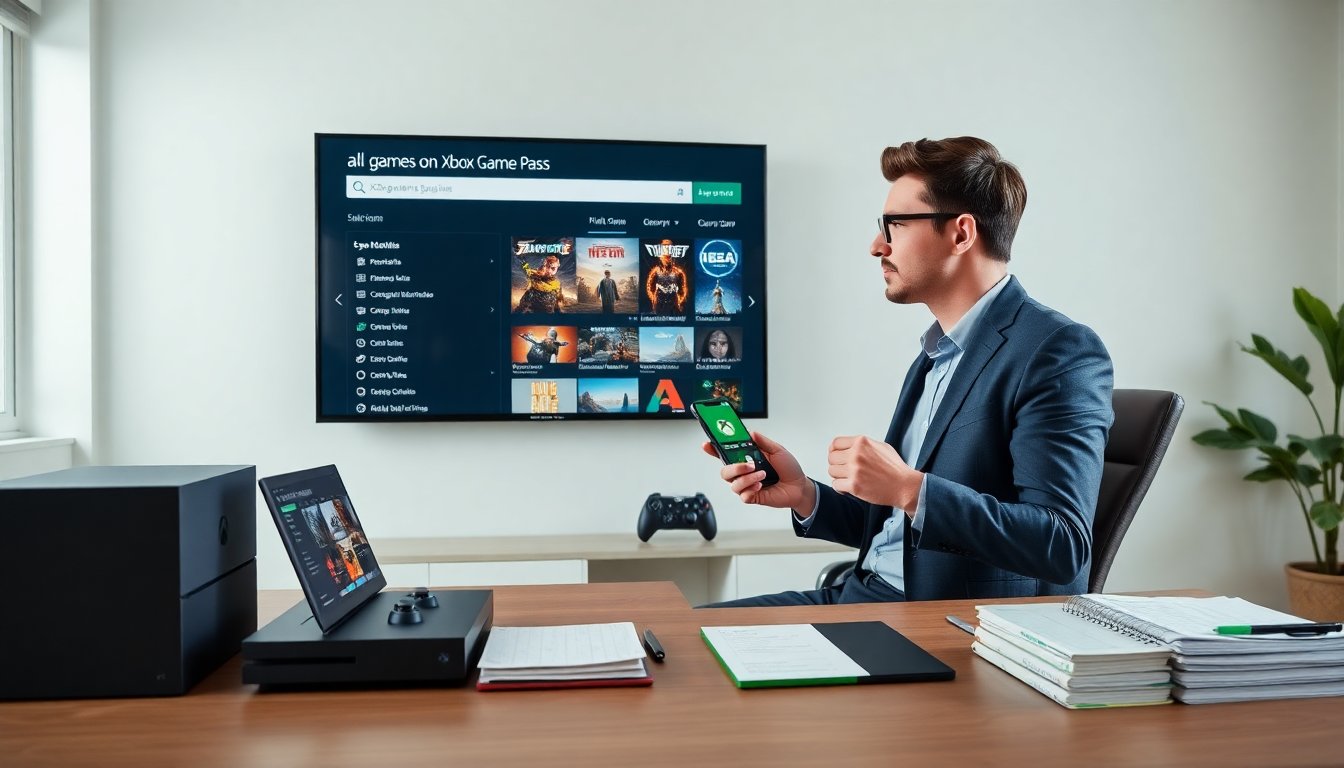
    All games on Xbox Game Pass list can change often. This guide explains what all games on Xbox Game Pass means, how the service works, and where users find the full catalog. It states clear steps to search, filter, and export game lists. It highlights major genres, day-one titles, and how users track leaving-soon alerts. It gives practical tips to manage downloads, saves, and value.

    Key Takeaways

    • Xbox Game Pass offers a rotating library of all games on Xbox Game Pass that members can play while subscribed, with titles frequently added or removed.
    • Users can find the complete, up-to-date list of all games on Xbox Game Pass via the Xbox app, website, and official Xbox announcements for accurate information.
    • Filtering, searching, and exporting the full library helps users organize and plan their playtime with all games on Xbox Game Pass effectively.
    • Day-one releases and first-party exclusives are often available immediately on Xbox Game Pass, but some premium titles may require additional purchases or subscriptions.
    • Tracking upcoming additions and leaving soon alerts enables users to maximize their access and prevent losing progress in any of all games on Xbox Game Pass.
    • Managing downloads, using cloud saves, and prioritizing installs ensure users get the most value and smooth experience from all games on Xbox Game Pass.

    How Xbox Game Pass Works And What “All Games” Means

    Xbox Game Pass is a subscription service that gives access to a rotating library of titles across console, PC, and cloud. When people refer to all games on Xbox Game Pass they mean the set of titles currently available to active subscribers — not an exhaustive, permanent archive. The catalog includes first-party Xbox Game Studios releases, third-party licensed games, indies, and time-limited promotions. Microsoft and partners set start and end availability windows for many games, and those windows determine whether a title appears in the live list. That means a game listed today as part of all games on Xbox Game Pass may be removed later, and conversely new entries may appear without long lead time. For clarity, always check the individual game card inside the app or web catalog for platform support, cloud compatibility, add/remove notices, and whether DLC or premium editions cost extra.

    Where To Find The Complete, Up-To-Date Game List

    There are three primary, reliable places to view all games on Xbox Game Pass: the Xbox console app, the Xbox app for Windows, and the official Xbox Game Pass hub on the Xbox website. In each of those locations you can browse categories, see platform filters (console, PC, cloud) and read the individual game pages that list availability details. For fast announcements and context about why a title joined or is leaving, follow official channels such as the Xbox Wire blog and the Xbox Game Pass social accounts. Community-curated lists and third-party databases can be useful for large-scale exports and personal tracking, but always cross-check any leaving dates and platform tags against the official app or site to confirm the authoritative all games on Xbox Game Pass status.

    Step-By-Step: Filter, Search, And Export The Full Library

    Open the Xbox Game Pass app (console or PC) or the web catalog. From there, follow these practical steps to capture all games on Xbox Game Pass for your needs: 1) Use the search box to find specific titles or keywords; 2) Apply filters for platform (Xbox Series X|S, Xbox One, PC, cloud), genre, and tags like “Optimized” or “Cloud”; 3) Sort results by Add Date, Release Date, or Alphabetically to surface new or time-sensitive entries; 4) Star or add titles to your personal list or wishlist for quick access; 5) If you need an offline record, use the Microsoft Store export option where available or a reputable third-party tool to create a CSV — then verify each row for platform and leaving date before relying on it. These steps let you assemble a snapshot of all games on Xbox Game Pass at a moment in time, which is useful for planning playthroughs, downloads, or seasonal sessions.

    Key Categories And Notable Games To Watch (By Genre)

    The Game Pass catalog organizes titles into discoverable categories so you can explore all games on Xbox Game Pass by interest. Common top-level groups include Action & Adventure, RPG & Strategy, Shooters & Live Service, Sports & Racing, and Indie & Experimental. Within each category you’ll typically find major first-party exclusives alongside smaller indies and mid-tier third-party releases. Use the Spotlight and New Releases sections to find recent additions, while the curated lists and collections highlight staff picks, backwards-compatible classics, and cross-platform games with cloud saves. When browsing by genre, look for platform and cloud-play badges, controller support notes, and size estimates — those details help you choose which all games on Xbox Game Pass to prioritize for download or trial.

    Day-One Releases, First-Party Exclusives, And Premium Titles

    One of Game Pass’s headline benefits is that many Xbox Game Studios titles appear on day one for subscribers, meaning they become part of all games on Xbox Game Pass immediately at launch. That often includes major single-player and multiplayer releases produced by Microsoft-owned studios. At the same time, some third-party publishers choose to keep premium editions, DLC, or in-game currencies behind a paywall even when the base game is included on Game Pass — check the Add-ons & In-App Purchases section on a game’s page to see what’s covered. Additionally, certain multiplayer features or cross-platform entitlements may require Game Pass Ultimate or an additional subscription; read the game details for specific ownership or multiplayer requirements so you know whether a title in the all games on Xbox Game Pass list is fully playable for you without extra cost.

    Upcoming Additions, Leaving Soon Alerts, And Rotation Patterns

    Xbox regularly communicates upcoming additions and removals through monthly updates, banner announcements in the app, and posts on the official blog and social channels. To avoid surprises with all games on Xbox Game Pass, check the “Leaving Soon” view inside the app and consider these practical habits: set calendar reminders for titles you plan to finish, prioritize downloads for games with short availability windows, and look out for themed rotations tied to holidays or seasonal events when publishers often add limited-time content. Patterns you’ll notice over time include a steady churn of licensed third-party games and occasional long-term availability for major first-party franchises. Tracking these patterns helps you predict when to start a game to ensure you can finish it before it exits the service.

    Tips For Managing Downloads, Saves, And Getting Maximum Value

    Maximize value from all games on Xbox Game Pass with a few practical habits: keep a short active install list of the games you’re currently playing and move others to an external drive to free internal SSD space; enable cloud saves to preserve progress automatically when a game leaves the catalog; use trial runs, reviews, and the Xbox app’s gameplay clips to decide whether to commit storage to a title; prioritize completing or backing up progress for games that are marked as leaving soon; and share perks where permitted by family settings or profile sharing to spread value across household members. Finally, schedule regular check-ins with the app’s New Releases and Leaving Soon sections so you can spot time-sensitive opportunities among all games on Xbox Game Pass and use subscription benefits like discounts for titles you want to keep permanently.

  • Hall-Effect Xbox Controllers: The Ultimate Guide To Drift-Free Performance In 2026

    Hall-Effect Xbox Controllers: The Ultimate Guide To Drift-Free Performance In 2026

    A hall effect xbox controller replaces the worn-contact potentiometer in each stick with a magnet and a magnetic sensor, which removes the wear behind stick drift. Choose one for long-term use, but check Xbox and PC compatibility before buying.

    The sections below follow the chain from cause to fix to purchase. For wider hardware choices, such as a best gaming pc build to pair with your pad, the hardware buying guides cover the rest of the setup.

    Why potentiometer sticks drift

    Stick drift is caused by the wear and tear of potentiometers in traditional analog sticks, as Joybuy’s Xbox controller buying guide explains. A potentiometer reads stick position through a physical contact, and any part that rubs against another part wears with use.

    This matters for the decision because drift is a component problem. A pad whose sensing part is wearing out will keep reporting small movements you did not make, however carefully you treat it. Most standard Xbox pads use this older design, so a controller marketed as drift-free needs a different sensing method, not just a firmware tweak.

    How a Hall-effect stick reads movement

    A Hall-effect controller uses magnets and magnetic sensors, which eliminates physical contact and therefore wear, according to the same Joybuy guide. In practical terms, the signal path works in three stages:

    1. Magnet moves with the stick. Tilting the stick changes where the magnet sits.
    2. Sensor reads the change. The magnetic sensor measures that shift without touching the magnet.
    3. Controller reports position. The controller passes the stick position to the Xbox or PC.

    Hall sensing is not limited to sticks. The 8BitDo Ultimate Wired listing advertises Hall Effect joysticks and triggers, and Total Gaming Network’s report on Hyperkin’s The Competitor describes Hall-effect sensors in both the sticks and the triggers. If trigger wear matters to you, look for that wording in the spec rather than assuming it.

    What drift-free means in practice

    Reviewers at HLPlanet say Hall-effect sticks do not develop stick drift and will last much longer than potentiometer sticks. That is a reviewer’s assessment rather than a warranty, so read it as strong evidence that the wear mechanism is gone, not as a promise about every part of the pad.

    The practical reading is simple. Hall sticks suit anyone who plays heavily, streams or plays competitively, because they are the players who wear out potentiometers fastest. Casual players get the same protection but may notice it only years later. Buttons, shells and cables are separate parts, so button type and warranty terms still deserve a look.

    Hall-effect Xbox models compared

    Prices below are US list prices for wired pads. The right pick depends on whether you value mechanical buttons, an audio jack or the lowest price.

    Model Price Buttons and extras Planning use
    8BitDo Ultimate Wired $44.99 Membrane buttons; back buttons Lowest-cost route with paddles
    GameSir G7 SE Wired $44.99 Membrane buttons; 3.5mm audio jack Budget pick for wired headsets
    GameSir G7 HE Wired $49.99 Mechanical buttons; 3.5mm audio jack Step up to mechanical buttons with a headset jack
    Hyperkin The Competitor $49.99 (launch reporting, Oct 2025) Hall-effect sticks and triggers; two programmable back buttons; officially licensed for Xbox, usable on PC Licensed option with paddles at the same price as the G7 HE
    GameSir G7 Pro Wired $79.99 Mechanical buttons; TMR sticks; audio jack Premium tier for players who want mechanical buttons and the newer stick type

    Prices and features come from HLPlanet’s Xbox Hall-effect table and Total Gaming Network’s launch report on The Competitor.

    The thumbsticks on this Xbox Elite pad are the part a Hall-effect module replaces; its green guide light and silver-accented paddle are also visible. Stock photo for illustration, not a Hall-effect model.
    • Tight budget: the 8BitDo Ultimate Wired and GameSir G7 SE share a price. Pick the 8BitDo if you want back buttons, and the G7 SE if you plug in a wired headset.
    • Mechanical buttons: the G7 HE and The Competitor both sit at the same price. The Competitor adds two programmable back buttons and Xbox licensing, while the G7 HE adds an audio jack.
    • Top of the range: the G7 Pro costs noticeably more, so it only makes sense if its mechanical buttons and TMR sticks matter to you.

    Latency and build specs

    HLPlanet says the GuliKit ES Pro has the lowest latency the reviewer recorded in 2025, and lists it at $29.99 in the same Hall-effect roundup. No millisecond figure comes with that ranking, so treat it as a relative result from one reviewer’s test. Because the roundup covers more than Xbox pads, confirm platform support before ordering it for a console.

    For build details, the 8BitDo listing gives the Ultimate Wired controller’s dimensions as 146.7*103.6*61.3mm and its weight as 225g, with a wired USB connection. It works with Xbox Series X, Xbox Series S, Xbox One and Windows 10 and above, and it adds two back buttons. A wired connection also sidesteps battery wear, which suits a pad bought for longevity.

    Durability is the strongest argument for Hall sensing. With no contact between magnet and sensor, nothing in the sensing path wears the way a potentiometer does, so longevity is the reason to pay for the technology rather than a latency gain.

    Repair and mod options

    If your current pad already drifts, you have two routes: buy a new Hall-effect pad or fit new sticks. One retailer lists TMR upgrade sticks at $49.00 for two sticks, but they can only be added to the cart together with a custom Xbox controller order, according to the listing. That makes them a mod for a new custom build, not a loose part to drop into the pad you already own.

    DIY swaps do exist in the wider market. HLPlanet notes that the joysticks in original PS5 controllers can be exchanged with a DIY Hall-effect kit, which shows the repair route is real even where Xbox-specific kits are harder to find. Comparing prices, a wired Hall-effect pad at $44.99 undercuts the $49.00 stick set, so for most people a replacement pad is the simpler fix than a mod. Reserve a stick swap for a pad you like for its shell or other features, and only if you are comfortable opening a controller.

    If you also own a PlayStation pad that drifts, How To Fix PS4 Stick Drift: Practical Steps That Work (2026) – Lunacheats covers the practical steps for that platform.

    Buying checks before you pay

    • Spec wording: look for Hall effect sticks named in the listing, and for triggers too if they matter to you, as on the 8BitDo and Hyperkin models above.
    • Platform support: the 8BitDo lists Xbox Series X/S, Xbox One and Windows 10 and above, and The Competitor is officially licensed for Xbox. Match the list to the machine you play on.
    • Console choice: if you have not yet picked a machine, Xbox Series X vs PS5 Pro: Which Console Wins in 2026? A Practical Comparison – Lunacheats weighs the options before you commit to an Xbox pad.
    • Extras you will actually use: paddles, an audio jack and button type shift the price more than the stick technology does among these models.

    Frequently asked questions

    Can a Hall-effect Xbox controller be used on PC?

    Yes. The 8BitDo Ultimate Wired lists Windows 10 and above alongside Xbox Series X/S and Xbox One, and Hyperkin’s The Competitor is officially licensed for Xbox but can be used on PC.

    How long is the 8BitDo Ultimate Wired cable?

    The listing gives a cable length of 8.2 ft (2.5 m), which is enough to play from a sofa on a wired connection in many rooms.

    Were Hall-effect sensors used in controllers before gaming pads?

    Yes. HLPlanet notes that they were previously used mainly in high-end joysticks for flight simulators and in industrial joysticks.

  • Best Minecraft Bedrock Shaders: How To Download & Install Realistic Shaders In 2026

    Best Minecraft Bedrock Shaders: How To Download & Install Realistic Shaders In 2026

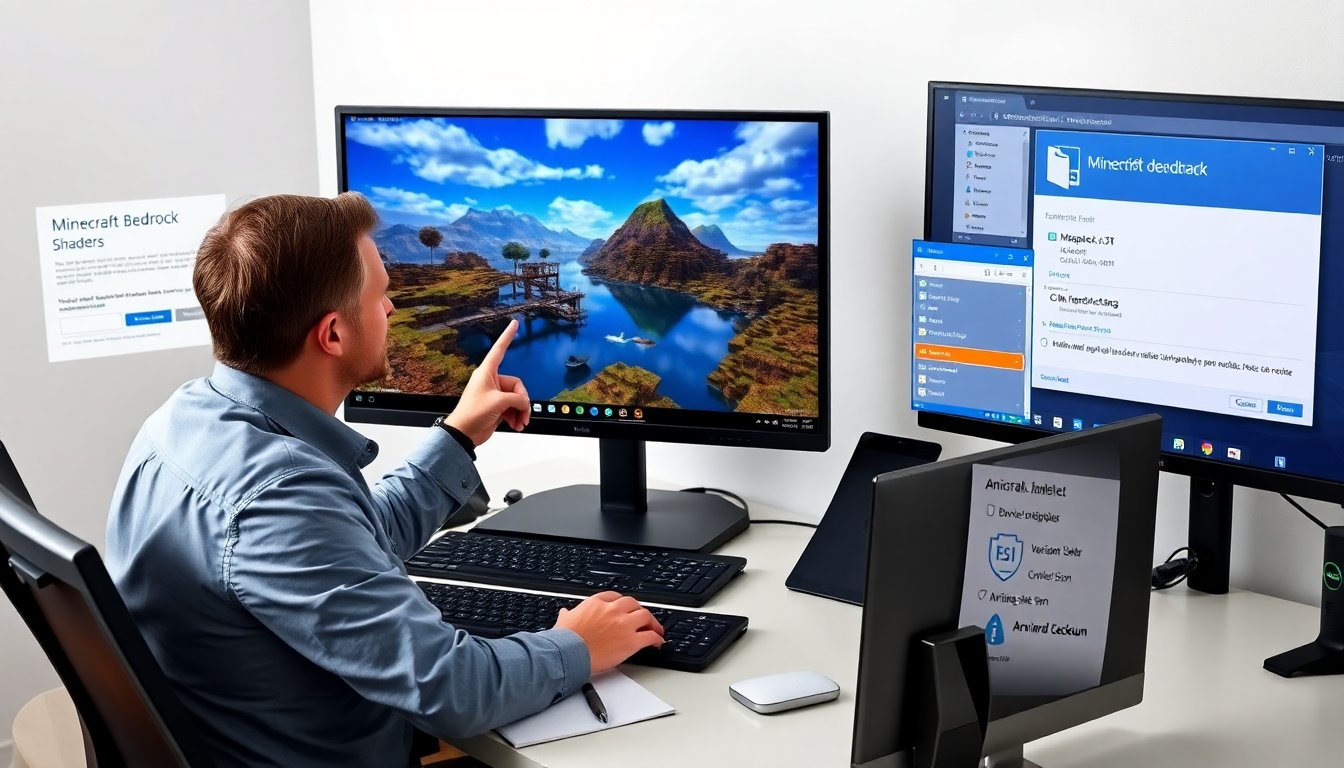
    They search for minecraft bedrock shaders download to make game visuals lifelike. This guide lists safe sources, checks compatibility, and shows step-by-step installation. It keeps instructions direct and precise. The reader will follow simple actions and get shaders running on Windows 10 and 11.

    Key Takeaways

    • Minecraft Bedrock shaders download enhances game visuals by adding realistic lighting, shadows, and reflections on Windows 10/11 and compatible devices.
    • Before installing shaders, check GPU compatibility, Minecraft Bedrock version, and ensure Render Dragon is enabled for best performance.
    • Download shaders only from trusted sources like the Microsoft Store or reputable community sites to avoid malware and ensure file integrity.
    • Back up your Minecraft worlds and com.mojang folder before installing shaders to safely revert if issues occur.
    • Follow step-by-step installation instructions carefully, including enabling the shader pack in Minecraft’s resource settings and adjusting video options for smooth gameplay.
    • Keep shader packs updated by following creators for fixes and optimizations, and troubleshoot common problems by disabling shaders or checking resource pack requirements.

    What Are Bedrock Shaders And How To Check Compatibility

    Minecraft bedrock shaders download changes the game lighting, shadows, water, and sky. A shader pack alters rendering to add realistic light and reflections. Players can use shaders on Bedrock Edition on Windows 10/11 and supported mobile devices. Shaders require a compatible GPU and the correct version of Minecraft Bedrock.

    They check GPU support first. They open Device Manager and view the display adapter name. They compare the adapter to shader pack requirements. Many shader packs list minimum GPUs such as Intel Iris Xe, NVIDIA GTX 10-series, or AMD RX 500-series. They avoid packs that demand hardware beyond their machine.

    They check Minecraft version next. They open Minecraft and view the version number on the main menu. They match that number to the shader pack notes. They pick packs marked for the same Bedrock version or a range that includes their version. If the pack lists a different version, they look for an updated build.

    They check rendering options last. They open Settings > Video in Minecraft and confirm Render Dragon is active when required. They enable Hardware-accelerated GPU scheduling if the system supports it. They close other high-CPU apps to free resources. They test performance after installation and lower in-game render distance if frame rate drops.

    Common errors appear when users mix shader packs for Java Edition or use outdated pack formats. They avoid Java-only files and always pick Bedrock-specific downloads. They back up worlds and the com.mojang folder before major changes. Backups make rollbacks simple and safe.

    Where To Find Safe, High-Quality Bedrock Shader Packs And Mods

    They look for minecraft bedrock shaders download from reputable sites and creators. Trusted sources include the Microsoft Store for paid content, major community sites with moderation, and well-known creators on platforms like Patreon or Gumroad. They prefer downloads with many positive reviews and recent updates.

    They verify file integrity before they install. They check checksum values when creators provide them. They scan downloaded files with antivirus software. They read user comments for recent reports of malware or broken installs. They avoid shader packs from random file hosts and anonymous uploaders.

    They consider performance and style. Some packs focus on realistic lighting and high detail. Others aim for softer color palettes and better performance on mobile. They choose a pack that fits their hardware and visual taste. They test one pack at a time to isolate issues.

    They watch for mod dependencies. Some shader packs require an add-on or resource pack for textures. The creator will list required files. They download each required file and keep file names organized. They keep a notes file that lists versions and sources for each downloaded component.

    They follow creator instructions closely. They prefer packs that include clear README files and step-by-step notes. They bookmark the creator page for updates. They subscribe to the creator or follow release posts for future fixes and optimizations.

    Step-By-Step Download And Installation Guide For Bedrock (Windows 10/11)

    They prepare the system before the minecraft bedrock shaders download. They close Minecraft and back up the com.mojang folder, which contains resource_packs and behavior_packs. They create a desktop folder for shader files.

    They download the shader pack. They go to the trusted creator page or store listing. They click the download link for Bedrock and save the file to the desktop folder. They keep the original .mcpack or .zip file.

    They verify the download. They run an antivirus scan on the saved file. They compare checksums if the creator provided them. They only proceed when the file shows no threats.

    They install .mcpack files by double-clicking. The system opens Minecraft and imports the pack automatically. They wait for the import confirmation. If the file is a .zip, they extract it first and then place the extracted folder into %LocalAppData%PackagesMicrosoft.MinecraftUWP_8wekyb3d8bbweLocalStategamescom.mojangresource_packs or behavior_packs.

    They enable the shader pack in Minecraft. They open Minecraft and go to Settings > Global Resources or Play > Edit World > Resource Packs. They activate the shader pack and move it into the active list. They also enable any linked behavior packs if needed.

    They adjust video settings for performance. They reduce render distance, disable fancy leaves, and set article-specific shader options if the pack provides a config file. They test in a new world first. They observe frame rates and visual changes. They tweak settings until they find a balance between looks and performance.

    They troubleshoot common issues. If Minecraft crashes, they disable the shader and revert to the backup. If textures look missing, they ensure all required resource packs are active. If stuttering occurs, they close background apps and check GPU drivers for updates.

    They update packs when creators release fixes. They revisit the download page and fetch updates. They replace old files and keep a changelog. They keep backups of working setups so they can restore a stable configuration quickly.

  • The Ultimate List Of Nintendo Switch 2 Games (2026): Must-Play Launches, Indies, And What’s Coming Next

    The Ultimate List Of Nintendo Switch 2 Games (2026): Must-Play Launches, Indies, And What’s Coming Next

    Game Release date and price Edition type Planning use
    Mario Kart World June 5, 2025; $79.99 Switch 2 exclusive Best fit if you want a game that only the new console can run.
    The Legend of Zelda: Breath of the Wild June 5, 2025; $69.99, or a $9.99 upgrade Switch 2 Edition Pay for the upgrade if you already own the original Switch version.
    Hogwarts Legacy June 5, 2025; $59.99, or a $9.99 upgrade Third-party, Switch 2 upgrade A large launch-day game that can be upgraded cheaply from the Switch copy.
    Donkey Kong Bananza July 17, 2025; $69.99 Switch 2 exclusive A second exclusive that can wait until the launch rush is over.
    Super Mario Party Jamboree + Jamboree TV July 24, 2025; $79.99, or a $19.99 upgrade Switch 2 Edition The upgrade price is the deciding factor for existing Switch owners.
    Hollow Knight: Silksong September 4, 2025; $19.99 Switch 2 Edition (indie) A low-cost addition that keeps the first-year budget in check.
    Pokémon Legends Z-A October 16, 2025; $69.99, or a $9.99 upgrade Switch 2 Edition A later-2025 purchase that suits players who already own the Switch version.
    Stardew Valley December 25, 2025; $14.99 Switch 2 Edition (indie) A small, cheap purchase for short sessions.

    Release dates and prices above come from IGN’s Switch 2 games list and Nintendo’s Indie World page.

    This list of Switch 2 games sorts titles by release window and buying priority: launch-day exclusives and upgrades first, then later 2025 releases and indies, then 2026 arrivals. Regional dates can differ.

    For wider coverage beyond Nintendo’s console, see our roundup of upcoming video game releases.

    What the launch lineup means for your first purchases

    The Switch 2 launched on June 5, 2025, after a Switch 2-focused Nintendo Direct on April 2, 2025, according to Smash Jump’s announcement recap. Launch day brought one clear exclusive, several upgraded Switch games and at least one big third-party release. That mix shapes how you should spend.

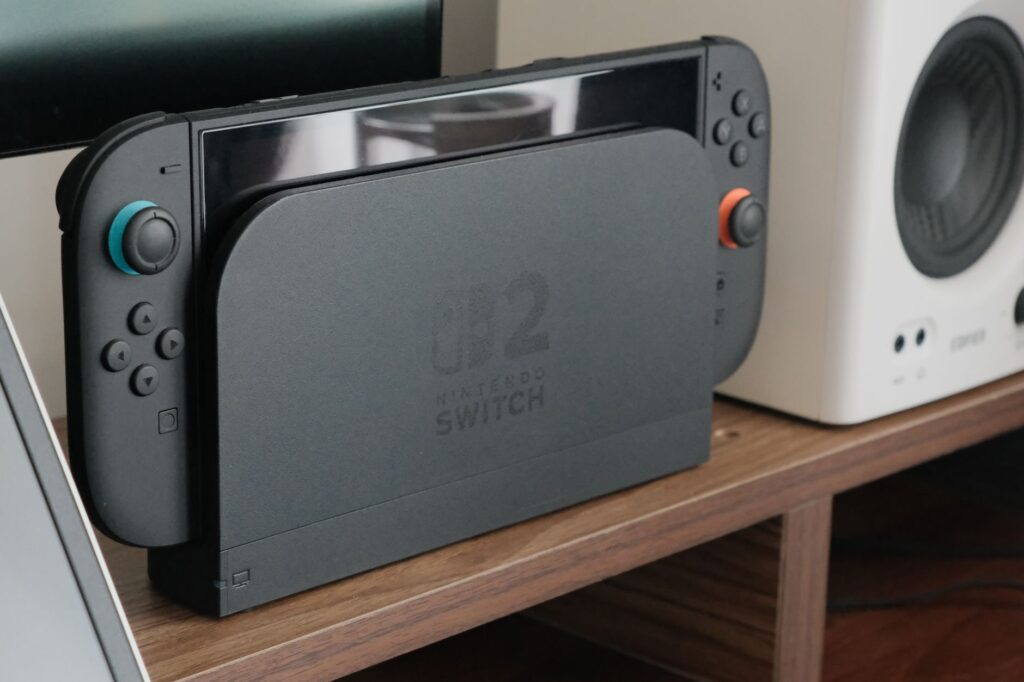
    A Switch 2 dock with the console and attached Joy-Con controllers, on a wooden shelf beside a white speaker.
    • Buy an exclusive first if you want proof of the hardware. Mario Kart World is listed by IGN as a Switch 2 exclusive at $79.99, so it is the one launch purchase with no cheaper older version to fall back on.
    • Upgrade before you rebuy. If you own the Switch version of a game with a Switch 2 Edition, the upgrade route costs $9.99 for Breath of the Wild, Hogwarts Legacy and Pokémon Legends Z-A, against $69.99, $59.99 and $69.99 for those games bought outright.
    • Hold off on titles you have never played. A $59.99 to $79.99 launch purchase is easier to justify once you know it is a game you will finish.
    • Stagger the big releases. Mario Kart World, Donkey Kong Bananza and Super Mario Party Jamboree arrive at different points in mid-2025, so you do not need to buy all of them in the first week.

    Launch games worth buying first

    The launch games worth buying first are the ones that give you something the Switch version cannot, at a price you can justify. In IGN’s list, that points to Mario Kart World and the cheap upgrades.

    Exclusives

    Mario Kart World, at $79.99, and Donkey Kong Bananza, at $69.99 on July 17, 2025, are the Switch 2 exclusives in IGN’s list. Mario Kart World is the stronger first buy because it arrives with the console. Donkey Kong Bananza suits players who want a second big game after launch. Smash Jump’s recap gives a different July date for Bananza, so confirm the exact day on your store page before pre-ordering.

    Upgrades of games you already own

    A Switch 2 Edition can be bought as a standalone game or reached with a reduced-price Upgrade Pack from the Switch version. Super Mario Party Jamboree has the steepest upgrade at $19.99, but that is still well below its $79.99 standalone price. Breath of the Wild is the cheapest way to see a familiar game on the new hardware.

    Third-party launch ports

    Hogwarts Legacy arrived on June 5, 2025 at $59.99, with a $9.99 upgrade. Smash Jump also lists Street Fighter 6 as available on launch day. These suit players who want a deep, long-running game early, though neither is a reason on its own to buy the console.

    Indie games and later 2025 releases

    Nintendo’s Indie World page lists Switch 2 Editions of established indie games at modest prices. Hollow Knight: Silksong is listed for September 4, 2025 at a regular price of $19.99, and Stardew Valley for December 25, 2025 at $14.99.

    These matter for budgeting. At those prices, you can add both indies for far less than a single $69.99 or $79.99 first-party game. They also fit a different style of play, with Stardew Valley being one you can pick up for a few minutes at a time.

    Pokémon Legends Z-A sits between the two groups. IGN lists it for October 16, 2025 at $69.99 with a $9.99 Switch 2 Edition upgrade. Players who already own the Switch version should treat the upgrade as the sensible path, while newcomers pay the full price for the Switch 2 Edition.

    What Switch 2 games are coming next

    The pipeline for 2026 is large. One calendar of Switch 2 game releases listed 180 upcoming events on October 24, 2026, with the next on October 26. Most of those are smaller releases, so use the calendar to spot a window with nothing you want rather than to chase every date.

    • The Duskbloods. Smash Jump lists this new FromSoftware game as coming in 2026 to Switch 2. It is the headline third-party title to watch, and its entry carries no price or date to plan around yet.
    • Moonlighter 2: The Endless Vault. Nintendo lists it for September 2, 2026 with a free demo and a regular price of $29.99. Play the demo before paying.
    • Lou’s Lagoon. The Switch 2 Edition is listed for August 27, 2026 on Nintendo’s Indie World page, a cheaper alternative to waiting on larger 2026 releases.

    For your wider release planning, the upcoming video game releases coverage tracks other platforms too.

    How Switch 2 Editions and compatibility work

    A Switch 2 Edition is a version of a game built for the new console. IGN says you can buy it standalone or upgrade from your Switch Edition with an Upgrade Pack at a reduced price. That is why the same game can appear at two prices in the table at the top.

    Not every game is upgraded in that way. IGN notes that some Switch games get free updates that generally improve visuals, with resolution reaching up to 4K. It also warns that not all Switch games will be compatible with the Switch 2. Before relying on your existing library, check the compatibility details on each game’s store page, especially for older or niche titles.

    Two practical consequences follow. A free update is a reason not to repurchase a game, and a paid Upgrade Pack is worth it only if you play that game often enough to justify the $9.99 to $19.99 cost in the table.

    Building a sensible first-year library

    A balanced first-year library mixes one exclusive, one or two cheap upgrades and a few indies, then leaves room for 2026. Wait for a clear gap before adding the next $69.99 or $79.99 game.

    If you also play on Xbox, compare what you already have access to before buying duplicates. Our guides to Games Leaving Xbox Game Pass in 2026: What’s Going, What Stays, And How To Keep Playing – Lunacheats and Every Game On Xbox Game Pass: The Definitive 2026 Guide To What’s Included – Lunacheats show which titles you can play without buying them again.

    Frequently asked questions

    How much does the Switch 2 cost?

    Smash Jump reports a retail price of $449.99 or £394.99, following the Switch 2 Direct on April 2, 2025.

    Do I need a subscription to use GameChat?

    Yes. Smash Jump states that a Nintendo Switch Online membership is required for GameChat.

    Will release dates be the same in every region?

    Not always. Some games launch at different times depending on region, so availability can differ from a countdown or calendar date, as noted by Days Until. Check your local store listing before pre-ordering.

    Is Lou’s Lagoon discounted?

    Nintendo’s Indie World page lists the Lou’s Lagoon Switch 2 Edition at a current price of $19.99 against a regular price of $24.99, with an August 27, 2026 release date.

  • Best Fallout 4 Xbox One Mods In 2026: Upgrade Your Wasteland Experience

    Best Fallout 4 Xbox One Mods In 2026: Upgrade Your Wasteland Experience

    Fallout 4 Xbox One mods let players change gameplay, visuals, and UI. They add weapons, quests, survival rules, and settlement options. The console enforces limits and rules. This guide explains how mods work, how to install them, the best gameplay mods, and how to fix common problems. It also offers practical tips for load order, performance, and testing so you can safely expand your Fallout 4 experience on Xbox One.

    Key Takeaways

    • Fallout 4 Xbox One mods enhance gameplay, visuals, and UI while adhering to console limits and Bethesda’s rules.
    • To install Fallout 4 Xbox One mods, link your Xbox account to Bethesda.net, download mods through the in-game menu, and carefully manage load order.
    • Combat and survival mods that rebalance weapons and add realistic mechanics can deepen the Fallout 4 Xbox One experience without breaking compatibility.
    • Settlement and crafting mods expand building options and recipes but should be chosen to maintain performance and avoid lag in large settlements.
    • Visual, performance, and UI mods improve atmosphere and usability while requiring testing to prevent crashes or frame drops on Xbox One.
    • Troubleshoot common mod issues by clearing cache, adjusting load order, disabling conflicting mods, and keeping backups for stable Fallout 4 Xbox One gameplay.

    How Mods Work On Xbox One: Rules, Limits, And Requirements

    Xbox One allows user-created content through a curated mod system. Bethesda vets mod uploads and enforces file-size caps. Players must link their Xbox account to Bethesda.net to browse and download mods. Modders must avoid copyrighted assets and paid content. The console blocks external scripts that alter core files. Save files may grow when many mods load. Mods can conflict when they change the same game asset. Players should check mod descriptions for compatibility notes and load order recommendations.

    Key platform constraints affect how you choose and combine Fallout 4 Xbox One mods: there is a total file-size limit per profile, scripts and external executables are not allowed, and certain engine-level changes that work on PC are impossible on console. Because of these restrictions, many console mods are collections of assets and simple record edits rather than heavy Lua/ Papyrus scripting. That means mod authors will often provide console-specific compatibility notes, and you should favor mods that explicitly state Xbox One support. Also be mindful of object counts in settlement mods; exceeding the recommended numbers causes stuttering and increased save sizes.

    How To Install Mods On Xbox One: A Step-By-Step Guide

    They should update Fallout 4 to the latest patch before modding. They should sign into Bethesda.net from within the game. They should open the Mods menu from the main screen. They should search using keywords like “fallout 4 xbox one mods” or specific mod names. They should select a mod and choose Download. They should enable the mod in the Load Order panel. They should save a clean backup before loading multiple mods. They should test new mods in short sessions to spot errors early.

    Expanded step-by-step checklist for reliability:

    • Update the game: install any official patches and restart the console to ensure a clean base.
    • Link accounts: sign into your Bethesda.net account inside Fallout 4; the game will prompt you if it’s not linked.
    • Browse carefully: use search filters and read the full description, noting Xbox One compatibility and any required base game or DLC.
    • Download one at a time: add a single mod, then enable it and create a fresh save (clean save) to test stability before adding another.
    • Manage load order: use the in-game Load Order panel to place mods in the order recommended by authors; when in doubt, keep large overhaul mods higher or lower depending on guidance in the mod description.
    • Keep backups: keep at least one save with zero mods (a clean save) and one with your current active loadout so you can roll back if something corrupts.
    • Test for at least 10–30 minutes: check major systems—quests, combat, settlements, and UI—so early conflicts become obvious while they are still easy to isolate.

    Small practical tips: avoid installing dozens of asset-heavy mods at once, check comments for recent user reports about Xbox One behavior, and pay attention to whether a mod uses scripts—console-friendly mods will state when scripts are limited or absent.

    Top Must-Have Gameplay Mods For Xbox One

    This list focuses on mods that improve combat, settlements, and visuals. Players will find options that keep the core game intact while adding new depth. The selections work well together when players check load order and read notes.

    When choosing Fallout 4 Xbox One mods for gameplay, prioritize stability and clear descriptions. Look for mods that explicitly mention Xbox One or “console-friendly” in the description. Favor smaller, modular mods that do one job well—such as rebalancing weapon damage, improving enemy AI behaviors, or adding survival mechanics—because they are easier to combine and troubleshoot than massive overhauls.

    Practical categories and what to expect:

    • Combat rebalances: change weapon damage curves, recoil, criticals, and enemy armor values to make firefights more tactical without altering quest balance.
    • Survival and realism: add hunger/thirst/fatigue systems or tweak the survival mode parameters to increase immersion while remaining compatible with console limits.
    • Loot and economy: adjust drop rates, vendor caps, and crafting requirements so progression feels smooth and rewarding.
    • Quest and encounter tweaks: small mods that enhance encounters or extend enemy spawns can increase challenge without introducing script-heavy content that consoles block.

    Combine gameplay mods carefully: start with a combat base mod, then layer a survival tweak and a loot rebalance, testing after each addition. Keep a note of the load order and any incompatibility warnings in mod descriptions so you can quickly locate the source of issues.

    Combat And Survival Mods You Shouldn’t Miss

    They should try mods that rebalance weapons and add realistic recoil. Combat mods often increase enemy AI awareness and adjust damage values. Survival-style mods can add hunger, thirst, and sleep mechanics that match Fallout 4’s tone. They should pick mods that list Xbox One compatibility. They should avoid mods that require external scripts or unsupported DLC hooks. When players install several combat mods, they should test enemy scaling and loot rewards.

    Tips for combat and survival mod selection and tuning:

    • Read the compatibility section: authors usually explain conflicts with enemy or loot overhauls—follow those notes.
    • Tweak gradually: if you find combat too punishing, reduce enemy damage or scaling one mod at a time rather than disabling all mods at once.
    • Watch performance: AI and spawn changes can increase CPU load; if you notice slowdown in dense encounters, try disabling enemy spawn enlargements first.
    • Keep a survival baseline save: survival mods change fundamental systems—keep an unmodded save to return to if a playthrough becomes unstable or corrupted.

    Settlement And Crafting Mods To Transform Building

    They should install settlement mods that add new items and improved snapping tools. Crafting mods can expand weapon and armor workbenches with new recipes. Building mods often include new furniture, defenses, and decorative sets. They should prefer mods that keep performance in mind and that list object counts. They should save often when building large settlements. Players who use settlement mods with scripting should watch for lag and adjust item limits.

    Best practices for settlement mod use:

    • Monitor object counts: many settlement mods list how many additional objects they add—exceeding recommended counts causes frame drops and longer save times.
    • Use snapping and helper tools: mods that improve snapping reduce placement iterations and help keep builds tidy, which can slightly reduce collision checks.
    • Avoid excessive scripts in settlements: even small scripting in many placed objects compounds CPU load—if a settlement stutters, remove scripted items first.
    • Optimize by sections: build large settlements in stages and test performance by visiting at different times of day and under combat to spot spikes.

    Visuals, Performance, And UI Mods For A Smoother Experience

    They should use texture and lighting mods that target console performance. Visual packs that up-res textures and refine lighting can improve atmosphere without large slowdowns. UI mods can clean the HUD and add better maps and quest lists. Performance mods often reduce shadow quality or tweak draw distances to keep frame rates stable. Players should test visual and performance combos and remove any mod that causes stutter or crashes.

    How to balance visuals and stability on Xbox One:

    • Prefer targeted texture packs: smaller texture replacements for high-impact objects (weapons, armor, key interiors) improve appearance more efficiently than blanket texture overhauls.
    • Use lighting mods sparingly: lighting changes can both improve mood and introduce performance penalties—test them alone to evaluate FPS impact.
    • Install UI mods that declutter: a simpler HUD and more informative maps can reduce time spent menu-diving and improve playability without heavy performance costs.
    • Test combinations: run a controlled play session after installing visual/performance/UI mods to see how frame rate and loading times react in typical areas you play.

    Troubleshooting Common Mod Issues On Xbox One

    They should clear the cache if the game fails to load after installing mods. They should disable recently added mods to isolate crashes. They should check the load order and move major overhaul mods to the top or bottom as the author recommends. They should remove duplicate files and watch for mods that alter the same asset. They should create a fresh save if corruption appears after many installs. They should reinstall the game as a last resort and redownload only needed mods.

    Detailed troubleshooting steps and diagnostic workflow:

    1. Reproduce the issue: note what you were doing when the problem occurred (entering a settlement, fast traveling, loading a save, combat, etc.).
    2. Isolate recent changes: disable the last 2–3 mods you added and test again. If the problem stops, enable them one at a time to find the culprit.
    3. Check load order: move major overhauls per author guidance. If an author lists a recommended order, follow it; otherwise try placing heavy record edits higher or lower and test.
    4. Clear console cache: power down the Xbox fully and reboot, or clear persistent cache per Xbox support steps to refresh downloads and temporary files.
    5. Remove duplicates and conflicts: uninstall mods that alter the same records or assets. If two mods change the same weapon or item, choose one or look for a compatibility patch.
    6. Create a new save for testing: load an older clean save without mods and then apply one mod at a time to check stability—this helps detect save corruption caused by many mods.
    7. Last-resort fixes: uninstall all mods, verify game files by reinstalling if needed, and re-add a small set of trusted mods gradually to rebuild a stable mod list.

    Common signs and likely causes:

    • Crashes to dashboard after loading: often caused by script-heavy or conflicting mods—disable recent script mods first.
    • Large save file growth: usually due to many placed settlement objects or persistent items added by mods—reduce object counts or remove persistent item mods.
    • Visual glitches or missing textures: may indicate an incomplete download or a mod that requires another mod; check descriptions and re-download the mod.
    • Performance drops only in certain areas: likely object or NPC spawn increases—disable relevant mods and test the area again.

    Maintaining a small, well-documented mod list and testing incrementally are the best ways to enjoy Fallout 4 Xbox One mods without long-term stability headaches.