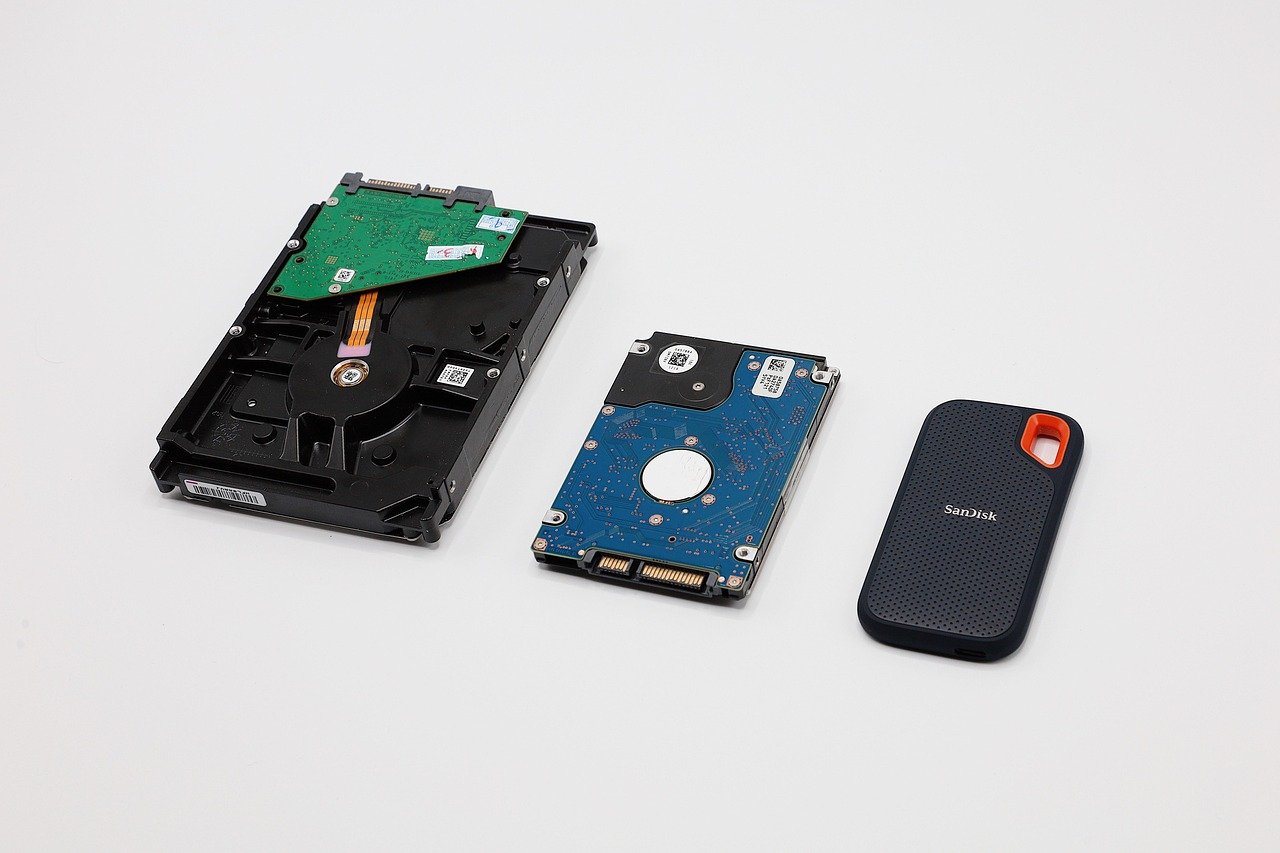
How to upgrade PS5 SSD storage: buy a PCIe Gen4 NVMe M.2 drive that meets Sony’s size limits, fit a heatsink or other cooling structure, install it in the expansion bay and format it. Formatting erases everything on the drive.
If you are weighing a console upgrade against a desktop, the hub’s guidance on a best gaming pc build covers the other side of that decision.
How extra storage changes your game library
The built-in drive is the reason most people upgrade. Lexar notes that the PS5’s internal drive holds 825GB, and current titles average 50GB to 80GB each, so the space disappears faster than the headline figure suggests. Sony says that once an M.2 SSD is installed, it can be used to download, copy and launch PS5 and PS4 games, as well as media apps.
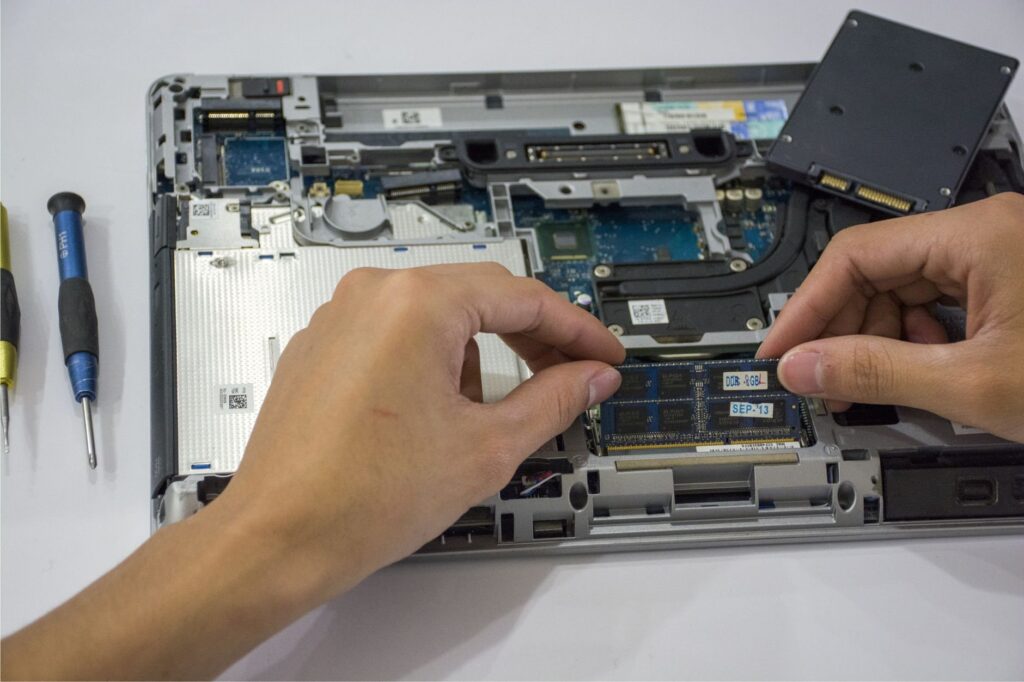
Laptop chassis opened on a white surface, with a screwdriver at the left edge
Capacity is best planned around the number of games you want installed at the same time. Older favourites you keep ready for replays, including games you play with cheat tools, take up the same room as new releases. That is why the right size depends on your habits rather than on a single recommended figure.
Rotating a few current games: a smaller drive in Sony’s range can work if you uninstall as you finish. With titles averaging 50GB to 80GB, though, the lowest supported capacity leaves little room.
Keeping a backlog installed: Lexar says a 2TB drive gives around 1.65TB usable, which holds around 20 titles without curating. That suits players who hate re-downloading.
Building a very large library: Sony supports drives up to 8 TB. Only go that far if your installed collection genuinely needs it, since the extra capacity is wasted otherwise.
A compatible drive is an M.2 NVMe SSD that uses the PCI-Express Gen4x4 interface with a Key M socket. Sony states plainly that M.2 SATA SSDs are not supported, so a drive that looks right but runs over SATA will not work.
Physical fit is the next filter. Sony lists form factors 2230, 2242, 2260, 2280 and 22110, with width up to 25 mm and lengths of 30, 42, 60, 80 or 110 mm. A listing that names one of those form factors is the safe choice. Sony recommends a sequential read speed of 5,500 MB/s or faster, which makes that figure a floor, not a target to chase.
Manufacturers do publish faster drives. Lexar says its NM790 offers sequential reads up to 7400MB/s, about 35% above the 5500MB/s figure. Faster headline numbers are not a requirement, so spend the difference on capacity or a better heatsink if you must choose.
Heatsink and clearance
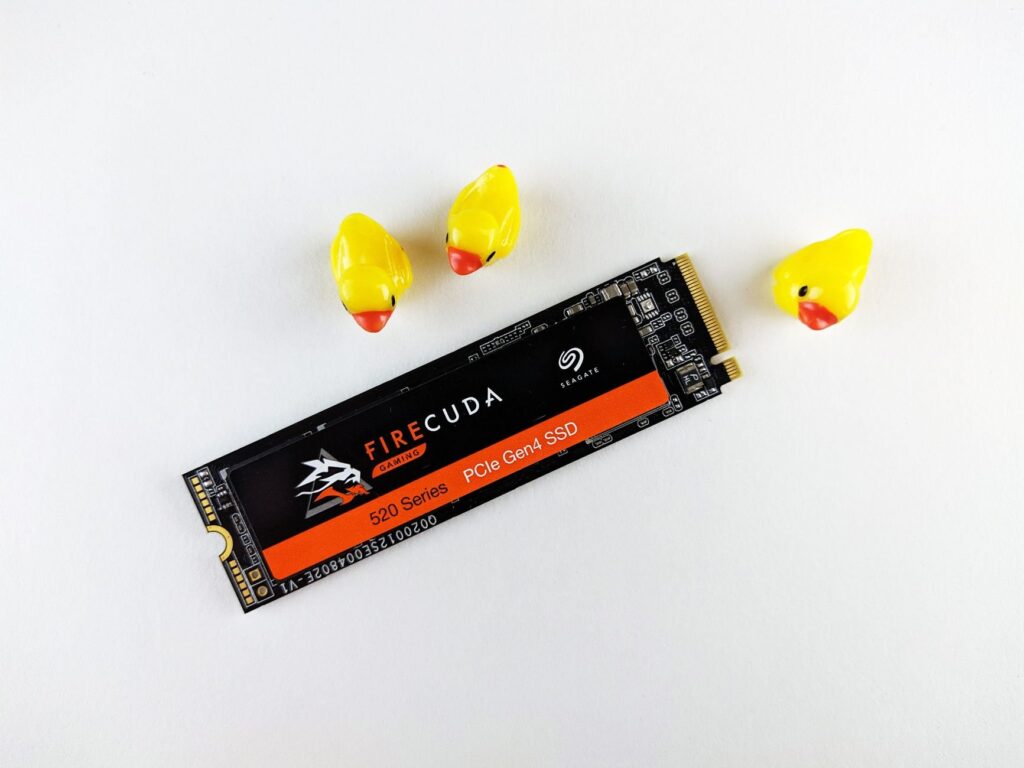
Yes, you need a cooling structure. Sony says that using an M.2 SSD with the console requires effective heat dissipation, such as a heatsink, and instructs players not to run a drive without a heatsink or heat transfer sheet.
A PCIe Gen4 M.2 SSD shown bare, with no cooling attached. A bare drive like this still needs a heatsink or heat transfer sheet before it goes into the console.
Lexar explains the practical risk: a drive without a heatsink can get warm enough to trigger its own thermal protection and throttle read speeds. The effect shows up in long sessions, when a drive that looks fast on paper slows down. A cheap, correctly sized heatsink protects the speed you paid for.
The catch is size. Sony warns that cooling structures vary greatly, so the finished assembly has to stay within its limits: up to 11.25 mm in total, with up to 8.0 mm above the board and 2.45 mm below.
Drive ships with a heatsink: check the stated dimensions against Sony’s limits before buying, because a bundled heatsink is not automatically a fit.
You add your own: compare the heatsink’s height with the allowance above the board, and note whether it adds thickness underneath.
The cover will not close: Sony says the cooling structure then likely exceeds the size requirements, so swap it for a slimmer one rather than forcing the cover.
Installing the SSD
Gather what you need first. Sony asks for a #1 Phillips or cross-head screwdriver, plus your drive with its cooling attached. Work on a clean, flat surface. Before handling the drive, touch a metal-grounded object to discharge static electricity from your body, as Sony advises.
Switch the console off before opening anything.
Remove the expansion slot cover. On the PS5 Slim, iFixit’s expandable storage guide describes a 17.1 mm screw securing it.
Match the spacer to your drive. The slot has multiple labelled indents, so move the spacer to the one that fits your SSD’s length.
Slide the SSD into the socket at a slight downward angle. Lexar specifies a 30-degree angle, then press the drive flat.
Secure the retention screw without overtightening it. iFixit warns that too much force may damage the SSD.
Refit the slot cover. If it will not close properly, revisit the heatsink fit described above.
Do not power on or play while the cover is off. Sony is explicit about this. Once the cover is back, you are ready to format.
Formatting and after-install checks
The console needs to format the drive before games can go on it, and Sony warns that formatting erases any data already on the drive. A new drive has nothing to lose, but a drive reused from another device should be emptied of anything you want to keep first.
iFixit lists 10 to 20 minutes and an Easy difficulty rating for upgrading the expansion storage on a PS5 Slim, per its upgrade guide.
What if a game has problems on the new drive?
Sony advises moving the affected game to the console’s internal storage if you experience problems while playing a game installed on M.2 SSD storage.
Can I move games between the internal drive and the new SSD?
Yes. Sony says you can freely move games between the console’s internal storage, a connected USB extended storage device and the M.2 SSD, so you can shift titles around as your library changes.
emberslasvegas esports is a search for the esports and gaming section of the Embers Las Vegas blog, a general-interest site that mixes sports, gambling and gaming articles rather than running a dedicated esports operation. The questions below explain what that section holds, what it leaves out and how to read it sensibly.
Question
Short answer
Is it an esports team or league?
No, it is a blog with an Esports & Gaming category
Does it cover tournaments in depth?
Not as its main focus; articles are general interest
How long are the posts?
The listings show roughly three to four minutes of reading
Is the rest of the site about gaming too?
No, it also covers sports and gambling
Who should read it?
Casual readers, not tournament followers seeking results
What the Embers Las Vegas esports section is
Embers Las Vegas presents itself as a blog under the tagline about cashing out big with online betting. Its menu runs from Sports Arena to Esports & Gaming, then gambling and casino sections, and finally About and Contact pages. People who type esports emberslasvegas or emberslasvegas gaming into a search box are usually trying to find that second category, and it is a single menu entry among several.
Casual gaming is the audience this kind of category tends to address
Is emberslasvegas esports gaming a separate website?
No. The phrase emberslasvegas esports gaming describes one category page on the same blog. There is no separate domain, app or competition brand behind it. The posts sit in the same listing style as the rest of the site, with a category label, an estimated reading time and a view counter beside each headline.
What kind of articles appear there?
At the time of reading, the category showed a handful of pieces. One looked at how a review platform sets transparency standards for betting sites, one gave takeaways from an event held in Las Vegas in 2026 and one covered why competitive gamers and streamers in a Canadian town are adding first aid to their setup checklist. These are general features, closer to lifestyle writing than to match reports or patch analysis.
Can you watch matches through the site?
No streams, schedules or match pages were visible. The articles are written text, so any live viewing has to happen on the official platforms of the games and events themselves.
How to read esports gaming emberslasvegas pages
A reader who expects live scores, rankings or roster news will be disappointed. The site is better treated as an occasional commentary blog, and the best use is to skim the headline list and open only what matches your interest.
Does the gaming emberslasvegas category publish often?
The listing did not show a regular schedule. Posts on the home page carried no clear date next to the gaming items, so frequency is hard to judge. If you rely on a source for esports news, pair this one with a publication that dates its articles and names its reporters.
Are the articles written by esports specialists?
The site names some contributors by byline, and its About page introduces a pair of editors with short biographies that lean toward casino and card-game enthusiasm. Nothing visible suggests competitive-gaming credentials. That does not make the writing wrong, but it does mean you should treat statements about teams, players or results as unconfirmed until you see them elsewhere.
Is there a way to follow esports gaming emberslasvegas by email or feed?
The home page offers search and category navigation. A blog of this kind normally exposes an RSS feed, though the site does not advertise one prominently, and there is no clear newsletter sign-up on the page.
Where emberslasvegas gaming sits among the site’s other topics
The gaming category is the smaller neighbour of two much larger themes. Sports Arena carries highlight-style stories, with titles about a tennis champion and a basketball legend. The gambling categories carry guides about slot design, live dealer games, bonuses and risk. Esports and gaming is the lighter, more varied corner in between.
Skimming headlines before choosing what to read
Why does a gambling-oriented blog cover esports?
Esports and betting audiences overlap, and a site built around wagering has an obvious commercial reason to publish gaming content. The site does not explain its editorial reasoning, so this is an interpretation of its structure, not a stated policy.
Should gaming emberslasvegas readers worry about the gambling content?
Be aware of it. Gambling is restricted by age and by jurisdiction, can lead to real financial harm and is not suitable for everyone. If a gaming article steers you toward a betting site, check that such services are legal where you live and set firm limits before spending anything. Nothing on this page is financial advice.
What is the best first step?
Start with the category listing, sort mentally by headline, and open the item whose topic you recognise. Ignore the view counters, which are shown beside each post but are not explained.
Practical tips for anyone searching emberslasvegas gaming topics
Use the on-site search box to narrow results to esports terms, check the date on every article, and compare any factual claim about a team or tournament with an official source. Keep your expectations modest: the section is a blog category, not a data service.
Open the Esports & Gaming menu entry rather than the home page, which mixes every topic.
Look for bylines and dates before trusting a claim.
Ignore promotional codes unless you have verified the offer with the operator itself.
Treat articles as commentary, not as reporting from the event.
Are the gaming articles sponsored?
No sponsorship labels were visible on the pieces seen, but the site is commercial in nature and some pages mention promotional offers. Assume a commercial interest may exist and read accordingly.
Does the site disclose who owns it?
The About page describes the site’s mission and introduces editors but gives no company name, address or registration details. For an independent blog that is common, yet it is worth knowing before you act on anything it recommends.
What is the quickest way to judge the section’s value?
Read two or three of the esports pieces end to end. If they answer questions you actually had, bookmark the category. If they read like general commentary with no new information, a specialist esports outlet will serve you better. Either way, the verdict is simple: a readable side category on a wider gambling-led blog, and no replacement for dedicated tournament coverage.
The minecraft commands list helps players and admins change game state quickly. It lists common commands, syntax rules, and permission notes. Readers get clear examples and brief tips. The guide stays focused on useful, current commands for 2026. It suits players, server operators, and builders who want fast reference and practical examples.
Key Takeaways
The minecraft commands list provides a quick reference to essential commands for players, server operators, and builders in 2026.
Commands follow a fixed syntax with selectors like @p and arguments including coordinates, requiring proper permissions to execute.
Player commands such as /tp, /give, /clear, and /gamemode are critical for gameplay, with teleportation commands allowing safe movement using relative coordinates.
World commands like /fill, /clone, and /setblock help builders modify environments efficiently while emphasizing testing and backups to avoid errors.
Advanced admin commands including /ban, /op, and /whitelist enable server management with command blocks and functions aiding automation and complex sequences.
How Commands Work: Syntax, Selectors, And Permissions
Commands use a fixed structure: command, arguments, and options. The minecraft commands list shows command names first. Players call commands with a leading slash. Servers check permissions before they run commands. Selectors target entities with @p, @a, @r, @e, and @s. Arguments accept numbers, text, or coordinates. Players can use tilde and caret for relative positions. Admins grant operator status to allow wider command use. The minecraft commands list notes permission levels for each command. Examples follow a simple format: command, sample arguments, and expected result.
Essential Player Commands You Should Know
Players use a few commands most often. The minecraft commands list highlights teleport, give, clear, gamemode, and execute. Players change gamemode with clear syntax. They check coordinates with /tp or F3 on Java. They fix inventory issues with /clear or /give. Server operators use /kick and /ban for moderation. The minecraft commands list shows flags and optional parameters. Players copy examples and test on a creative world first. They record the exact text to avoid errors. The list keeps examples short and repeatable.
Teleportation, Coordinates, And Using Teleport Safely (/tp)
The /tp command moves a player or entity to a location or another entity. The minecraft commands list gives three forms: target to target, target to coordinates, and relative moves. Players supply x y z or use ~ and ^ for relative moves. They add facing arguments to set view direction. Operators test teleport in a safe area to avoid falling or suffocation. Players wrap the command in /gamemode creative when they need safety. The minecraft commands list includes a quick example: /tp @p 100 64 -50, it teleports the nearest player to those coordinates.
World And Environment Commands For Building And Atmosphere
World commands change time, weather, and blocks quickly. The minecraft commands list highlights /setblock, /fill, /clone, and /worldborder. Builders use /fill to place large volumes of blocks. They use /clone to copy structures across the map. Operators combine /execute with /run to apply commands conditionally. The minecraft commands list shows how to test commands in a small area first. They back up the world before mass edits. Short examples reduce mistakes and speed up building tasks.
Advanced Admin And Multiplayer Commands (Operators & Servers)
Server operators use advanced commands to manage players and worlds. The minecraft commands list covers /ban, /pardon, /op, /deop, and /whitelist. Operators run /execute as or /execute at to run complex sequences. They use command blocks for automation and functions for repeatable tasks. The minecraft commands list suggests testing new command chains on a local server. They log changes and maintain backups. The list shows concise examples for common admin tasks and reminds operators to set permission levels carefully to avoid abuse.
eurogamersonline.com console gaming refers to the console section of Euro Gamers Online, a gaming blog whose own tagline promises console guides and whose two named writers split the work between console and PC topics. This deep-dive looks at what that console section really contains, how it connects to PC and gambling articles, and how much weight to give it.
Topic
Finding
Site type
Gaming blog with Console Gaming and PC Gaming categories
Named writers
Two people introduced on the Meet The Crew page
Console content
Guides, performance tips, game features
Gambling content
Present, including regulation and online casino articles
Strength
Practical how-to articles
Weakness
Uneven focus and little disclosed about ownership
How the Euro Gamers Online console section is organised
The site’s menu reads Home, Console Gaming, PC Gaming, Gadgets, Meet The Crew and Contact Us. Under its tagline about dominating the consoles, the console category collects articles in reverse date order, each with an author name, a short excerpt and a Read More link. Readers who search eurogamersonline console or console eurogamersonline are generally looking for that archive.
Console coverage is the headline promise of this site
At the time of reading, the listing included a guide to finding console gaming resources on the site, a piece on Call of Duty Warzone scripts, a feature on a card-game simulator, and a long guide titled around console gaming games, gear and community. The mixture suggests a site that publishes both evergreen explainers and topical items without a strict theme.
What eurogamersonline consoles articles actually offer
Many articles on the site are written to be searched for. Their titles often repeat the brand and the topic, and their excerpts open with phrases about how a site helps players in 2026. That is typical of search-driven publishing, and it means that some posts describe the site more than they describe games. Still, a few are useful. One tutorial on cutting input lag and boosting frame rates on the latest PlayStation and Xbox systems is exactly the sort of practical content a console reader wants.
People who type eurogamersonline consoles, consoles eurogamersonline or consoles gaming eurogamersonline are therefore best served by skipping the meta posts about the site and heading for the how-to material. Likewise, eurogamersonline consoles gaming searches tend to surface the same handful of pages, so a few minutes with the category listing is quicker than repeated searching.
Another common query is eurogamersonline console gaming, which simply asks for the whole category rather than a single guide. Bookmarking the category page, not individual posts, is the easiest way to follow new articles, since the site does not appear to offer a prominent newsletter or feed link on its home page. It also helps to check each post’s author, because the two named writers cover somewhat different ground, and a console question answered by the PC specialist may be less reliable than one answered by the console writer.
The PC side: where eurogamersonline pc gaming fits
The second category is PC Gaming, which readers reach by searching eurogamersonline.com pc gaming or eurogamersonline pc gaming. Its listing shows a similar blend: guides for finding PC articles and tips, a hub-style post about news, reviews and practical guides, and several pieces on regulation of online gambling in European countries. The Meet The Crew page assigns console enthusiasm to one writer and PC building and hardware to the other, though bylines on the site do not always follow that split.
PC articles sit beside console ones on the same blog
For a reader who owns both a console and a PC, the overlap is convenient. For a reader who wants deep hardware testing, it is thin, because the site does not publish benchmark methodology or test lab details that would let you judge its claims.
From consoles to casinos: the gambling thread
One article is titled around the idea of eurogamersonline from consoles to casinos, describing how European players shift platforms. It reflects a clear editorial direction: alongside console and PC content, the site publishes articles about online casinos, slot behaviour, safer gambling rules and tax changes in several countries. Gambling can cause real harm, carries age limits and is regulated differently across Europe, so anyone following those articles should check local law and set limits. Nothing here is financial advice.
Gamers sometimes see the combination as odd, but it is common for gaming blogs with commercial partners. The site does not publish an advertising or sponsorship policy that explains the arrangement, which is worth bearing in mind.
Odd search phrases such as school runescape eurogamersonline
Some visitors arrive through fragments like school runescape eurogamersonline, most likely a shortened version of Old School RuneScape combined with the site name. The recent console and PC listings showed no dedicated RuneScape guide, so such searches may lead to a general article that merely mentions the game. If you want RuneScape information, the game’s own official pages are a safer first stop.
How much trust the console section deserves
Points in its favour: named writers with short biographies, a contact page, a clear category structure and some genuinely practical tutorials. Points against: search-style titles, limited disclosure about who owns or funds the site, no stated testing method and a lot of gambling-adjacent material for a site that markets itself to console players.
Use it for hands-on tips, then confirm settings on the console maker’s support pages.
Treat reviews as opinion and compare them with at least one other outlet.
Be careful with any article that links gaming to betting offers.
Never share account details or pay for anything on the strength of a blog post.
Overall verdict: a readable, mixed-quality console blog that earns attention for individual tutorials rather than as a single authoritative source.
Best Stardew Valley mods help players reshape gameplay quickly and tailor the experience to their preferences. This guide lists reliable mods that improve quality of life, add content, and protect save files, with concrete examples and practical notes on use. Readers will learn which mods suit different play styles — from casual relax-focused farms to challenge-oriented playthroughs — and how to install and maintain mods safely. The article stays direct and precise so players can pick the right mods fast while avoiding common pitfalls like save corruption or incompatible plugins.
Key Takeaways
The best Stardew Valley mods enhance gameplay by improving quality of life, adding new content, and protecting save files.
Essential mods like SMAPI and Content Patcher are required to run most mods and facilitate easy customization without altering game files.
Quality-of-life mods such as Chests Anywhere and Automate streamline daily tasks, reducing busywork and improving efficiency.
Content mods like Stardew Valley Expanded offer new locations, events, and professions, providing long-term goals and varied gameplay.
Safe mod installation involves backing up save files, downloading from trusted sources like Nexus Mods, and following installation instructions carefully.
Keeping mods updated and compatible is critical; use mod managers and ensure all multiplayer users run matching mod versions to avoid errors and crashes.
Top Quality-Of-Life Mods Every Player Should Install
These quality-of-life picks improve daily play and reduce busywork. Stardew Valley players who install these mods will save time and enjoy the core game more. The first essential mod is SMAPI. SMAPI loads mods and provides a modding API and a console log, which helps diagnose problems when mods conflict or break after updates. Most other mods require SMAPI to run. The second is Content Patcher. Content Patcher lets players swap sprites, tilesheets, and UI elements without replacing game files, making visual or seasonal changes safe and reversible. The third is CJB Item Spawner. CJB Item Spawner helps testing and creative play by letting players spawn items to set up screenshots, test layouts, or recover a lost item during troubleshooting.
Next, players should add Chests Anywhere. Chests Anywhere provides remote access to stored items from anywhere on the map or via configurable hotkeys, saving time that would otherwise be spent walking back and forth between buildings. Another useful mod is Automate. Automate links machines to chests and moves items automatically so furnaces, kegs, and preserves jars keep processing without micromanagement. Automate is especially useful on large farms where dozens of machines would otherwise need manual attention. For inventory control, players should try UI Info Suite. UI Info Suite adds contextual overlays such as crop timers, tool ranges, fortune/day predictions, and mail previews; these small data points reduce mistakes and let players plan efficient daily routes.
Other helpful QoL mods include Better Ranching to speed up animal interactions, Lookup Anything to inspect NPC schedules and object details in-game, and TimeSpeedAdjustment mods that let players tweak day length for a more relaxed or faster playstyle. Mod authors update these mods often, and many offer optional configuration files that let players enable or disable specific features. Players should read mod pages for version notes and known issues. Many quality-of-life mods work with multiplayer when configured correctly; using the same versions and following any server-specific install steps prevents desyncs. Each mod adds a small convenience, but together they can transform daily chores into short, predictable tasks and free players to focus on long-term goals.
Best Mods That Add Content, New Events, And Expanded Gameplay
Content mods expand places, events, and items and are ideal for players who finished the base game or want new progression paths. Players seeking new goals should add content mods after they install SMAPI and Content Patcher to reduce conflicts. The most popular content mod is Stardew Valley Expanded. Stardew Valley Expanded adds new locations, NPCs, events, buildings, and alternative endings, and it’s designed to integrate with many other mods via patches. Another strong choice is Expanded Professions, which offers new skill perks and branching job paths, adding meaningful choices to leveling and replayability for players who want different playstyles each year.
Mods can add crops, recipes, gear, and new mechanics. For example, More Crops adds seasonal crops and cooking items, expanding the farming loop and allowing for new artisan goods. Seasonal Outfits and similar cosmetic mods add variety to NPC wardrobes and festival attire, improving immersion during events. For players who want harder combat, Modded Mines or similar dungeon mods add floors, bosses, environmental hazards, and unique loot to extend late-game challenge and reward exploration. Other content mods introduce new farm buildings, tool upgrades, marriage candidates, or entirely new quest lines to stretch playtime and deliver fresh objectives.
Many content mods also add social events and story beats. Custom NPCs, for example, lets creators place new villagers with custom dialog and events so players can meet new characters and build relationships, while festival-adding mods create mini-games and unique prizes that encourage revisiting older seasons. Large content mods often rely on compatibility patches or optional integrations (for example, to work alongside SMAPI frameworks or other big mods). Players should check mod compatibility lists, load order notes, and required frameworks on each mod’s page. Installing recommended compatibility patches prevents crashes, missing content, or scripting errors and saves time troubleshooting later.
How To Install, Update, And Keep Mods Safe
Players must follow safe steps when they install mods to avoid corrupting saves or creating unplayable sessions. First, back up save files (the entire Save folder) before adding or updating mods; a simple copy of your Save folder is the fastest rollback method. Second, install SMAPI and launch the game once to let SMAPI generate its logs and check for base compatibility before you add content mods. SMAPI’s console logs are the primary tool for diagnosing mod errors and missing dependencies.
Third, download mods from trusted sources and follow installation instructions. Nexus Mods is a common repository that provides version history and community feedback; read the mod description and required frameworks (for example, Content Patcher, Json Assets, or specific SMAPI helpers). Most mods go into the Mods folder; others require installing assets in specific subfolders. If the game shows errors, consult the SMAPI log and the mod’s page for known issues and recommended load orders. When updating, update SMAPI first, then any framework libraries, and finally content mods; update one group at a time and test the game to catch conflicts early.
Players can use mod managers and dependency checkers to simplify updates and track required files; these tools reduce manual steps and lower the chance of version mismatches. For multiplayer, ensure every player uses the same mod versions and has installed required patches; mismatched versions or missing frameworks commonly cause sync errors and crashes. Finally, read user comments and pinned posts on the mod page before updating: the community often posts quick fixes, compatibility patches, or temporary workarounds. By following these steps and testing after each change, players can enjoy an expanded Stardew Valley experience while keeping saves intact and predictable.
A Hall effect PS5 controller reads stick position with magnets and sensors instead of a sliding contact, which removes the part that wears out in standard sticks. You can retrofit a DualSense, but kits need soldering and disassembly.
The upgrade pays off mainly for a controller that already drifts or that you use heavily. Wider hardware decisions, including a best gaming pc build, sit in the gaming hardware buying guides.
How a Hall effect stick reads position
The Hall effect is the generation of a voltage difference across an electrical conductor by a magnetic field, as ModdedZone’s PS5 Hall effect guide describes it. A Hall effect sensor applies that principle: it detects magnetic fields and converts them into usable electrical signals, according to AimControllers. In a controller stick, that gives a position reading without any part rubbing against another.
A magnet moves with the stick. Pushing the stick changes where the magnet sits relative to the sensor.
The sensor detects the field change. It senses the magnetic field and converts it into an electrical signal.
The controller reads that signal. The signal becomes the stick position the console receives.
The practical consequence is in step two. The magnet and the sensor never touch, so the sensing path has nothing to abrade. That is the whole case for the upgrade, and the next section explains why it matters.
Hall effect versus potentiometer sticks
A potentiometer stick uses a wiper that has to make contact to measure position, so it can wear out, as a seller of pre-modified DualSense pads puts it. Hall effect sticks use magnets that do not contact the sensor. That difference is the reason people reach for them when a stock stick starts misbehaving.
Do Hall effect sticks stop drift?
They remove the contact wear that wiper potentiometers are prone to, which is the strongest argument that they reduce drift. Sellers go further. One replacement-joystick listing claims to solve stick drift, stuttering, dead zones, creeping, blind spots and off-centre sticks, and AimControllers says to “say goodbye to stick drift issues”. Treat those as vendor claims rather than independent test results. The sensible reading is that Hall sticks should wear far more slowly, not that a controller becomes immune to every fault. Brand listings describe the joysticks as having zero physical wear, but the stick caps, shell and the rest of the controller still age normally.
Calibration and feel
Some Hall kits add tuning on top of the sensor change. The eXtremeRate kit, for example, lists adjustable centering and range calibration, which the brand says reduces hand fatigue. If you care about tuning your centre point and stick range, a calibrable kit is worth the extra attention over a plain swap-in module. If you just want a stick that stops drifting, calibration is a bonus rather than a requirement.
Upgrading a DualSense: kits, pre-modified pads and ready-made controllers
Yes, a DualSense can be upgraded, and there are three routes: fit a Hall stick kit yourself, buy a used pad that someone has already modified, or buy a purpose-built controller. The kit route is the cheapest in parts but the only one that asks for your own soldering.
Option
Listed price
Install
Planning use
eXtremeRate Hall thumbstick kit (PS5 only)
$12.15 USD per kit (sold out at fetch)
Soldering and disassembly required
Lowest parts cost; suits someone who already solders and wants calibration
GuliKit TMR magnetic joystick (DualSense and Edge)
THB 607.56
Soldering required
The listed option that also covers a DualSense Edge
Ikpek Hall joysticks, 4-pack
THB 506.24
Replacement part, soldering skills assumed
Multi-pack for spares or several controllers
Ikpek Hall joysticks, 8-piece
THB 573.79
Replacement part, soldering skills assumed
Larger pack for repair work on several pads
HLRAO Hall joysticks, 10-piece
THB 708.87
Replacement part, soldering skills assumed
Largest listed pack; only sensible for batch repairs
Prices come from the eXtremeRate listing in US dollars and an Amazon listing in Thai baht for the other options, so the two currencies are not directly comparable and listings change.
Import charges can change the picture. The 8-piece Ikpek listing shows a total of THB 1,231.33 once estimated import charges to Thailand are added, so check the landed price rather than the headline price. Multi-packs only make sense if you will use the extra sticks.
Pre-modified and purpose-built pads
If you do not want to open a controller, a pre-modified pad is the shortcut. One seller listed a used DualSense with both joystick modules replaced by Hall effect joysticks at $59.99 USD, though it showed as sold out and the stick tops may not be original. Purpose-built options also exist: AimControllers sells a custom PS5 controller with Hall effect sticks that works with the PS5 and with a PC over a cable.
To compare against buying new, set the kit price plus your tool costs against a current price for a new controller or a pre-modified one. The kit wins only if you already own soldering gear or will use it again. If you would have to buy tools and have never soldered, a pre-modified or ready-made pad removes the main risk.
A soldering iron in a stand, a magnifying lamp and a spool of solder are the kind of bench setup a stick swap calls for; kits arrive without this gear.
Installing a Hall effect kit
Installation means taking the controller apart and soldering. The eXtremeRate listing states that soldering is required and the controller must be taken apart, and that no soldering devices or related accessories are included. The same brand says the modification is not recommended for beginners and advises consulting a professional technician. GuliKit’s DualSense and Edge module is also listed as soldering required.
Before you order
Check the fit. The eXtremeRate kit fits only the PS5 controller and is not for other controllers. The Ikpek joysticks are likewise PS5 DualSense only, not PS4 or Xbox One. Match the kit to your controller before paying.
Provide your own soldering tools. The kit gives you the parts to swap, not the iron or accessories to do it.
Judge your skill honestly. If you have never soldered, practise on something disposable or pay a technician. A botched joint on the controller board can cost more than the kit saved.
Is the upgrade worth it?
It is worth it if your DualSense already drifts and you can solder, or if you are willing to pay for a pre-modified or ready-made pad. The kit route is cheap in parts, and Hall sensing removes the contact wear that wipers suffer from.
The listing includes an FPC board and cable set, a screwdriver, a prying stick and 11 screws. It is only the replacement joystick kit, FPC cable and tools, so thumbsticks and other accessories are not included.
Will a Hall kit fit other controllers?
No. The eXtremeRate kit is for the PS5 controller only. The Ikpek joysticks are for the PS5 DualSense and are not for PS4 or Xbox One pads.
Is there a warranty on replacement sticks?
The Ikpek listing offers 3 months of warranty on its replacement joystick. Check the terms of any kit you buy, because a warranty on the part is not the same as cover for a failed install.
Can a Hall-stick PS5 controller be used on PC?
AimControllers says its custom Hall effect PS5 controller works with the PS5 console and with a PC over a cable.
For upcoming video game releases, decide first whether you want something dated to play now or a watchlist for later: exact dates tell you what is launching, while quarter and year labels only mark a window to revisit.
The right entry point depends on how soon you want to play and where you play. Work through these situations in order and stop at the first one that fits.
You want something this week. Go straight to the late-October entries below. They carry exact dates, so you can judge them quickly against your own hardware and taste.
You play on one console. Skip to the platform section for Xbox, PlayStation or Nintendo. A calendar row only helps once its platform tag matches the machine you own.
You play on PC. Look for rows tagged PC or Steam, and treat console-only rows as background reading.
You are deciding what to preorder. Favour entries with an exact date. Treat a quarter or a bare year as a window that can move.
You follow one franchise. A dedicated tracker page beats a calendar row, because it holds the full history of a title’s dates in one place.
Three tests sit underneath every one of those choices. The first is date firmness: an exact day, a quarter, a year or no date at all. The second is platform match: the tag has to name hardware or a storefront you actually use. The third is the size of the commitment. A free evening with a short game is a different decision from paying in advance for a large release, and the more you are asked to pay or wait, the more it is worth checking the date again before you act.
A release hub is only useful if it leads somewhere. Each section below ends in the kind of page you need next: a subscription catalogue, a platform list, a franchise timeline or a monthly lineup. The next section explains how to read the labels you will meet.
Reading release dates and labels
A release calendar mixes several kinds of date, and they deserve different levels of trust. Retail pre-purchase listings show the range clearly. Green Man Gaming’s upcoming-games page, which sells new PC and Xbox game keys, carries exact dates such as DEC 10 2026 and DEC 31 2026 beside looser labels such as Q2 2027 and COMING 2027, and many other entries simply say TO BE ANNOUNCED.
What each label means for you
Exact date. The most actionable label. You can plan a play session or a purchase around it, though it can still shift, as the note on updates below makes clear.
Quarter label. Read it as a window, not a day. Put a reminder to check again as the window opens rather than building plans around it.
Year-only label. A statement of intent. It is fine for a watchlist but poor grounds for a preorder decision.
To be announced. There is no date to plan around. Leave these off your calendar until a publisher or platform holder names one.
A pre-purchase listing is a store page, and it is not proof that a date is settled. The same Green Man Gaming page shows a pre-purchase tag on entries that are still labelled with a quarter, so a button to buy early says nothing about whether the day is fixed.
Dates change, so recheck
Calendars are living documents. GameRant’s release calendar says it is updated for delays, cancellations and new announcements from the big publishers. Treat any date, including the ones on this page, as accurate when it was recorded, and glance at the publisher or platform page before you commit money.
Using a database to browse
When you want volume rather than curation, a database helps. Metacritic’s new-games browse page listed 181,931 results on 2026-10-24, sorted newest first, and it lets you filter by platform, genre or release year. That filter set is the quickest way to turn a vast list into your own shortlist: pick your platform first, then a genre, then scan only the most recent entries.
Games releasing soon: the latest dated entries
The most recent dated entries on Metacritic’s newest-first list fall on Oct 23, 2026 and Oct 24, 2026. They skew towards smaller and indie titles, which suits players who want something new without a long wait or a large spend.
Pocket Sports. Its listing describes online play with a Steam friend, plus a split handheld option for two players. That makes it a candidate when you want short matches with minimal setup.
ASPIS, 7 Millimeters, Hivemind, Plight and Void Squadron. These share the same date on the list. Open each entry to read its description and platform tags before deciding, because a title name alone will not tell you the genre or the hardware.
Lily or Horse. Also listed for this date. Check its page for details before you decide whether it is for you.
The biggest stories this week
A newest-first list shows what has launched, not what mattered most, so it does not settle which story is biggest. A dependable way to judge a week’s news is to sort stories into three kinds: new dated releases, changes to existing dates, and new announcements from large publishers. Date changes deserve the closest look, because they affect plans you have already made. New announcements are the safest to skim, since they rarely require action until a date and platform tag follow. Dated releases are the easiest to act on, as the entries above show.
Platform paths: Xbox, PlayStation, Nintendo and Steam
Platform tags decide whether a headline is relevant to you at all. Calendars label entries in short form, such as the 2024 examples on GameRant, where The Last of Us Part 2 Remastered is tagged PS5 with January 19, 2024, and Palia is tagged Steam with March 25, 2024. Read the tag before the title.
PlayStation players should read the platform tag closely, because a multi-platform release such as Resident Evil Requiem names PS5 alongside other systems. Which console you own, and whether a title is tagged for it, matters more than the headline. Monthly subscription lineups are the other regular source of games, and November PS Plus Games 2026: The Complete Lineup & What To Play This Month – Lunacheats lays out one such month so you can decide what to start first. For announcements and State of Play updates, follow playstation news.
A controller in hand with a racing game on screen: the platform tag on a calendar row decides whether a release like this is for your console.
PC releases are tagged by storefront as well as platform. Palia carries a Steam tag in GameRant’s 2024 calendar, Pocket Sports offers online play with a Steam friend, and Resident Evil Requiem includes PC in its platform list on Popverse. If you play on PC through a subscription, Best Xbox Game Pass PC Games In 2026: 25 Must-Play Picks And How To Choose – Lunacheats helps you choose between catalogue titles. For store purchases, the Green Man Gaming pre-purchase listings are one place to see which PC keys have a date, a quarter or no date yet.
Showcases, events and conventions
Showcase questions need a precise answer: a publisher or platform-holder presentation is a different thing from a fan convention, and they should not be mixed on one calendar. The dated event with a firm slot on Popverse’s featured events is PAX East 2027, running Apr 22 to Apr 25, 2027. That is a gaming and fan convention and not a publisher showcase, so it is a good place to see games in person but not the usual place for a platform holder to announce its release plans.
Where to look for publisher and platform announcements
Platform-holder blogs and publisher announcements are the primary place for showcase dates, and they should be your first stop when you need to know when the next major presentation is. Once a date is announced, it appears on those pages before it appears in a third-party calendar. For showcase reveals and the dates that follow them, the Xbox and PlayStation news pages linked above collect the announcements in one place, which saves you from reading every blog separately.
How to use an event date
Attending in person. Use a convention date to plan travel and tickets, and check the organiser’s own page for details.
Following from home. Treat the days around any event as news-heavy. New announcements often arrive with a platform tag and a window, so recheck your watchlist afterwards.
Deciding on a preorder. Waiting for a showcase can show you a date, a platform list or a first look. If a title is still labelled TO BE ANNOUNCED, that wait is usually cheaper than preordering.
Rows of PC monitors and a large wall screen in a dark venue: an illustration of the live-event side of gaming news, not a specific event.
These pages suit different readers. Choose a franchise tracker if you already own the earlier games and want to know when to play them. Choose the calendar approach if you are open to anything and only want the next dated release on your platform.
Release dates at a glance
This table gathers the dated entries cited above, so you can compare the format, the platform tag and what to do with each.
Entry
Date
Platform or format
Planning use
Eggsecution Squad
Oct 23, 2026
Egg brawler for up to 4 players
Party or couch group session
Pocket Sports
Oct 23, 2026
Online play with a Steam friend; split handheld for two
The most useful news is news you can act on. When a headline lands, run through this short sequence before you spend anything.
Read the platform tag. If it does not name hardware or a storefront you use, set the story aside.
Read the date label. An exact day goes on the calendar. A quarter or year goes on the watchlist. To be announced goes nowhere yet.
Check for recent changes. Delays, cancellations and new announcements move dates, so confirm with the publisher or platform page.
Pick the follow-up page. A catalogue guide helps when a subscription might cover the game, a platform list helps when you are choosing between titles, and a franchise tracker helps when you follow one series.
Once a game is out, the questions change. Players look for help with difficult sections, tweaks and settings, and the hardware needed to run it well. That is the point where a news story hands off to a cheat or guide page, a mod page or a hardware buying guide, and each of those sections of the site picks up where the headline stops.
Frequently asked questions
When is the next major gaming showcase?
The firmly dated event on Popverse’s list is PAX East 2027, from Apr 22 to Apr 25, 2027, which is a fan convention and not a publisher showcase. For platform-holder presentations, check the platform holder’s own blog and the Xbox and PlayStation news pages.
Does a pre-purchase listing mean the release date is confirmed?
No. Green Man Gaming’s upcoming page shows pre-purchase tags beside labels such as Q2 2027, COMING 2027 and TO BE ANNOUNCED, so a listing can exist before a day is set.
Can I trust a release calendar?
Trust it as a snapshot. GameRant says it updates its calendar for delays, cancellations and new announcements from the big publishers, so recheck a date before you commit money.
How do I narrow a huge list of new games to my platform?
Use the filters on Metacritic’s new-games page: it lets you filter by platform, genre or release year, and it sorts newest first. Choose your platform first, then a genre.
How to fix stick drift Nintendo Switch is a common question players ask when a joystick moves without input. The article explains quick checks and three reliable fixes. It shows how to diagnose the problem, try simple DIY steps, and perform safe repairs. Readers will get clear actions they can do at home or decide when to seek professional help.
Key Takeaways
Stick drift on Nintendo Switch occurs when the joystick moves without input due to wear, dirt, or faulty sensors, and can be diagnosed through the Calibrate Control Sticks feature in System Settings.
Start fixing stick drift by updating firmware, calibrating the sticks, using compressed air, applying contact cleaner, and resetting controller pairing for easy DIY solutions.
For persistent stick drift, deep cleaning the joystick module with isopropyl alcohol or replacing the stick assembly can restore proper function.
Opening the Joy-Con requires proper tools and safety precautions, including disconnecting the battery and handling components carefully to avoid damage or voiding warranty.
If repairs are too complex or risky, seeking professional help or contacting Nintendo support under warranty is recommended to fix stick drift reliably.
What Is Stick Drift And How To Diagnose It
Stick drift happens when a joystick reports movement while the player does not touch it. It occurs when wear, dirt, or a faulty sensor affects the potentiometer or hall effect sensor in a Joy‑Con or Pro Controller. The first step is to confirm the issue.
Check input in System Settings. Go to Controllers and Sensors, then choose Calibrate Control Sticks. Move the stick and watch the on‑screen response. If the cursor moves with no touch, stick drift exists. Test both sticks and both controllers. Test across games to rule out software quirks.
Next, isolate the cause. Remove the Joy‑Con and test a single unit. Pair the Joy‑Con wirelessly and test again. Use a different console or controller if available. If the drift appears only in one Joy‑Con, the hardware in that unit likely needs cleaning or repair. If multiple controllers show drift, software update or interference may play a role.
Note signs that point to wear. A stick that centers slowly, shows small random movements, or behaves erratically under light touch often has a failing sensor. A stick that snaps or feels loose could have mechanical damage.
Easy DIY Fixes To Try First
Players should try simple fixes before opening a controller. These steps often fix stick drift that comes from dust or temporary calibration errors.
Update firmware and restart. They should update Switch system software and controller firmware. A software bug can change input behavior. Install updates, then restart the console.
Calibrate the sticks. Go to System Settings, Controllers and Sensors, Calibrate Control Sticks. Follow the prompts and save the calibration. Calibration can fix small offsets and improve centering.
Use compressed air. Hold the Joy‑Con so the stick points down. Spray short bursts of compressed air around the base of the stick. The air can dislodge dust and debris that cause misreading. Do not spray too close or use liquid cleaners.
Try contact cleaner for persistent drift. Apply a small amount of electronics contact cleaner designed for potentiometers. Move the stick vigorously while applying cleaner so it reaches internal contacts. Let the cleaner dry fully before testing.
Reset pairing. Disconnect the controller and re-pair it. They should go to Controllers and Sensors, then Disconnect Controllers. Pair the controller again and test. This step rules out Bluetooth hiccups.
If these steps remove drift, the player can continue gaming. If drift returns, the unit likely needs deeper cleaning or part replacement.
Clean, Calibrate, Or Replace: Step‑By‑Step Repair Options
When easy fixes fail, the player must choose between deeper cleaning, replacing the stick module, or buying a new controller. The decision depends on comfort with tools, warranty status, and repair cost. The following steps outline the options.
Deep cleaning. Deep cleaning removes grime inside the joystick housing. The player needs a small Phillips screwdriver, a plastic opening pick, and isopropyl alcohol (90%+). They should work on a clean surface and keep small screws in order. Open the Joy‑Con carefully, locate the stick module, and disconnect the battery connector before touching electronics. Use a cotton swab lightly moistened with isopropyl alcohol to clean around the stick base. Move the stick while cleaning to reach hidden areas. Reassemble and test.
Replace the stick module. If cleaning fails, replacing the module usually fixes drift. Players can order a replacement stick assembly for a Joy‑Con or Pro Controller from reputable suppliers. Replacement requires removal of the old module and soldering or connector work depending on the model. If the player lacks soldering skills, they should seek a repair shop. If the controller is under warranty, contact Nintendo support first. Nintendo may repair or replace defective Joy‑Con under certain conditions.
Buy a new controller. When time or cost makes repair impractical, buying a new Joy‑Con or a third‑party controller is a clear choice. Compare prices and reviews. Official controllers often cost more but give reliable performance and warranty support.
When to seek professional help. If the player encounters stripped screws, damaged cables, or uncertain soldering steps, they should stop and consult a technician. A technician can diagnose board-level faults or replace components safely.
Safety note. Always disconnect batteries and avoid using too much force on plastic clips. Use proper ESD precautions if possible. Improper handling can damage the controller or void warranty.
Safe Joy‑Con Disassembly And Cleaning Steps
Prepare tools. The player should gather a small Phillips screwdriver, tri‑wing screwdriver for some models, plastic pry tools, tweezers, cotton swabs, and isopropyl alcohol.
Power down and remove the Joy‑Con. They should power off the Switch and remove the Joy‑Con from the rail. Press the small release button and slide the controller off.
Open the case. Remove visible screws on the back. Use a plastic pry tool to separate the halves. Work slowly to avoid breaking clips.
Disconnect the battery. Locate and gently unplug the battery connector. This step reduces risk while working on the board.
Access the stick module. Remove the screws securing the stick assembly. Lift the ribbon cables carefully and note their orientation.
Clean the area. Dip a cotton swab in isopropyl alcohol and clean around the stick base and inside the housing. Move the stick during cleaning to expose contact surfaces.
Inspect the module. Look for cracked plastic, bent pins, or corrosion. If the module shows visible damage, replace it.
Reassemble and test. Reconnect ribbon cables and the battery. Close the case and reinstall screws. Power on the console and test in Calibrate Control Sticks.
If drift persists, replace the stick module or seek repair service. Proper cleaning and careful reassembly often restore normal function.
The short answer on how to fix stick drift ps4 owners face: rule out game settings and connection faults, clean around the stick with canned air, and replace the worn stick only if drift survives cleaning.
This guide climbs that ladder one rung at a time, so you only open the controller when cheaper fixes have failed. Wider hardware decisions, such as planning a best gaming pc build, sit in our gaming hardware buying guides.
Watch the cursor or camera with your thumbs off the sticks: any movement at rest, across menus and games alike, points to the hardware.
That wear explains why the fixes escalate. Dust inside the potentiometer is the cheapest cause to remove, and a blower can sometimes clear it. A worn potentiometer cannot be cleaned back to health, so it needs replacing. Physical abuse is a third cause: drift may simply be the result of abused hardware, such as a controller that has been dropped or thrown. In that case cleaning is unlikely to help, and you can skip ahead to replacement.
Diagnosing the fault before you fix anything
Confirm that the controller is the problem before touching the stick. Several faults look like drift but have different cures, so a few minutes of testing saves a lot of effort.
Rule out power, cable and pairing
Fully charge the controller, try a known-good USB cable and a different USB port, and pair the controller again. These are the basic checks to complete before any repair. If the controller behaves normally when wired but misbehaves wirelessly, that points to a wireless fault rather than a worn stick, so drift-cleaning will not help.
Isolate the controller from the console
Test the controller on another PS4 or on a PC if you have one. This separates a controller fault from a console issue. If the stick still moves at rest on a different host, the controller itself is at fault.
Check whether it is one game
Analog sticks can drift in specific games, so test another title. If drift appears in only one game, try updating the software or, where the game allows it, adjusting the dead zone settings. If the cursor or camera creeps in menus and every game, treat it as hardware and move on to cleaning.
Cleaning is the right first repair. Game Revolution calls cleaning the best fix for a drifting analog stick, and it often needs nothing more than canned air. This suits anyone, because no tools are involved.
Canned air
Power off the controller. Do this before spraying near the stick.
Spray around the stick. Blow air in and around the affected stick, aiming at the gap between the cap and the body.
Work the stick while you spray. Move the joystick around and click it inward while directing air around all of its edges, so trapped dust shifts.
Retest. Reconnect the controller and check for movement at rest.
Cotton swab and dry cloth
If canned air leaves some drift, wipe the crevices of the stick with a dry cloth. For stubborn dirt, a cotton swab lightly dipped in water or isopropyl alcohol can lift it. Keep the swab only lightly dipped, since the aim is to clean the visible edges of the stick area, not to flood the controller.
Resetting the controller
A reset is quick and free. PSU notes that a soft or hard reset can do the job. For intermittent wireless behaviour, Game Revolution describes pressing and holding the reset button on the back of the controller, then resyncing it. Resetting will not cure a worn sensor, but it removes a software cause cheaply.
If these steps fail, the dirt is deeper than surface level or the sensor is worn. Both need the controller opened, which is a different level of commitment.
Opening the controller: deep cleaning
When canned air does not cut it, you need to take the controller apart and clean out the joystick connections. The job needs only a few basic tools, specifically Torx bits, plus household items such as cotton swabs. Game Revolution still labels it an advanced fix, because the controller has many small parts and delicate cables.
There is a real trade-off here. Repair guidance aimed at owners troubleshooting at home advises you to avoid opening the controller or inserting objects into ports. If you are not comfortable handling small screws and fragile ribbon cables, stop at the home fixes and move straight to a professional diagnosis, which that same source recommends when drift persists after the basic checks.
One safety rule overrides everything else: stop using the controller and console if you detect smoke, a burning smell or an exposed battery.
Replacing the stick or the controller
Replace the stick when cleaning has not worked or when the controller has taken physical abuse. An iFixit community answer is blunt: the stick that drifts is the one that needs replacing. Since potentiometers wear within a year or two depending on use, a heavily played controller reaching this stage is not a surprise.
Can drift be fixed without opening the controller?
Sometimes. Canned air, a dry cloth, a lightly dipped cotton swab and a controller reset all work from the outside. They clear dust and software glitches, but they cannot repair a worn sensor.
When should I replace the module?
Replace it once cleaning and resets have not stopped drift, or when the controller has been dropped or thrown. Replacement means buying a stick assembly or potentiometers and soldering, so a professional repair or a new DualShock 4 may suit you better.
Why does my stick only drift in one game?
The game may be at fault rather than the hardware. Update the software or adjust the game’s dead zone settings if it offers them, then confirm by testing a different title.
When should I stop using a drifting controller?
Stop immediately if you notice smoke, a burning smell or an exposed battery, and do not keep using the controller or console until it has been checked.
Seen a Halo date online? The confirmed halo game release dates run from Halo: Combat Evolved on November 15, 2001 to Halo Infinite on December 8, 2021; anything newer is unconfirmed until Halo Waypoint or Xbox Wire says so.
For a wider view of what is landing across platforms, see our roundup of upcoming video game releases. The sections below separate dated Halo releases from assumptions that tend to circulate around them.
Common misunderstandings about the Halo timeline
Most confusion comes from treating a franchise as one continuous run on one platform. Halo has moved between hardware generations, between developers and between original releases and later re-releases, so a date or platform that is true for one entry is often wrong for the next. Four assumptions cause the most trouble.
Common assumption
What the dated record shows
Halo has always been Xbox-only
The first game was an Xbox exclusive when it arrived in 2001, but Halo: Combat Evolved is now listed on PC, Xbox 360 and Xbox One as well as the original Xbox.
When did Halo Infinite release?
It was delayed for over a year because of the pandemic and released on December 8, 2021.
Every Halo game is on every Xbox
Halo 3: ODST is listed for Xbox 360 only, while Halo 3 is listed across Xbox 360, Xbox One, Xbox Series X, Xbox Series S and PC.
A single release date covers a game on all its platforms
Platform lists reflect later re-releases, so the original launch date and the platforms available today are separate facts.
The mainline dates below are the anchor points for everything else in the series. Use them when you need to place a game in sequence, and keep the original launch date separate from any later remaster or collection.
Title
Release date
Planning use
Halo: Combat Evolved
November 15, 2001
Start of the series and the earliest anchor date
Halo 2
November 9, 2004
Developed by Bungie; second mainline entry
Halo 3: ODST
September 22, 2009
Falls between Halo 3 and Halo: Reach in the timeline
Halo: Reach
September 14, 2010
A separate 2010 release from the numbered games
Halo 4
November 6, 2012
The numbered entry that precedes the 343 Industries run of Halo 5 and Infinite
Not every release carries a number. Halo Wars arrived on March 3, 2009, before Halo 3: ODST, and Halo: Reach followed after that. If you are building a personal playlist, sort by release date as in the table rather than by title numbering, because Reach and ODST sit outside the numbered sequence yet fall inside the calendar.
Platforms for each Halo release
Platform lists show every system a game has reached, not only the launch hardware. That makes them a better guide to where you can play today than to where a game first appeared. Choose the entry first, then check which of your devices it runs on.
Game
Listed platforms
Planning use
Halo: Combat Evolved
PC, Xbox (Original), Xbox 360, Xbox One
Widest reach among the older games on PC and older consoles
Halo 2
Xbox (Original), PC
Check PC if you do not own an original Xbox
Halo 3
Xbox 360, Xbox One, Xbox Series X, Xbox Series S, PC
Playable across current and previous Xbox hardware and on PC
Halo 3: ODST
Xbox 360
Needs Xbox 360 hardware
Halo: Reach
Xbox Series X, Xbox Series S, Xbox One, Xbox 360, PC
A controller in low light on a wooden desk; the Xbox listings above matter most for players deciding which hardware an older Halo game needs.
How the Master Chief Collection fits in
Halo: The Master Chief Collection was released on November 11, 2014 by 343 Industries, per altarofgaming. For newer players it is the practical route to the older campaigns: one guide to the series credits the collection with letting Halo: Combat Evolved age gracefully. That is why a 2001 game still has a modern platform footprint. It is also why the collection’s date should not be mistaken for a new mainline launch.
Upcoming Halo games and what is confirmed
The latest dated mainline entry is Halo Infinite, which 343 Industries developed and which released on December 8, 2021 according to altarofgaming. No newer mainline game appears with a release date in IGN’s franchise listing; its one undated entry, an early-version Halo title, is marked TBA. Treat any specific day or month you see for a new Halo as unconfirmed until an official channel states it.
What has been said publicly points to Infinite as an ongoing base rather than a one-off. Chris Lee, a former Infinite director quoted by The Sun, called it “the start of our platform for the future.” That is a statement of intent, not a schedule, so it does not date anything. The same outlet recorded that the game had been delayed for more than a year, a useful reminder that even confirmed targets can move.
If you are deciding whether to wait, the practical call is simple. Play the dated games now, since their platforms are listed above, and do not hold a purchase or a tournament plan for an undated title. A date is worth planning around only once it appears in an official post.
Tracking official Halo announcements
Official posts from Halo Waypoint and Xbox Wire are the places where 343 Industries and Xbox confirm dates, platforms and delays. Everything else is commentary on those posts or speculation ahead of them.
Start at the official sites. Check Halo Waypoint and Xbox Wire first, because a confirmed date will appear there before it is settled anywhere else.
Read dated listings for history. Franchise pages such as IGN’s show released games with dates and mark unannounced entries as TBA, which makes the unconfirmed ones easy to spot.
Look for the platform list in the post. A trustworthy announcement names the hardware as well as the day, and platform lists differ from game to game, as the table above shows.
Treat screenshots and leaks as provisional. If a date does not appear in an official post, treat it as rumor and do not schedule around it.
A close-up of an Xbox controller’s guide button and face buttons, the hardware most Halo players will be using when an official post confirms a platform.